v5.19.0MinorReleased

Brand New Voyager AI Coach, Improved Forecasts, Navigator, Entities, Fields, and other Various Improvements…

Coevera 5.19.0 introduces the new Voyager AI Coach in BETA, rebuilds the Forecasting tool around a guided wizard with Simple and Custom quota modes, and adds a wave of Navigator 2.0 usability upgrades — plus two smaller record improvements.

Voyager AIReportsAutomatizer
Share
Features
3
Improvements
2
Security
Coming soon

Overview

Three capabilities lead this release. The new Voyager AI Coachreleased as a BETA and enabled by default for all activated Voyager AI Hub items — opens a persistent chat window from the main menu across CRM and all tools, routing questions through a Sales POP! Agent and a Help Agent with saved per-user history. The Forecasting tool gains a five-step setup wizard, a reworked Quota step with Simple and Custom modes, and an enhanced Forecast Detail view. Navigator 2.0 adds guided, wizard-style component setup and new data visualization.

A short set of Various Improvements rounds out the release: Autonumber fields can now reset their counter every month or year when a date is part of the sequence pattern, and a new shared Lost Date field for Leads and Opportunities captures when a record is archived as Lost — available in KPIs, views, filters, and on the Mobile app.

What's in this release
  • Voyager AI Coach BETA — a persistent chat window from the main menu across CRM and all tools, with new conversations, recent history, and text or speech input.
  • The Voyager AI Coach routes requests through two subordinate agents — a Sales POP! Agent and a Help Agent — and is enabled by default for all activated Voyager AI Hub items.
  • A new five-step Forecast Setup Wizard guides forecast creation, with a stepper for navigating between completed steps.
  • Quota management is reworked into Simple and Custom modes, distributing a Total Sales Quota Evenly or by Performance.
  • The Forecast Detail view adds drag-and-drop columns, a Prediction column, and a Compare Values toggle.
  • Navigator 2.0 adds a guided Settings wizard for the Tile, Insights, Target Chart, KPI Chart, and Grid components.
  • Navigator components now save changes instantly as a draft, removing the explicit Save button confirmation.
  • A new shared Lost Date field for Leads and Opportunities records when a record is archived as Lost, available in KPIs, views, filters, and on the Mobile app.
  • Autonumber fields can reset their counter every month or year when a date is part of the sequence pattern.
Voyager AI Coach BETA

What we're proud of

The Voyager AI Coach, always on hand

The new Voyager AI Coach brings intelligently routed, always-available guidance into a persistent chat window across CRM and all tools, connecting sales teams to the depth of both the Sales POP! Experts and the Coevera Knowledge Base.

01New · Voyager AI

Voyager AI Coach BETA

Voyager AI Coach BETA

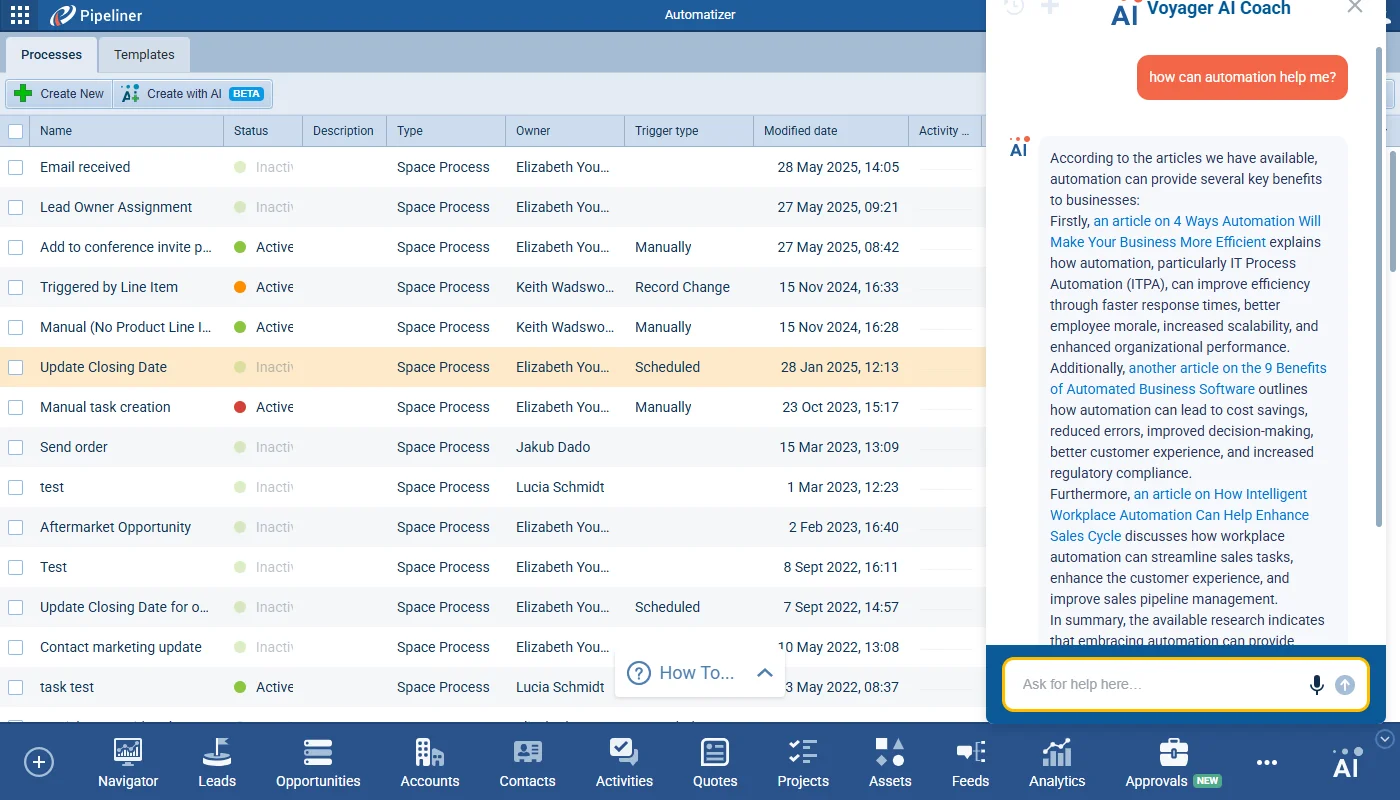
The new Voyager AI Coach guides user requests with intelligently routed, always-available access, and seamless integration with the incredible depth of knowledge available from both our Sales POP! Experts and Coevera Knowledge Base.

The AI Coach is available directly from the main menu across CRM and all tools, opening in a persistent chat window. Users can start new conversations, access recent history, and interact through text or speech input. Conversation history is saved per user, making it easy to pick up where you left off.

Responses are formatted for clarity with bold highlights, lists, and named links.

All screenshots

2
Documentation#voyager-ai-coach-beta
03New · Pipeline

Forecasts

Step 1: Properties

This release includes significant improvements to the Forecasting tool. The primary changes include a new multi-step wizard for forecast creation with descriptive text to better explain what happens in each step, an overhaul of Quota management with “Simple” and “Custom” modes, and a enhancements to the Forecast Detail view. The goal is to streamline the setup process, provide more flexible quota handling, and improve the overall usability and clarity of the forecasting tool.

All screenshots

11
Documentation#forecasts

Various Improvements

As part of our ongoing usability enhancement program, we’ve updated the following features.

Various ImprovementsAdministration

Admin › Entities › Autonumber Fields

Admin › Entities › Autonumber Fields

When a date option is added to the sequence pattern, there is now an option to reset the counter every month/year. This will be turned on by default. The counter offset will also work when date part is added to the sequence.

#admin-entities-autonumber-fields
Various ImprovementsPipeline

Lead Lost Date Field

We’ve added a new shared field Lost Date for Lead (and also for Opportunity) to allow for more specific reporting. The new field is a datetime field showing the date and time when the when selected Lead is Archived as “Lost”. This can be used in KPI information and for every view and filter and will also be available on the Mobile app.

#lead-lost-date-field

Frequently Asked Questions

It is a new BETA assistant that guides user requests with intelligently routed, always-available access to knowledge from both the Sales POP! Experts and the Coevera Knowledge Base, opening in a persistent chat window from the main menu across CRM and all tools.

The Coach works through two subordinate agents. One draws on the Sales POP! database — documents, articles and blogs, podcasts, and YouTube videos with transcription — and the other on the Help database of help articles and URLs.

No. It is released as a BETA and is enabled by default for all existing activated Voyager AI Hub items.

Forecast creation now runs through a five-step wizard, the Quota step is reworked with Simple and Custom modes for distributing a Total Sales Quota, and the Forecast Detail view gains drag-and-drop columns, a Prediction column, and a Compare Values toggle.

Simple Mode is the default and distributes a Total Sales Quota across items evenly or by historical performance, with advanced controls disabled. Custom Mode, turned on with a switch, gives full manual control over quota input and item selection.

Navigator 2.0 adds a guided, wizard-style setup for the Tile, Insights, Target Chart, KPI Chart, and Grid components, saves component changes instantly as a draft rather than needing an explicit Save button, and adds new data visualization and formatting across its components.

See these changes in your own pipeline

Start a free trial and explore what's new for yourself.

No credit card required · Free 14-day trial

groupsTrusted by clients around the globeverified_userISO 27001 CertifiedshieldGDPR CompliantblockData never used to train AI
