Coevera MCP Server at a glance
Coevera, formerly Pipeliner CRM, is a B2B CRM and sales management platform for sales organizations of 15 to 2,500 sellers, published by Pipelinersales Corporation.
- Permission inheritance
- Agents discover the tenant’s entity schema at runtime and inherit the permissions of the authenticated user, and every tool declares whether it reads, changes or deletes data, so the AI assistant can ask before it acts.
- Agentic AI Foundation
- MCP is an open standard published by Anthropic in November 2024 and transferred in December 2025 to the Agentic AI Foundation, a directed fund under the Linux Foundation.
- Public beta
- Coevera exposes its CRM through a Model Context Protocol server, allowing Claude, ChatGPT and any other MCP-compatible AI assistant to read and write live CRM data through one open standard interface rather than per-vendor integrations. The server is in public beta.
Your CRM Now Has a Second Audience
For thirty years, CRM software was designed for one kind of user: a person with a screen. That assumption has quietly stopped being true — and the standard that replaced it is now the most important piece of plumbing in enterprise software.

For three decades, every design decision in CRM software rested on one assumption: at the other end of the connection there is a person, with a screen, a mouse and a finite amount of patience. Menus, dashboards, color-coded pipelines, drag-and-drop — all of it exists because human beings read visually and act manually.
That assumption is no longer the whole picture. A growing share of the traffic reaching business systems has no eyes. It is an AI assistant acting on behalf of a salesperson. It does not need a dashboard. It needs a clean, permissioned, machine-readable way in.
The standard that provides one is called the Model Context Protocol, and understanding it has become part of the job for anyone accountable for a revenue system.
What MCP (Model Context Protocol) Actually Is
MCP is an open standard defining how AI systems connect to external data sources and tools. Think of MCP as USB-C for AI: one standard port, so a CRM no longer needs a separate integration for every assistant. It uses a client–server architecture with JSON-RPC 2.0 messages. Remote servers use the Streamable HTTP transport, which replaced the earlier HTTP+SSE transport in 2025. An MCP client is an AI application; an MCP server is a wrapper exposing an application’s capabilities to any client.
Before MCP
N × M integrationsBefore MCP, every connection between an AI system and a business application was hand-built. Wiring an assistant into one CRM required entirely different code from wiring it into another. With N AI systems and M applications, somebody had to write N × M integrations — and then maintain every one of them as both ends changed underneath.
With MCP
N + M implementationsMCP collapses that. It defines a single interface that any AI system can speak and any application can expose. Connecting N AI systems to M applications without a standard requires N×M bespoke integrations. With MCP it requires N+M implementations.
An MCP server wraps a business application and publishes three things
Tools
A callable function the AI can invoke, described by a JSON Schema that declares its parameters — such as retrieving an opportunity or creating a lead.
get_records(entity_name: “Opportunity”, record_ids: […], fields: […])
Resources
Data the AI can read without executing an operation that changes state — such as account records, activity history and pipeline structure.
An account record; an activity log
Prompts
A reusable instruction template supplied by the server, so every client works from the same definition instead of inventing its own.
A “generate deal summary” template
“The Model Context Protocol is an open standard that enables developers to build secure, two-way connections between their data sources and AI-powered tools. The architecture is straightforward: developers can either expose their data through MCP servers or build AI applications (MCP clients) that connect to these servers.”
Coevera’s server works through tools: 16 of them. Explore all 16 tools ›
Why This Is Infrastructure, Not a Trend
Skepticism is reasonable. Enterprise software produces a new “everything changes now” standard roughly twice a year, and most of them do not survive contact with procurement.
Rivals on one interface
Four companies that compete on almost everything else now speak the same protocol, and Microsoft has built it into Copilot and Visual Studio Code. Rivals rarely settle on a shared interface unless every alternative is worse for all of them.
Then its creator gave up control. MCP is now a founding project of a neutral foundation, alongside Block’s goose and OpenAI’s AGENTS.md, so no single vendor decides where it goes next.
Read the full history at Anthropic ›AI Inside Coevera, and the AI You Bring
Nearly every CRM on the market now advertises artificial intelligence. Very few of them mean the same thing by it. Coevera puts AI to work in two ways, and they are built to work together.
An assistant that lives only inside a CRM carries three structural limits. It works with the AI the vendor picked, not the one the customer’s organization has standardized on and approved. It cannot combine CRM data with anything living outside the CRM. And when the customer’s AI strategy changes — which it will — none of it transfers.
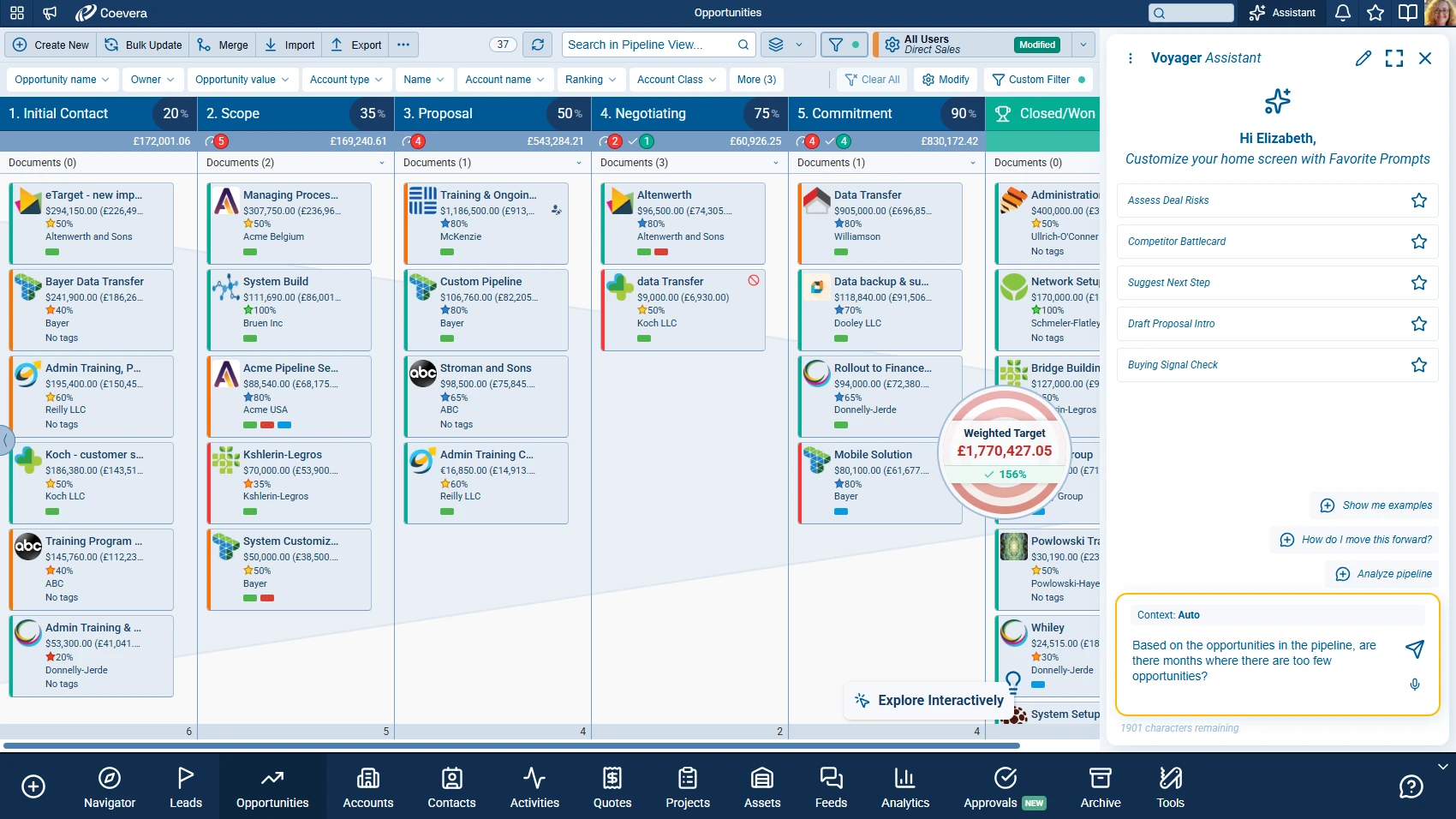
The Voyager AI Assistant works inside Coevera — a collaborative AI layer that shows its reasoning, asks before acting, and learns from corrections. It covers deal prediction, email assistance, call intelligence, and customer insights.
Explore Voyager AI.
An MCP server is a different proposition, because it changes the layer at which AI is supported. The CRM makes itself legible to any assistant. The customer brings the AI they already trust, the model their security function has already cleared, the interface their people already have open — and it reads and writes live CRM data under that user’s existing permissions.
“Voyager gives your team AI where they already work in Coevera. The MCP server keeps the same CRM open to every AI product that has not been built yet — with the same data, the same permissions and the same rules behind both.”
— The Coevera Difference
What It Looks Like on a Tuesday Morning
Strategy is easier to judge in specifics. Here is what becomes ordinary once a CRM speaks MCP.
Illustrative conversation — names and figures are fictional.
A rep asks, in plain language, which deals are likely to slip this quarter — or for a summary of every interaction with an account before a two o’clock call. The AI does not guess. It calls live tools against live records and answers from what is actually there. The distinction matters enormously: an assistant reasoning over real data is a different category of tool from one improvising plausible sentences.
How to Connect Your AI Assistant to Coevera
The Coevera MCP server is in public beta. Request it under Space Administration › Automation Hub › Addons and the Coevera team activates it, with nothing to install.
Claude Connector
Anyone using Claude (claude.ai, Claude Desktop, or the Claude apps)
- checkNo setup — request & connect
ChatGPT Connector
Anyone using ChatGPT
- checkNo setup — request & connect
Custom MCP Connector
Developers, custom in-house assistants, and approved third-party AI agents
- checkYes — connection settings required
Custom MCP Connector
The Custom MCP Connector is for cases the two verified connectors don’t cover. Because it can point at any compatible MCP endpoint, it exposes connection settings — Server URL, Client ID, Client Secret and Redirect URLs — and is intended for technical users rather than a one-click experience.
How do I connect Claude or ChatGPT to Coevera?
- 1Request the connector
Open Space Administration › Automation Hub and select the Addons tab. Find the Claude Connector or ChatGPT Connector tile and request the connector. The Coevera team approves the request and activates it.
- 2Add Coevera in your assistant
In your AI assistant (Claude or ChatGPT), add the Coevera connector and start the connection.
- 3Sign in and approve
You’ll be taken to a Coevera sign-in & consent screen, where you log in and approve the access being requested. Once approved, you’re returned to the assistant, connected and ready.
The Claude Connector and ChatGPT Connector are pre-approved and verified, and appear in the Coevera app catalogue. There’s nothing to configure — once the connector is activated, you simply connect your account.
What the AI can do once connected
Everything below respects your own CRM permissions — the assistant can only see and do what you’re allowed to.
Ask questions about CRM data
“Which accounts in Germany have open opportunities over €50k?” — the assistant searches live CRM records and answers in plain language.
search_recordsget_recordsIllustrative conversation — names and figures are fictional.
The assistant works across your CRM objects — Accounts, Contacts, Leads, Opportunities, Tasks, Appointments, Products, and any custom entities — using your own field names and configuration.
Tools the Coevera MCP Server Exposes
Coevera exposes its CRM through an MCP server built on the platform’s existing REST and GraphQL APIs. The tool surface is designed around generic, schema-driven operations rather than one hard-coded function per record type.
Discovery / schema3
Read3
Write — single5
Delete1
Write — bulk4
meta_list_entity_typesList Entity Types. Returns all entity types available in the CRM for the authenticated user. Each entry includes the entity name, display label, kind (primary or relation), api_name, custom_name, description, and the user's CRUD permissions.
None. Safe to call without confirmation.
The full reference, with parameters, filter syntax and error codes, is at mcp-server.coevera.com/doc.
How a Request Works
Consequence for agents: data returned is live at the time of the call. It is not an export, a cache or a training snapshot. Each request is stateless — no session is kept between calls.
Permissions, Safety and Governance
Everything above is only deployable if the governance is right, and this is where buyers should press hardest.
The points below are the right questions to put to any vendor who mentions MCP — because the protocol makes connection easy, and connection without governance is precisely how sensitive customer data escapes.
- Authentication
- OAuth 2.0, authorization code flow with PKCE. You sign in with your own Coevera account and approve the access requested; Coevera never asks for, or stores, your password. All agent connections pass through Coevera’s existing identity layer.
- Revocable access
- You or an administrator can disable the connector or revoke access whenever you like.
- Tenant isolation
- Every request is tied to your own CRM space — your assistant can never reach another customer’s data.
- Rate limiting
- Built-in rate limiting keeps the CRM responsive for everyone in your space.
- Permission inheritance
- An agent inherits the permissions of the authenticated user and holds no others. An agent acting for a user cannot read or modify data that user is not authorized to access. There is no elevated agent role.
- Data handling
- The connector reads and writes your CRM through official Coevera APIs — it doesn’t copy your data to third-party storage. What the AI assistant does with the answers it receives is governed by the AI provider your organization chose.
- Tool annotation
- Every tool declares whether it is read-only, destructive, idempotent or open-world, so the AI assistant can show its impact and ask before calling it.
Frequently Asked Questions
MCP server basics
Security & data
Installation
The Coevera MCP server is in public beta · Last reviewed
See Coevera for yourself
Start a free trial, or talk to our team about how Coevera fits your sales process.
A personalized walkthrough for buyers ready for deeper evaluation.