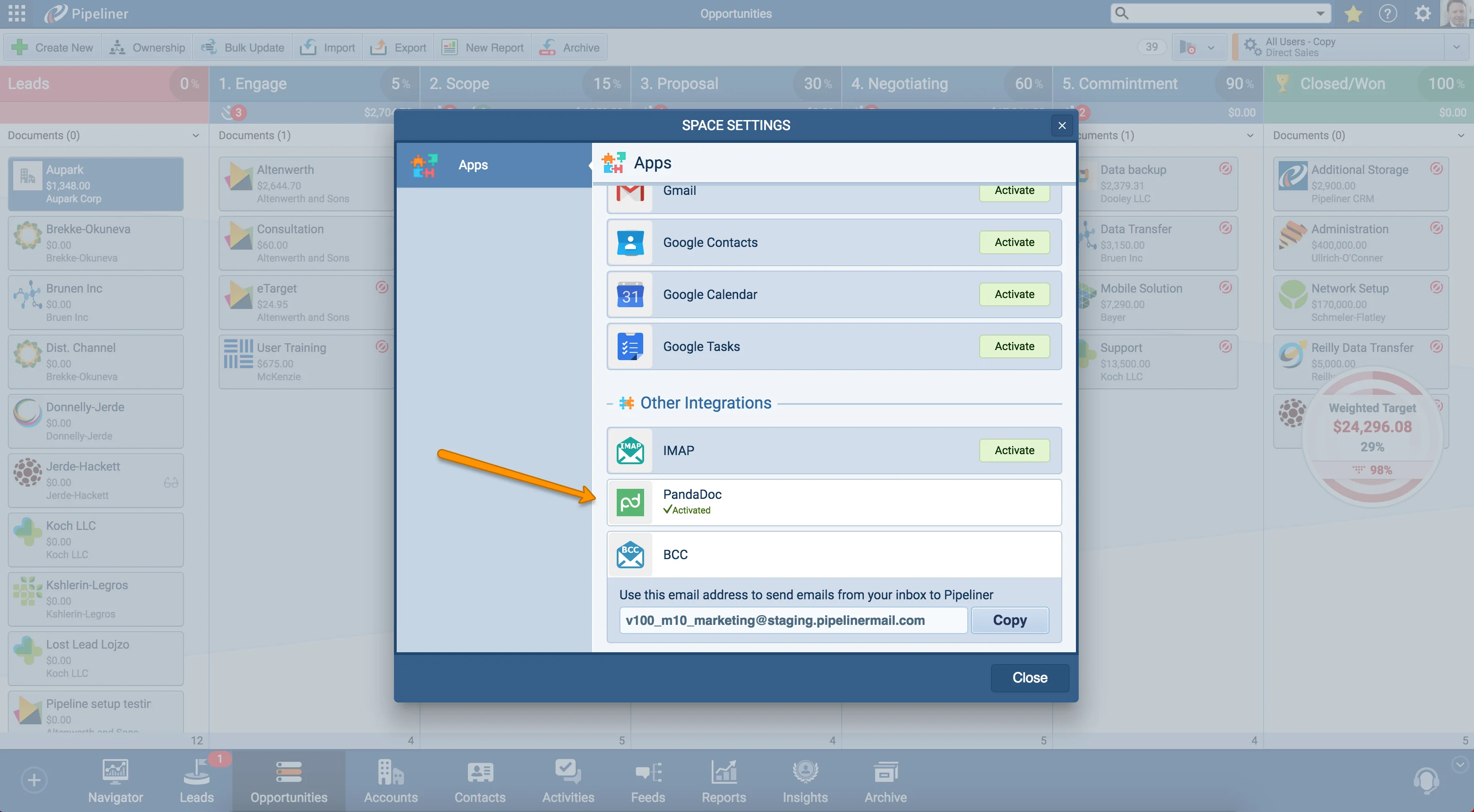
- PandaDoc integration with Coevera is here! PandaDoc enables you to send documents online, on your phone, and on the tablet. It’s widely used by salespeople to send out sales proposals, sales quotas, and invoices to be signed. Sync PandaDoc with Coevera and try it now!
- And we are introducing the update of our Coevera Developers Page with the API documentation.
- We added support for Webhooks
Document Management Improvements, Agenda Sidebar Enhancements, New Integrations, Compact View, Reports, Admin Section Improvements and more
Coevera 1.7.0 adds the PandaDoc integration for sending and signing sales documents, backs it with Webhooks support and refreshed API documentation on the Coevera Developers Page, and layers on improvements across Compact View, Reports, and the Admin section.
- Features
- 4
- Improvements
- 9
- Security
- —
Overview
New integrations lead this release. The PandaDoc integration lets you send documents online, on your phone, or on a tablet — the sales proposals, quotas, and invoices salespeople send out to be signed — and sync PandaDoc with Coevera. Alongside it, the Coevera Developers Page has been updated with API documentation, and Coevera now supports Webhooks.
Beyond integrations, Compact View gains a loading animation, Account Industry, Contact Job Title, and a link to the Account, with visual refreshes to both Preview and Compact View. Reports get a redesigned Columns component in the power panel sidebar that shows the tree structure more clearly, plus drag-and-drop column reordering in Forecast Reports. The Admin section adds general API access in the General tab (business and enterprise versions only) and contextual Help Tours. A bundle of Various Improvements rounds it out — Document Management uploads and downloads, Quick View on hover, Fitness on Lead and Opportunity detail, and a refreshed Activities Calendar, Tasks, and Contact Support window.
- The PandaDoc integration lets you send documents online, on your phone, and on a tablet — sales proposals, quotas, and invoices to be signed — and sync PandaDoc with Coevera.
- The Coevera Developers Page has been updated with API documentation.
- Coevera now supports Webhooks.
- Compact View adds a loading animation, Account Industry info, Contact Job Title, and a link to the Account.
- Preview and Compact View get visual improvements so they are more readable.
- The Reports power panel Columns component has new visuals that make the tree structure clearer.
- Forecast Reports let you reorder columns directly in the report with drag-and-drop.
- General API access is now available in the General tab of the Admin section, restricted to business and enterprise versions.
- Contextual Help Tours are available in the Admin section via the Question mark icon and Help button.
- Document Management uploads are refreshed, and documents can now be downloaded from the app via the arrow dropdown.
- Quick View information appears on hover over Opportunities, Tasks, and Appointments in the Navigator, Calendar, and Task Board Agenda sidebar.
- Fitness status can be viewed and edited on the Lead and Opportunity detail, including creating Activities and updating the Closing date.
- The Activities Calendar visuals — font, colors, and paddings — have been updated for readability.
- The Contact Support window adds new priority options: Low, Normal, High, and Urgent.

What we're proud of
Send and sign documents with PandaDoc
The PandaDoc integration is here: send documents online, on your phone, or on a tablet — the sales proposals, quotas, and invoices salespeople send out to be signed — and sync PandaDoc with Coevera. It ships alongside Webhooks support and updated API documentation on the Coevera Developers Page.
New Integrations
Compact View Improvements
- We have updated and improved the Compact View: added loading animation, Account Industry info, Contact Job Title, and link to Account.
- Visual improvements to Preview and Compact View so they are more visually friendly.
Reports Improvements
For better navigation, in Reports power panel sidebar we’ve updated the Columns component with new visuals. It is now more clear for users to see the tree structure.
In Forecast Reports users now have the ability to reorder Columns directly in the report with simple drag-and-drop!
All screenshots
3Admin section Improvements
You can now get API Access detail in Admin section! We’ve added the possibility for users to use general API access in General tab of the Admin section. Please note that the API access is restricted only to business and enterprise versions.
Contextual Help Tours are now available in Admin section! You can now start Coevera Admin tours by clicking on the Question mark icon ➝ Help button.
All screenshots
2Various Improvements
A batch of usability updates: Document Management now supports uploads and downloads, Quick View appears on hover in the Navigator, Calendar, and Task Board Agenda sidebar, Fitness is available on Lead and Opportunity detail, and the Activities Calendar, Tasks, and Contact Support window have been refreshed.
All screenshots
3Frequently Asked Questions
Related releases
- v5.22.0 · Jan 28, 2026
- Outlook Add-in Improvements
- Advanced Sign-In Security Settings
- Expanded Automatizer Capabilities
- v5.21.0 · Nov 27, 2025
- Major Product Pricing Updates
- Mobile SSO Login via QR Code
- Centralized Scheduled Reports
- v5.20.0 · Oct 29, 2025
- Brand New AI Automatizer Agent
- Target Improvements
- New E-Book Library Page
See it in your own pipeline
Start a free trial and explore what's new in Coevera 1.7.0 for yourself.
No credit card required · Free 14-day trial
