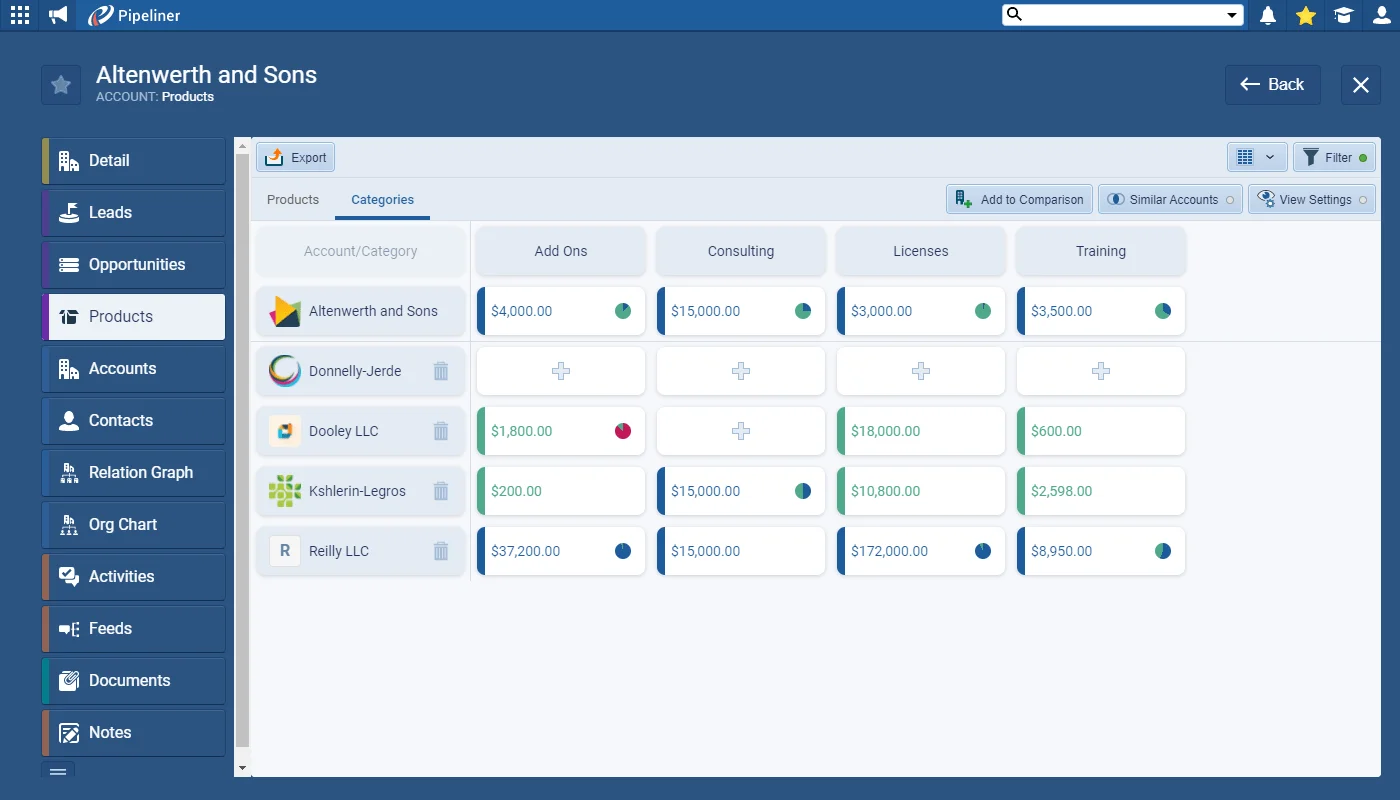
We’ve added another invaluable feature to help with your Account-based selling and Key Account Management strategy. The Whitespace View is all about tracking your cross-sell and upsell opportunities by comparing your selected Account to others that are similar (use the “Similar Accounts” button to add companies with the same Account Class or in the same industry, for example) or to other Accounts within the same group of companies (you can manually add any companies you want to review using the “Add to Comparison” option). Choose between Product Categories or Products for your view.
Changing the selection to Products shows you all Products included in Opportunities linked to your selected Accounts. You can manually add additional Products using the “Add to Comparison” button.
Once you’ve used the WhiteSpace view to plan, you can execute your strategy directly from the WhiteSpace View by creating new Opportunities or follow up Activities.
