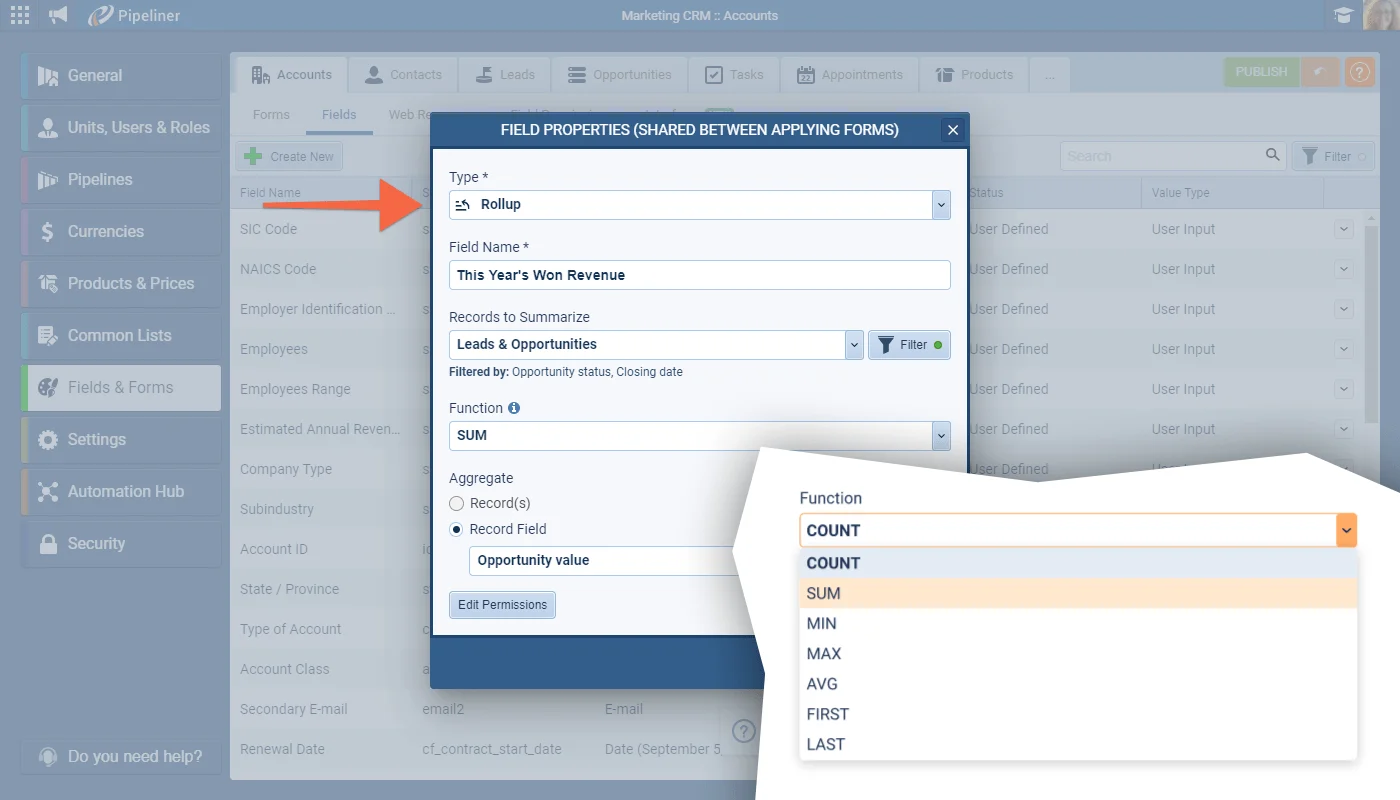
We’ve added another advanced field type in this release. The new Rollup field lets you summarise data from related records and display the information on Forms, Preview screens, in the Power Panel or Automatizer processes when filtering and in Reports. Rollup fields are created and added to Forms and Preview Screens in the Admin Module in the same as other types of fields.
Rollup fields can be added to Accounts, Contacts, Leads, Opportunities, Tasks and Appointments. Field Permissions can be applied to Rollup fields (note that Rollup fields are intrinsically “read-only” so, in reality, you would use Field Permissions to show/hide the field based on User Role). Rollup fields are read-only to your users once added to the Form. They can also be added to the Record Preview and QuickView from the Interface tab.
Rollup fields can be used to filter in automated processes and in the Power Panel filters and can be added to Reports and used in Charts. Rollup fields cannot be used in calculations.
