What's New

The latest Coevera CRM release, new features, and platform improvements.

The CRM we keep improving

Coevera Cloud delivers a level of visualization and instant, dynamic insights unrivaled in the CRM space — available in every edition. This ensures a supreme user experience, a short learning curve, and high, rapid adoption rates.

Its unique administration backend means non-technical users can easily configure the system — no programmers, consultants, or systems integrators required, and no need for an expensive, full-time administrator. That saves companies money and minimizes risk.

Coevera Cloud is part of the same product line that includes the market-leading iOS and Android mobile CRM apps. With cloud and mobile options together, Coevera serves the largest addressable market of any CRM — from teams that want a cloud-only CRM to those who rely on the most effective mobile CRM app available.

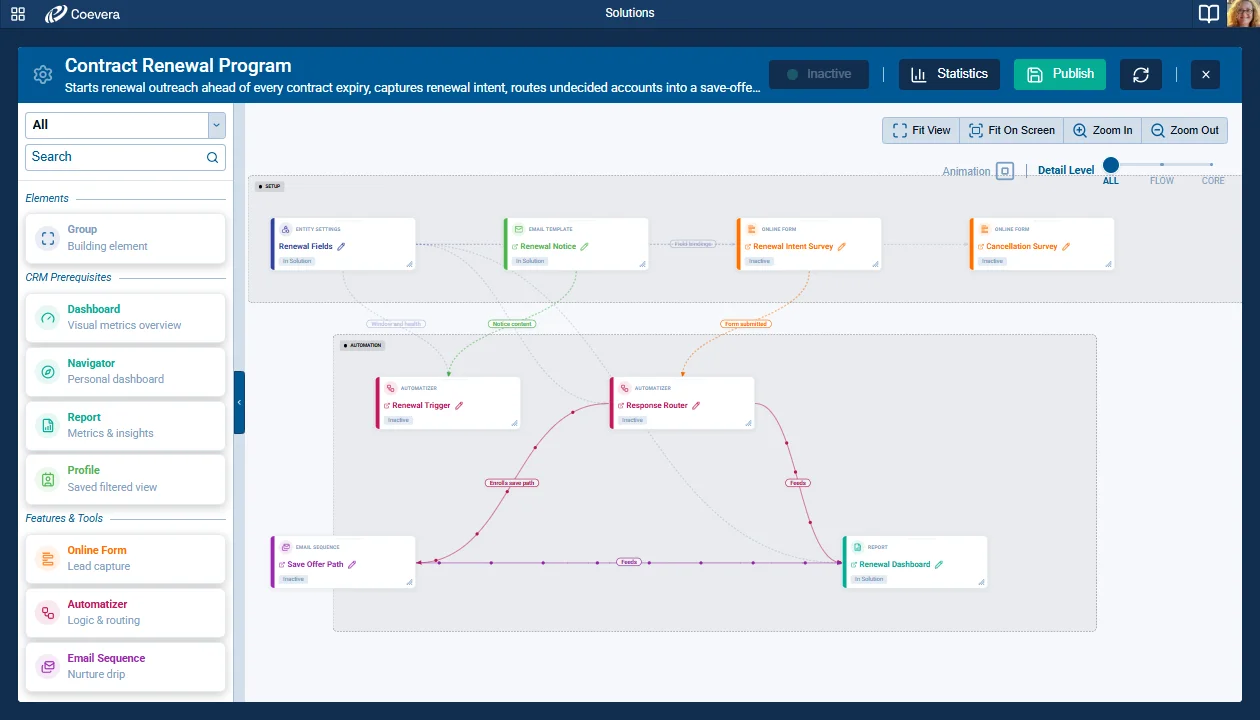
Solution Editor
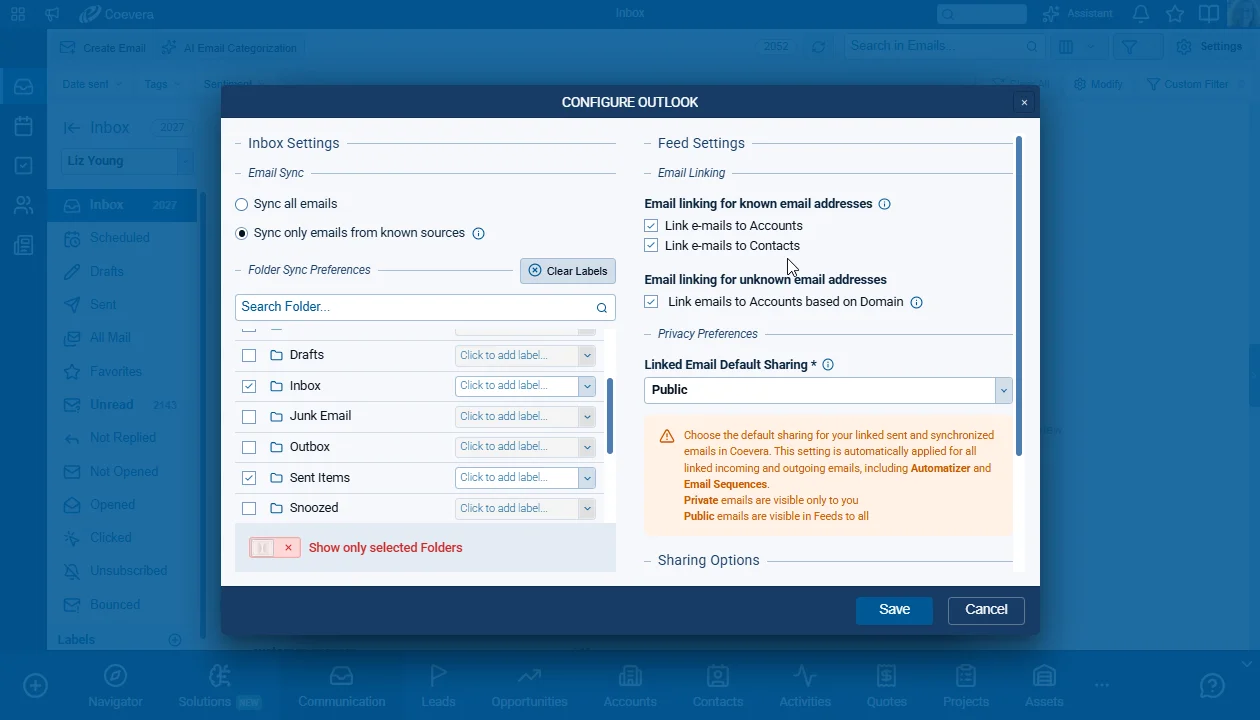
Email Integration Configuration
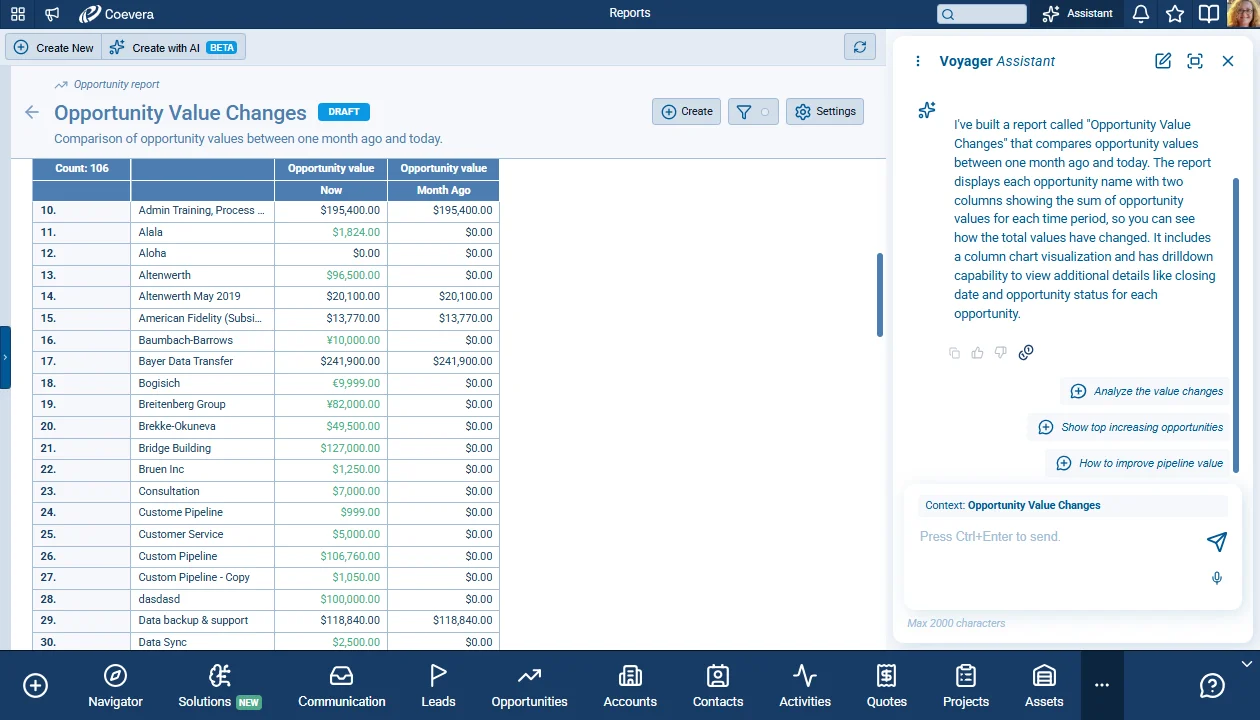
Voyager AI Improvements
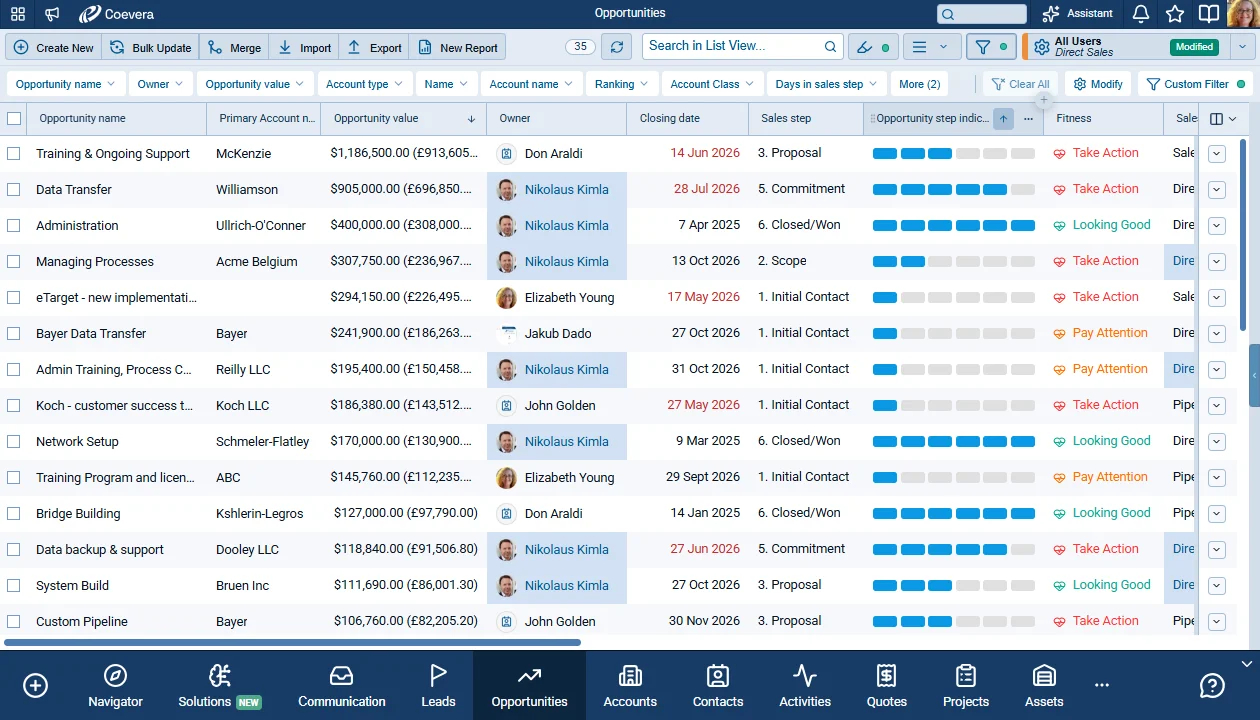
Step Indicator for Sales Steps — Rendering
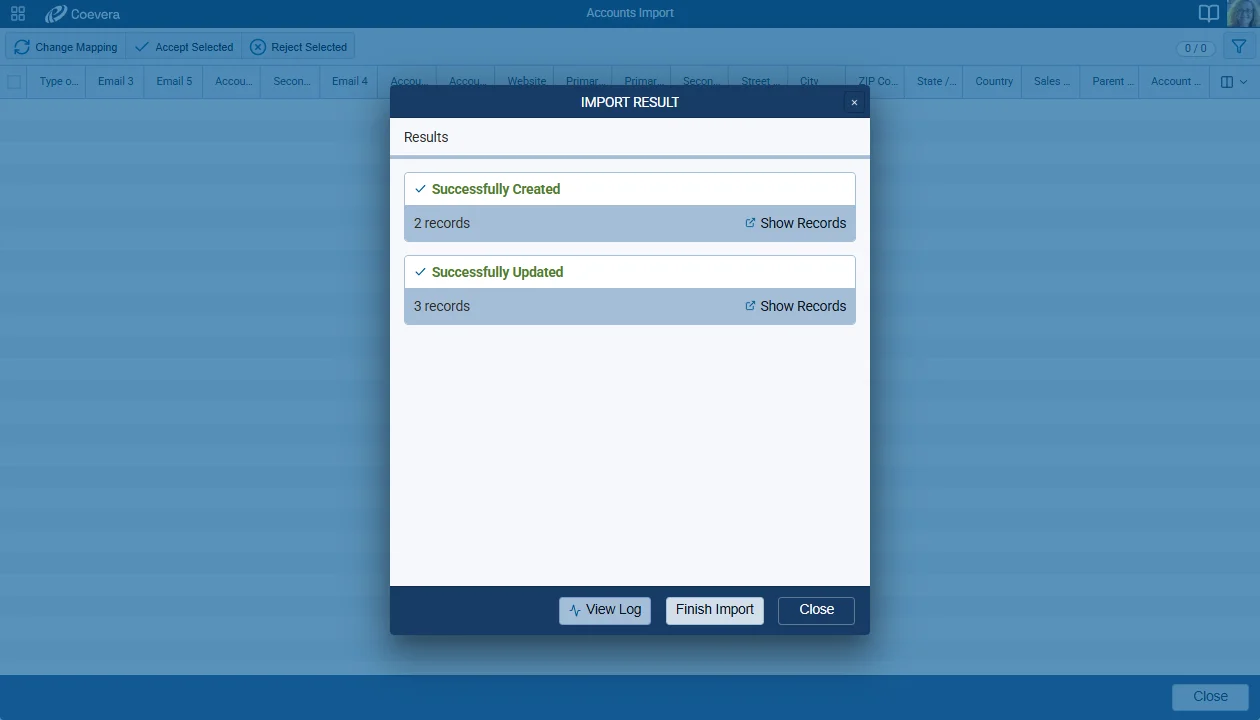
Import Result Window — Import result
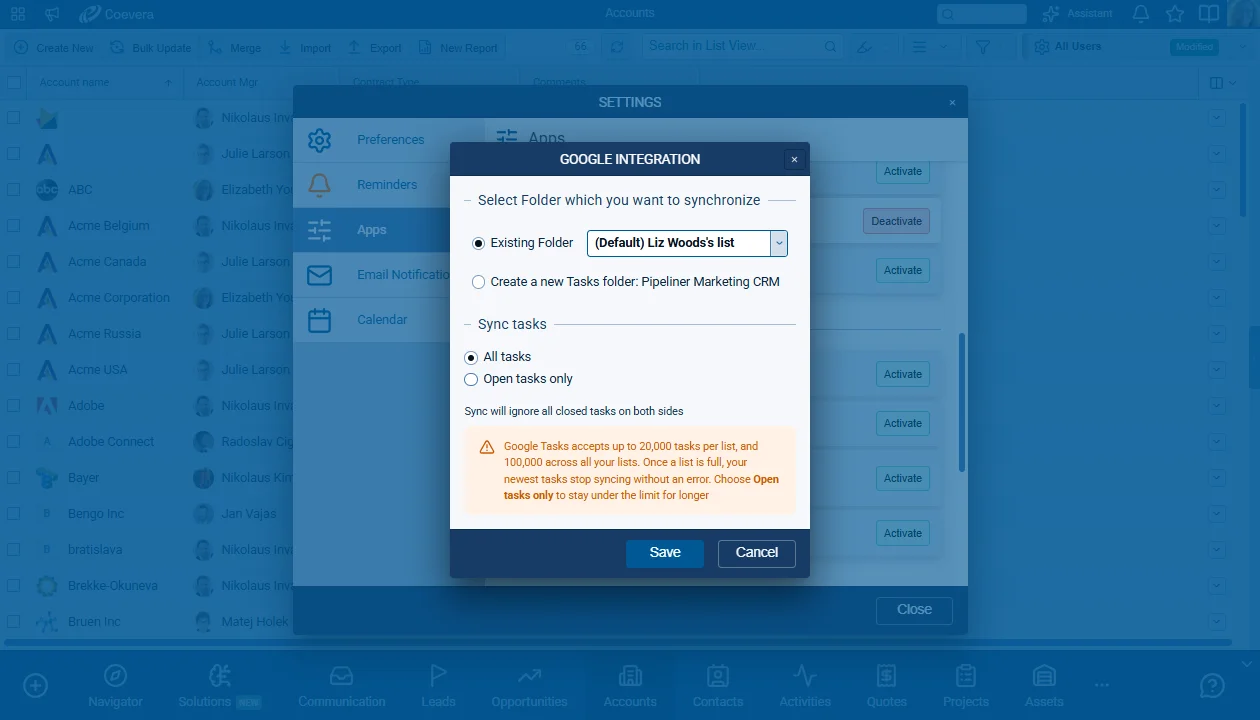
Google Tasks Sync: Limit the Synced Tasks
Latest releasev6.5.0October 1, 2026SolutionsEmailVoyager AI

Brand New Solutions, Email Inbox with Labels and Reworked Email Sync, Voyager AI Improvements, and other Various Improvements…

Coevera 6.5.0 introduces Solutions — a live canvas that shows a complete working set-up as one connected picture — separates email synchronization from email linking in the Inbox, adds AI guardrails, history reports, and Sankey charts to Voyager AI, and lands sixteen improvements across the product.

3 new features · 16 improvements

What's in this release

  • check_circleSolutions — a new area that shows a complete working set-up of processes, forms, sequences, templates, reports, fields, and entities as nodes and connections on a live canvas.
  • check_circleA Solutions Library of 19 pre-built templates, with a guided setup that creates every node and connects them in a single all-or-nothing operation.
  • check_circleThe Solution Editor — a left nodes panel, a canvas with Fit On Screen and a Detail level slider, node statuses, groups, and automatic connection scanning.
  • check_circleSolution statistics and activity logs that combine Automatizer, Email Sequence, and Online Form output in one place, and a Solution Manager option in User Roles that grants edit rights.
  • check_circleEmail sync separated from email linking: Email Sync and Folder Sync Preferences decide what lands in the Inbox, while Email Linking decides only what appears in Feeds.
  • check_circleOne configuration design for the email integrations, with folder selection, sync mode, and privacy settings in one place — SendGrid keeps its layout, without folder selection.

Questions about Coevera 6.5.0

A named, goal-driven package — such as New Client Onboarding or Lead Nurture Campaign — displayed on a live canvas where every part of a working set-up appears as a node and every real dependency between those parts appears as a connection. Processes, forms, sequences, templates, reports, fields, and entities can all take part.

From one of 19 pre-built templates in the Solutions Library through a guided setup, from scratch on an empty canvas, or by copying an existing Solution. A template install creates all nodes and connects them in a single all-or-nothing operation, and the tools it creates stay deactivated until you activate the nodes as the final step. Copying duplicates the visualization only — it never creates copies of the underlying processes, custom entities, or fields.

A Solutions switch in the User Role allows or denies access. Editing needs the separate Solution Manager option, which requires full access to Automatizer, Email Sequence, Online Forms, and Approval Processes; when it is enabled, a pop-up lists the tools that need to be updated and Update corrects them all at once. Without Solution Manager, a user sees Solutions as a watcher.

Synchronization and linking are now separate. The Email Sync and Folder Sync Preferences settings decide which emails are synced to the Inbox, while the Email Linking checkboxes decide only which synced emails are linked to Accounts and Contacts and therefore appear in Feeds. Emails that are not linked are synced to the Inbox only.

Yes. Existing users' Email Sync and folder settings are preserved, and Email Linking checkbox states are preserved too; new integrations have all Email Linking options selected. What the Email Linking checkboxes control has changed: they now decide only whether a synced email is linked to a record and shown in Feeds, not whether it is stored at all.

Every prompt and answer is screened. Text that comes from outside the CRM is screened separately for prompt-injection attempts, so an email can't give the AI instructions. Genuine customer content is never blocked or masked.

Experience It Yourself

Start your 14-day free trial today. No credit card, no commitment — just results.

Keine Kreditkarte erforderlich · 14 Tage kostenlos testen

groupsTrusted by sales organizations across North America, the UK, Europe and Australasiaverified_userISO 27001 CertifiedshieldGDPR CompliantblockData never used to train AI