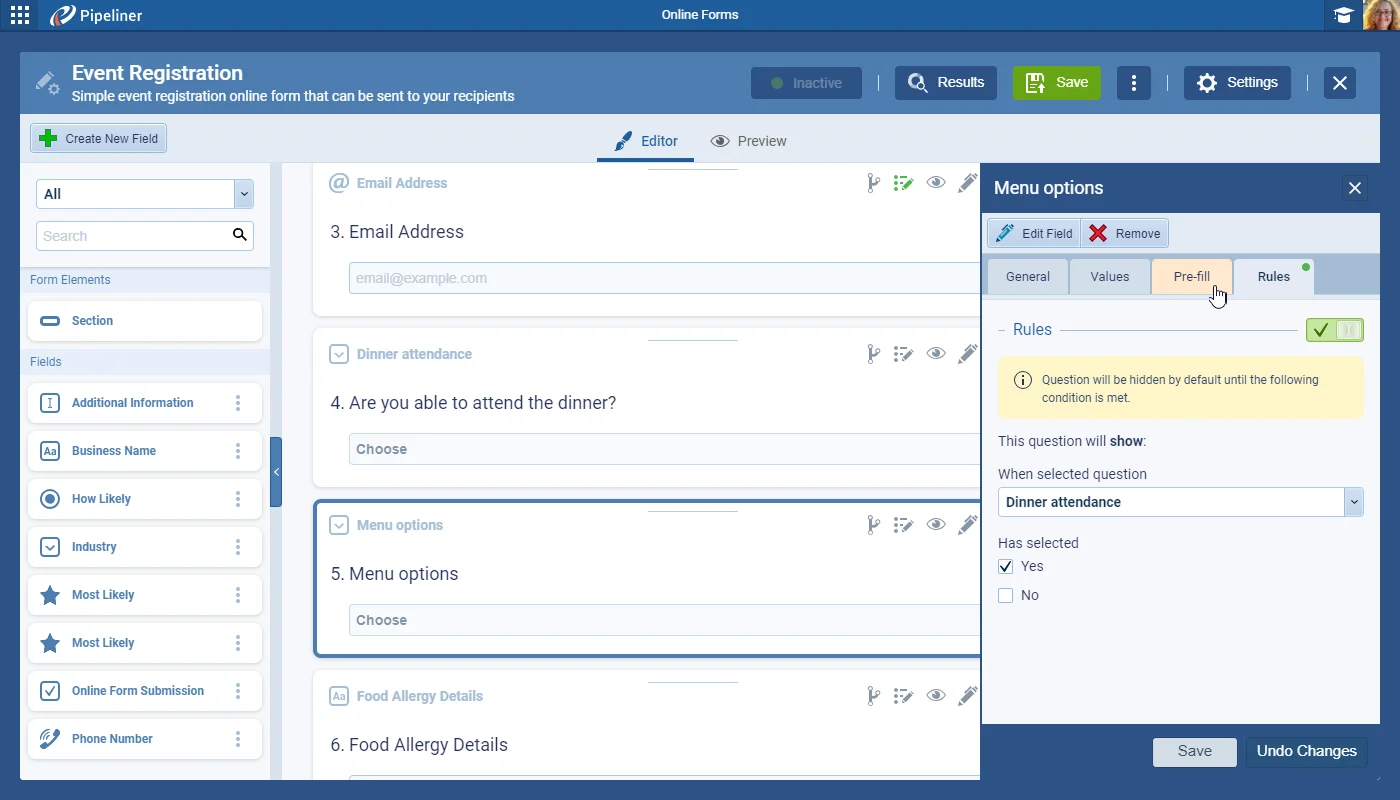
It is now possible to create fields on Online Forms that only display when another field has been completed with an appropriate value. For example, a field listing “Menu Options” will only display when a “Yes” has been selected in a field named “Attending Dinner?”.
These Conditional Rules are available for all fields on the Online Form.
Rules are enabled from the “Rules Tab“. Toggle the Rule “ON” or “OFF“. When the Rule is ON, the field/question is “HIDDEN” by default. When the form is completed, if the condition is met, the question will appear, or will remain hidden if not.
All screenshots
5Documentation#online-forms-conditional-fields
