Adds a Dashboards 3.0 Performance Graph, Tips and Tricks during sync, and Favorites for Leads, Opportunities, Contacts, and Accounts.
All screenshots
4#various-improvements
The Coevera Mobile App v1.1.0 adds a Dashboards 3.0 Performance Graph for comparing productivity by user and time, surfaces Tips and Tricks during sync, and lets you mark any Lead, Opportunity, Contact, or Account as a favorite.
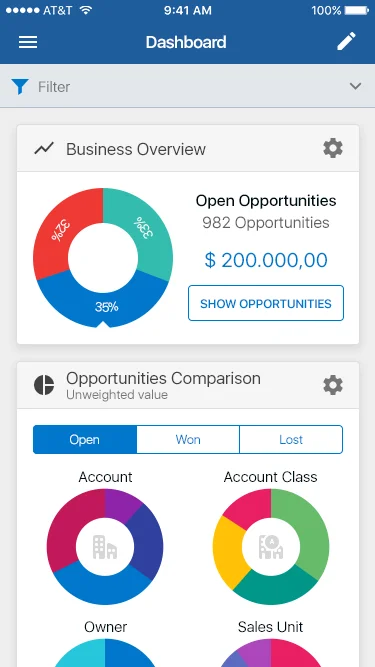
This early Coevera Mobile App release leads with the new Dashboards 3.0 Performance Graph. It lets you compare your productivity according to activity statistics, broken down per user and over time, so you can track how you and your team are performing without leaving the app.
Two quality-of-life additions round out the release. The sync screen now shows Tips and Tricks to read while data loads, turning wait time into a chance to get more out of the app, and Favorites arrives on mobile — tap the star icon on any Lead, Opportunity, Contact, or Account to mark it, then find all your favorites in a dedicated list in the main menu.
What we're proud of
The new Dashboards 3.0 Performance Graph brings productivity insights to the Coevera Mobile App, comparing activity statistics per user and over time so you can see how you're tracking from anywhere.
Adds a Dashboards 3.0 Performance Graph, Tips and Tricks during sync, and Favorites for Leads, Opportunities, Contacts, and Accounts.
Connect Coevera to your AI assistant and let it do real work across your CRM — always within your permissions, never beyond them.
Get the Coevera Mobile App and try the new Dashboards Performance Graph, sync Tips and Tricks, and Favorites for yourself.
Keine Kreditkarte erforderlich · 14 Tage kostenlos testen
