Vendor numbers are easy to print and hard to trust. So instead of just listing ours, this page explains what each one actually measures and the design choices that make it possible. The goal is simple: give you enough of the method that you can sanity-check the figures against your own situation and calculate your own total cost of ownership.
Coevera delivers lower total cost of ownership and fast implementation because of three architectural choices: no full-time admin, the core CRM included on every tier, and visual configuration that usually does not need a consultant. Below is what each published number measures, and where you should plug in your own assumptions.
The four numbers, and what they measure
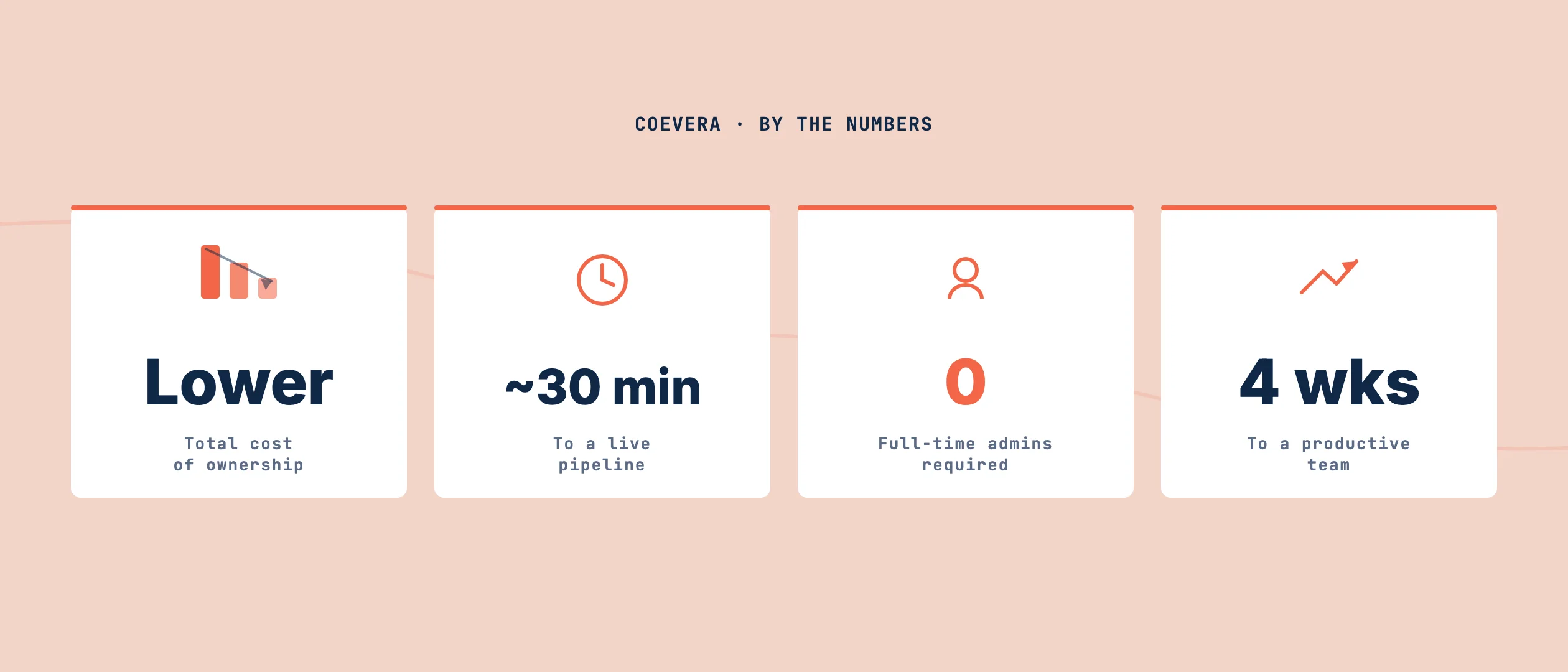
Coevera focuses on four results: a lower total cost of ownership, fast implementation, no requirement for a full-time admin, and quick user onboarding. Each only means something if you know what is inside it, so the sections below break down the driver behind every one. Where a result depends on assumptions that vary by company, this page explains the method rather than presenting one number as universal.
Lower total cost of ownership: the method
Total cost of ownership is the sticker price plus everything around it: administrator headcount, implementation and configuration services, integration and per-feature add-ons, and the productivity lost while a team gets up to speed. Coevera reduces TCO by removing whole buckets rather than shaving the per-seat price. No full-time administrator is required, and the core CRM — pipelines, contacts, leads, opportunities, reporting, dashboards, and document management — is included on every tier rather than unlocked by an upgrade.
Be precise about what that does and does not cover. Advanced modules and the agentic Voyager 2 tier are priced as add-ons, and some capabilities sit on higher tiers, so read the pricing page against the features you actually need before you model anything. The honest claim is not that Coevera charges for nothing beyond a seat; it is that you can run a full sales process on the base tier without hiring an administrator to keep it alive.
There is no single universal savings number, because the real figure depends on your team size, your salaries, and the platform you are comparing against. What is consistent is where the savings come from: removing the full-time administrator role, getting a working sales process without a tier upgrade, and configuring the system visually instead of hiring a consultant. Use the four-bucket model below with your own inputs to see what that adds up to for your team.
Fast implementation: what happens, and when
Speed comes from setup that does not need a specialist. A Coevera visual pipeline can be running in about 30 minutes, with no admin setup, because configuration uses visual drag-and-drop tools rather than code. From there, a typical rollout is measured in four weeks, not the months a heavily customized enterprise platform can take.
The exact length depends on how many pipelines, custom fields, and integrations you need, so the better measure is how little has to happen before reps can work. With a pipeline live in about 30 minutes and no admin required to stand it up, most teams are fully operational within four weeks, then refine as they go.
No full-time admin required: the architecture
This is the number that quietly saves the most money, because an administrator is a recurring salary, not a one-time fee. Coevera is built so a sales manager can change fields, stages, and automations through visual tools, without a certified admin or a developer. The backend is designed to be as approachable as the front end, which is why no full-time admin is required to keep the system running. In Coevera's own customer survey, 57 percent reported needing no administrator at all, and none reported needing a full-time one.
Quick onboarding: the training method
Adoption depends on how fast a rep can be productive, not just provisioned. Because the interface is visual and matches how reps already sell, a new user can get to a working pipeline quickly. In Coevera's own customer survey, 41 percent reported that training took one to five days, and 14 percent reported less than a day. Coevera also automates routine admin work, so reps spend their time selling instead of maintaining records.
How to calculate TCO for your own team
The most useful number is the one you build from your own inputs. Add up these buckets over a three-year horizon, then compare tools on the total, not the per-seat price.
- Licenses. Per-seat price times users times 36 months, including any required add-ons.
- Admin headcount. The fraction of an FTE needed to run the system, times salary, times three years.
- Implementation. Setup, configuration, and consulting fees to get live.
- Lost productivity. The selling time given up during onboarding and ongoing upkeep.
Run that math for each tool on your shortlist. For Coevera's current plans, see the pricing page, and for the feature detail behind each tier, the product overview. For the buyer's view of hidden CRM costs, see our companion guide on the true cost of CRM.