v1.5.0MinorReleased

Brand New Notes 2.0, Coevera Voyager Improvements and more (Mobile)

The Coevera Mobile App v1.5.0 introduces Notes 2.0 with a rich text editor, brings Voyager AI to the Calendar and Tasks views, adds SAML 2.0 single sign-on, and refreshes the Main Menu, User Arena points, and Opportunity creation.

MobileVoyager AI
Share
Features
Improvements
7
Security
1
Demnächst verfügbar

Overview

Notes 2.0 leads this release for the Coevera Mobile App. A new rich text editor lets you format notes directly on your phone with headers, bold, italic, and underlined text, and bullet lists. Voyager AI also comes to mobile, now available on the Calendar and Tasks views.

The rest of the release sharpens everyday navigation and setup. The Main Menu is reorganised with new Help & Support and Coevera Family sections and keeps the Sync button always within reach, the User Arena Points system is redesigned to show where points come from and how they are calculated, and creating a new Opportunity no longer asks for a step — new Opportunities always start in the first step of the Pipeline. The apps also add single sign-on via SAML 2.0, and every card now has rounded corners.

What's in this release
  • Notes 2.0 adds a rich text editor to mobile notes, with headers, bold, italic, underlined text, and bullet lists.
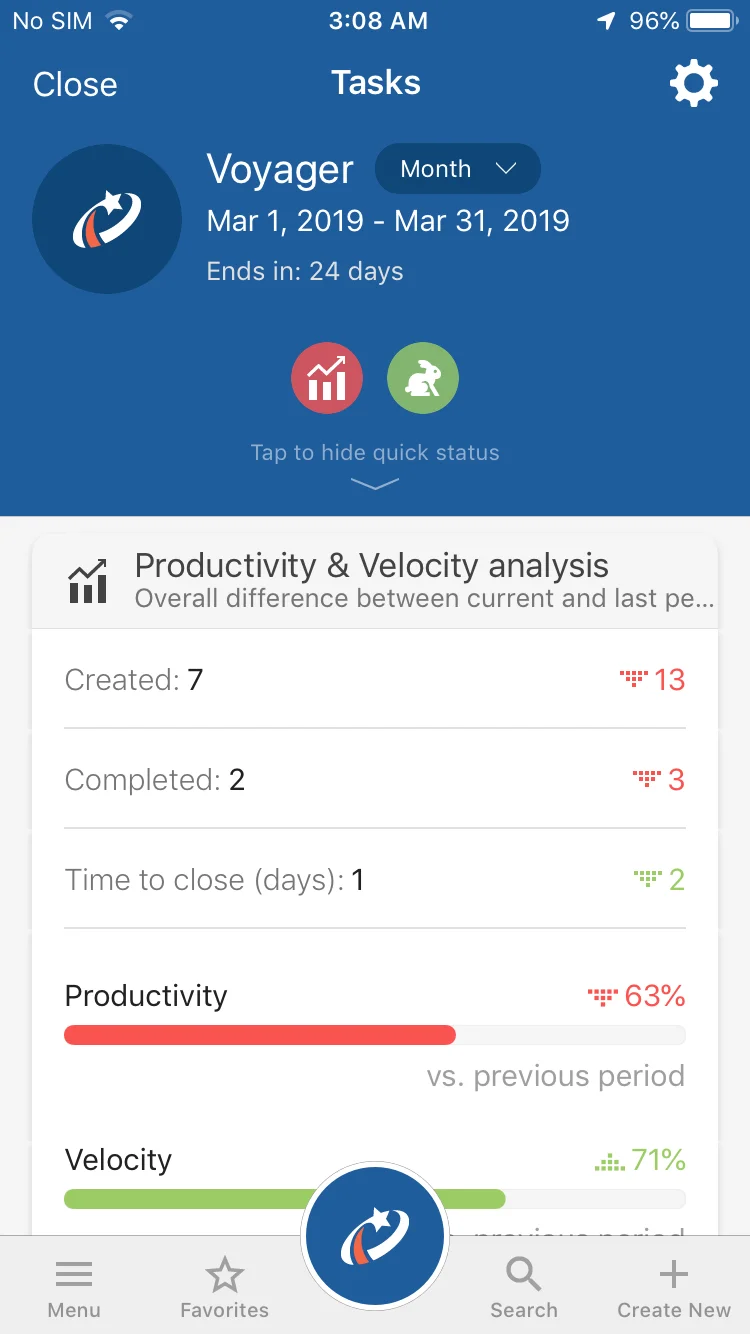
  • Voyager AI is now available on the Calendar and Tasks views.
  • The Main Menu adds Help & Support and Coevera Family sections, and the Sync button is now always available.
  • The User Arena Points system is visually updated to show where points come from and how they are calculated.
  • Creating a new Opportunity no longer requires selecting a step — new Opportunities always start in the first step of the Pipeline.
  • The Coevera Mobile Apps now support single sign-on through SAML 2.0 integration.
  • All cards now have rounded corners.
Various Improvements

What we're proud of

Formatting arrives in mobile notes

Notes 2.0 brings a rich text editor to the Coevera Mobile App, so you can shape a note on your phone with headers, bold, italic, and underlined text, and bullet lists.

Various Improvements

Various ImprovementsMobile
Various Improvements

A batch of mobile updates: Notes 2.0 with a rich text editor, Voyager AI on the Calendar and Tasks views, a reorganised Main Menu with an always-available Sync button, a refreshed User Arena points system, one-step Opportunity creation, SAML 2.0 single sign-on, and rounded card corners.

All screenshots

3
#various-improvements

Frequently Asked Questions

Notes 2.0 adds a rich text editor, so you can format notes with headers, bold, italic, and underlined text, and bullet lists.

Voyager AI is now available on the Calendar and Tasks views.

It now includes Help & Support and Coevera Family sections, and the Sync button is always available.

Step selection has been removed — new Opportunities are always created in the first step of the Pipeline.

Yes. The Coevera Mobile Apps now support single sign-on through SAML 2.0 integration.

The Points system has been visually updated to show where users are getting points from and how they are calculated.

Take your pipeline mobile

Start a free trial and explore what's new in the Coevera Mobile App for yourself.

Keine Kreditkarte erforderlich · 14 Tage kostenlos testen

groupsTrusted by clients around the globeverified_userISO 27001 CertifiedshieldGDPR CompliantblockData never used to train AI
