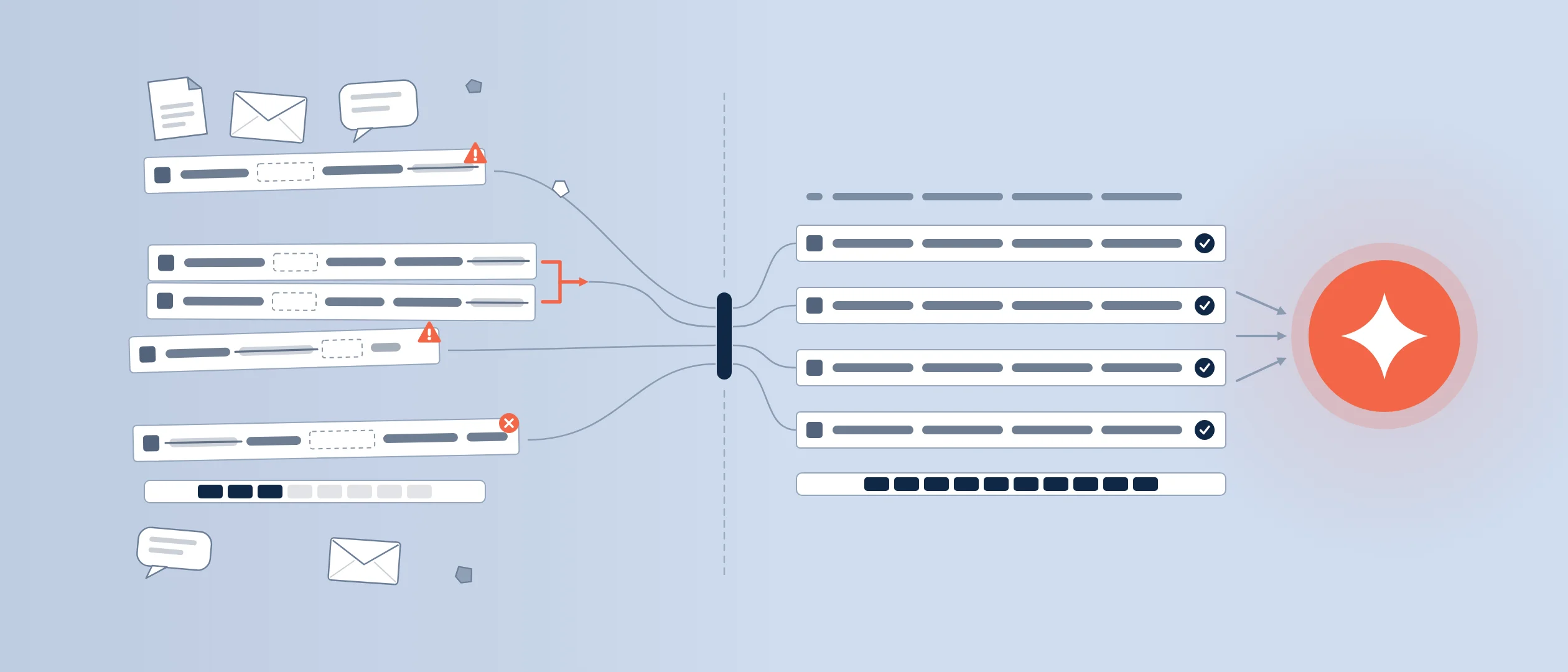
Every AI feature your CRM vendor ships this year has the same dependency, and it is not the model. It is the ten thousand records your team entered over the past five years: the duplicates, the contacts who changed jobs in 2023, the deals still "open" from last summer. AI does not clean that up. It learns from it. Which means CRM data quality, the least glamorous project in sales operations, just became the most important one.
CRM data quality is the degree to which your customer records are accurate, complete, standardized, and current enough for people and AI to act on. AI-ready data adds one more requirement: the data must be representative of the questions you will ask the AI, with meaning attached (owners, definitions, loss reasons), not just rows filled in. The stakes are documented. Gartner predicts that through 2026, organizations will abandon 60% of AI projects unsupported by AI-ready data. This guide covers what AI-ready means for a sales CRM, the five problems that do the damage, and a fix that lasts.
What AI-ready CRM data actually means
Four properties define it. Accurate: fields reflect reality, close dates are real, and dead deals are marked dead. Complete: the fields your AI will reason over (stage, amount, contacts, activity, loss reasons) are filled in on most records, not a third of them. Standardized: one format per field, one definition per stage, so "Proposal" means the same thing on every team. Governed: someone owns each data set, and there are rules for who creates, edits, and merges records.
Gartner's research makes a sharper point: AI-ready data is not the same thing as traditional data management done well. Data can be clean by the old standard and still fail AI, because the AI needs context (what a stage means, why a deal was lost) and coverage of the cases you will ask about. In the same survey, 63% of organizations either do not have or are not sure they have the right data management practices for AI.
What dirty CRM data costs in the AI era
The pattern behind those numbers: AI multiplies whatever it is fed. Feed it a pipeline where a third of the deals are dead but open, and it forecasts revenue from ghosts. Feed it contacts three job changes out of date, and it drafts personalized outreach to people who left. In Salesforce's State of Data and Analytics research, 84% of data and analytics leaders agree AI's outputs are only as good as its data inputs, 51% of sales leaders with AI say tech silos delay or limit their AI initiatives, and 74% of sales teams with AI now prioritize data hygiene to support it. The market has caught on. The question is whether your CRM catches up before your AI rollout.
The five data problems that break CRM AI
- Duplicate accounts and contacts. The AI splits one customer's history across three records and reasons about each fragment as if it were the whole story.
- Stale contact data. People change roles and companies; records do not. Outreach, call prep, and relationship insights all inherit the staleness.
- Missing critical fields. No close date, no amount, no loss reason. Every blank is a pattern the model cannot learn.
- Siloed systems. When email, calendar, and deal data live in tools that do not talk, the AI sees a sliver of each relationship and calls it context.
- Unstructured data left on the table. Call notes, emails, and documents hold the richest signals. In Salesforce's State of Data and Analytics research, 70% of data and analytics leaders say the most valuable insights are trapped in unstructured data.
The half-day CRM data health check
These five checks tell you where you stand. For the full record-level preparation procedure, work through the AI-ready CRM data preparation playbook; this guide's job is to tell you whether and how urgently you need it.
- Pull the pipeline aging report
List open deals by days since last activity. Anything silent past your average sales cycle is probably dead. Count them; that is your pipeline inflation rate.
- Sample 50 contact records
Check title, company, email, and last touch. Score how many you would confidently use for outreach today. Under 80% means enrichment or re-verification comes first.
- Check field completeness on won and lost deals
Close date, amount, stage history, loss reason. These are the fields AI learns outcomes from. Gaps here directly weaken forecasting and deal scoring.
- Count your duplicates
Run your CRM's duplicate report on accounts and contacts. Note the merge backlog.
- Map your silos
List where deal-relevant data lives outside the CRM: inboxes, spreadsheets, call tools. Each one is context your AI cannot see.
The fill-rate check that catches a silent import failure is in Blueprint 005.
Fix data quality at the point of entry, not in cleanup sprints
Cleanup projects work once, then decay, because the process that created the mess is still running. The durable fix changes how data enters the CRM. Make the pipeline visual and part of how reps actually work their deals, so updating a stage is a drag, not a data-entry chore. Automate what can be captured automatically. Standardize forms so required fields are few, clear, and consistently defined. And give every field a reason to exist: if nobody uses it, delete it, because unused fields train reps to treat all fields as optional.
This is also where adoption and data quality turn out to be the same problem. Reps keep data current in systems that help them sell and neglect systems that only report on them. The companion piece on Sales POP!, How to Get Reps to Actually Use the CRM, covers the adoption side in detail.
A form submission that becomes an upsert (49 submissions, 41 people, zero duplicates) is documented as a build in Blueprint 013.
How Coevera keeps CRM data AI-ready
Coevera's approach starts with the visual pipeline: deal state is something reps see and move as they work, which keeps stages and close dates honest without a compliance push. Automatizer, the no-code workflow engine, captures routine updates and follow-ups automatically, so fewer fields depend on a rep's memory. AI-powered data enrichment keeps contact and company records current without manual entry, the direct answer to stale contact data. And Voyager 2 brings agentic AI with approval-based autonomy: its agents help build the automations and forms that standardize data entry, show their reasoning, and ask before they act, so the AI helping maintain your data never silently rewrites it. Competitors offer AI-driven data tools too. The difference Coevera aims for is that you can see and approve what changes. Explore the product tour or pricing.
See what a clean pipeline feels like
Try Coevera free for 14 days. No credit card required.
Start free trial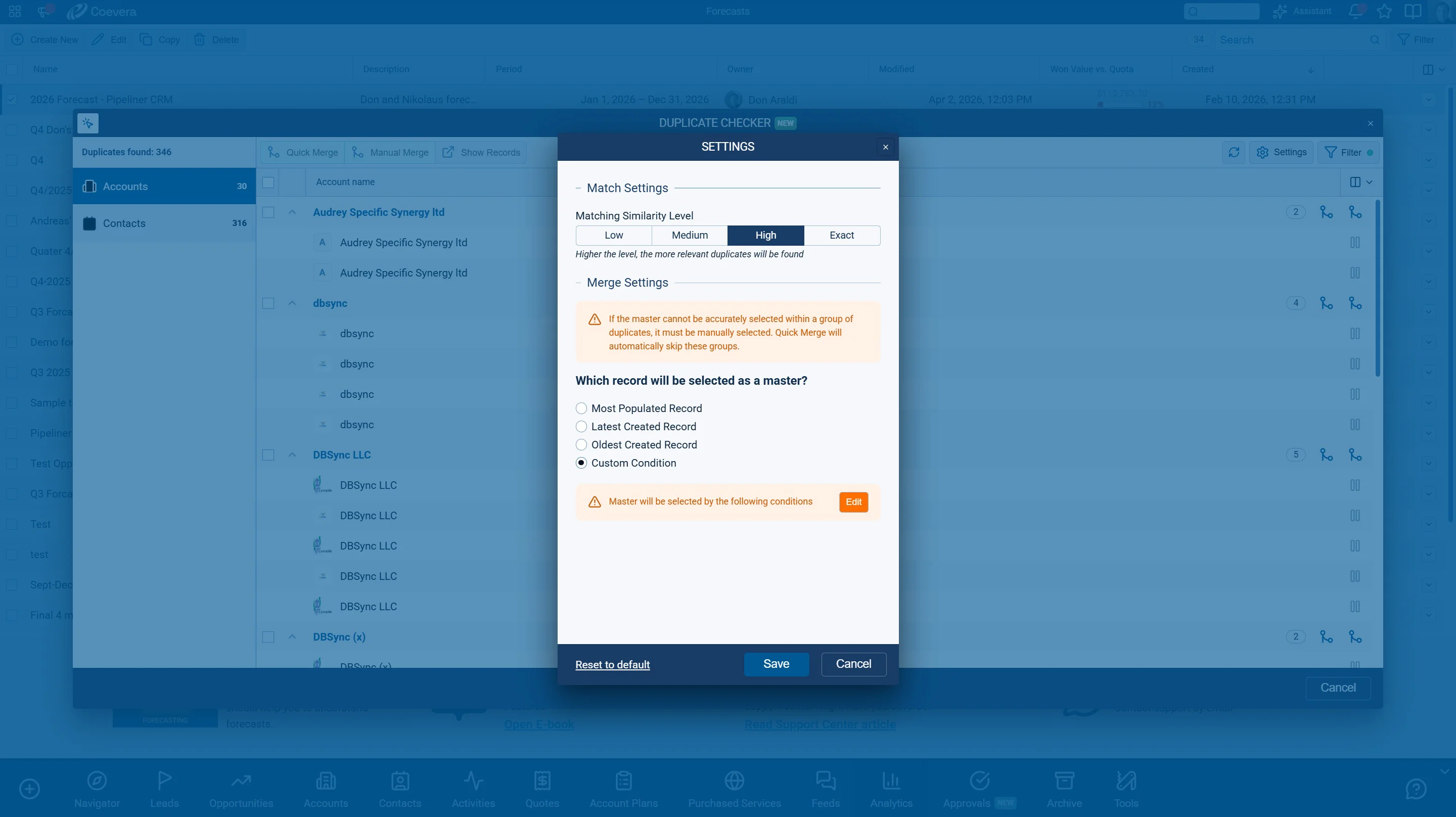
Where this pays off first: forecasting
The fastest return on clean CRM data is a forecast you can run the quarter on. AI forecasting scores each deal from its recorded behavior, so every honest stage, real close date, and logged loss reason sharpens the number. That relationship runs one way: better data improves the model, but a better model cannot repair the data. Start here, then read the complete guide to AI sales forecasting for the rollout plan.