We are incredibly proud to announce new exciting enhancements for Automatizer!
All screenshots
3Documentation#automatizer
Coevera 3.1.0 supercharges Automatizer with webhook actions, scheduled triggers, an archive action, and improved debugging, adds a Company Emails tab, brings a full set of bulk operations for Leads and Opportunities, and lets the mobile app scan documents straight onto any record.
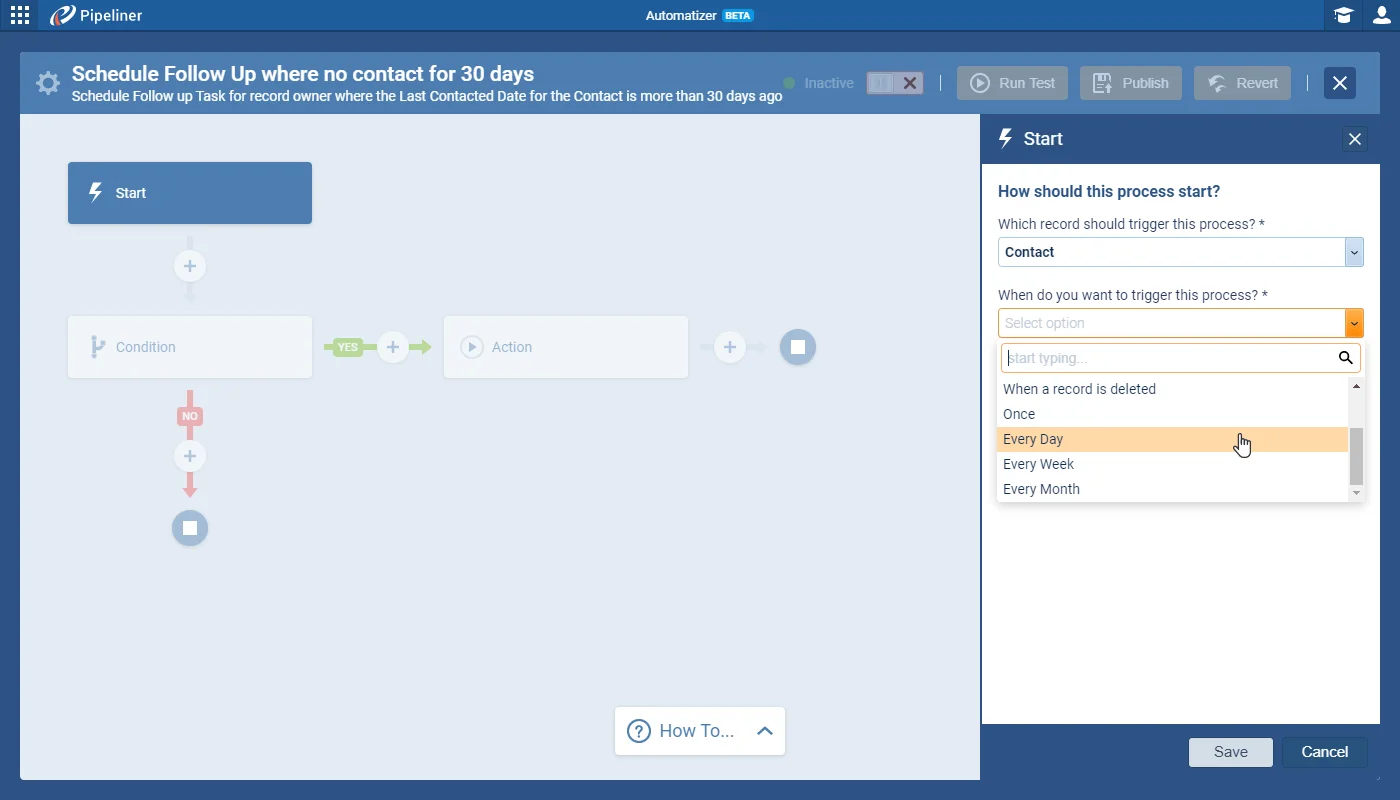
Automatizer leads this release with four enhancements. A new Send a Webhook action pushes data out as part of a process — configured with a custom Body, Authorization, and Headers in a simple mode, or an advanced mode where you add your own code — and can be tested immediately without running the process. Alongside it, a new Scheduled Trigger starts a process once or on a daily, weekly, or monthly cadence, a new Archive action archives Leads or Opportunities and can also complete their linked activities, and improved debugging links from the Run log straight to the record that was created, updated, or errored.
Beyond Automatizer, a new Company Emails tab in Administration Settings lets you send email from a Microsoft or Google company account — for mass or standard communication, or inside Automatizer — with access governed by User Role. New Bulk Operations update multiple Leads and Opportunities at once, from qualification and archiving to moving and winning, and the mobile app can now use the phone as a scanner to attach documents, or a combined PDF of several scans, to any record. Smaller improvements make other users' Mass Emails visible in the Feeds stream and add a Back button to record detail.
What we're proud of
Automatizer gains four major enhancements in 3.1.0 — a Send a Webhook action that pushes data into other systems without building a custom API integration, scheduled triggers that fire once or on a daily, weekly, or monthly cadence, a new action to archive Leads and Opportunities, and Run-log links that jump straight to the record behind any created, updated, or errored row.
We are incredibly proud to announce new exciting enhancements for Automatizer!
Whether it is marketing communication or system notifications, sometimes you want to send emails from your company email account, not from your personal one. We have added a new tab called “Company Emails” in the Administration Settings, so you can send company emails through Coevera:
In some cases, working with too much data might be overwhelming in Coevera. We have added a variety of new Bulk Operations that allow you to better manage and archive your Opportunities and Leads. Now, you can easily update Opportunities and Leads all at once, instead of individually.
Using Bulk operations allows you to select multiple records and complete the following actions:
In order to perform a mass update, start in the list view, select all records to update, click the appropriate action in the toolbar, and fill in all required fields.
Use your phone as a scanner to attach documents to any Coevera Record directly through the Mobile App. Whether you have paper invoices or other important documents, you can scan and save them in digital format against any record.
Main features include:
Connect Coevera to your AI assistant and let it do real work across your CRM — always within your permissions, never beyond them.
Start a free trial and explore what's new in Coevera 3.1.0 for yourself.
No se requiere tarjeta de crédito · Prueba gratuita de 14 días
