.svg)


Coevera Inbox Add-In for MS Outlook
Over the years, many millions of salespeople have become used to working in MS Outlook and that is why Coevera has developed the most advanced MS Outlook Add-in on the market. Now you can work in Outlook and leverage Coevera without needing to switch back and forth.
Start Using Coevera’s seamless CRM-Outlook integration Today!
Total Visibility—Without Switching
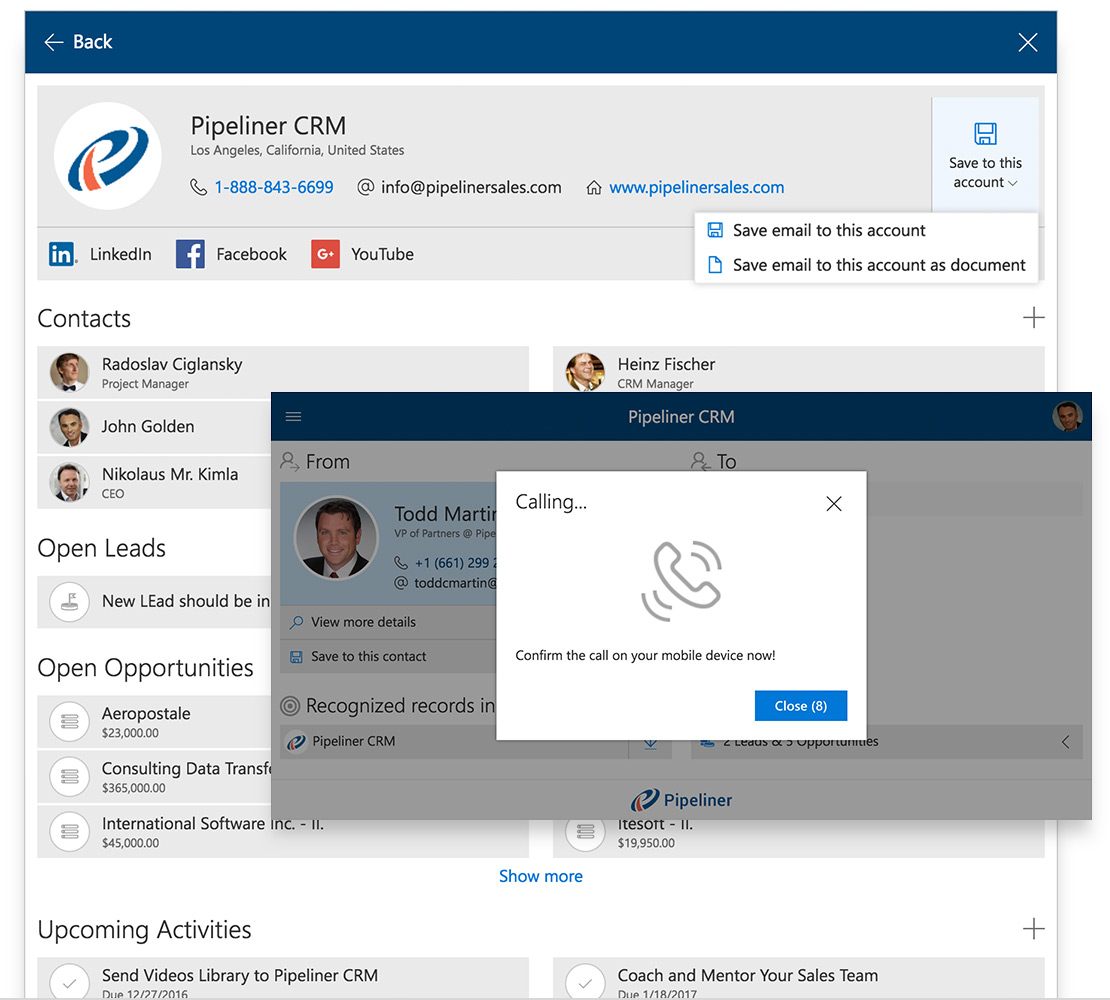
With the Coevera Inbox Add-In for Outlook, you can view all Coevera contacts, accounts, leads, opportunities, tasks and appointments that are associated with email addresses—without ever having to switch between Outlook and Coevera.

All Vital Details
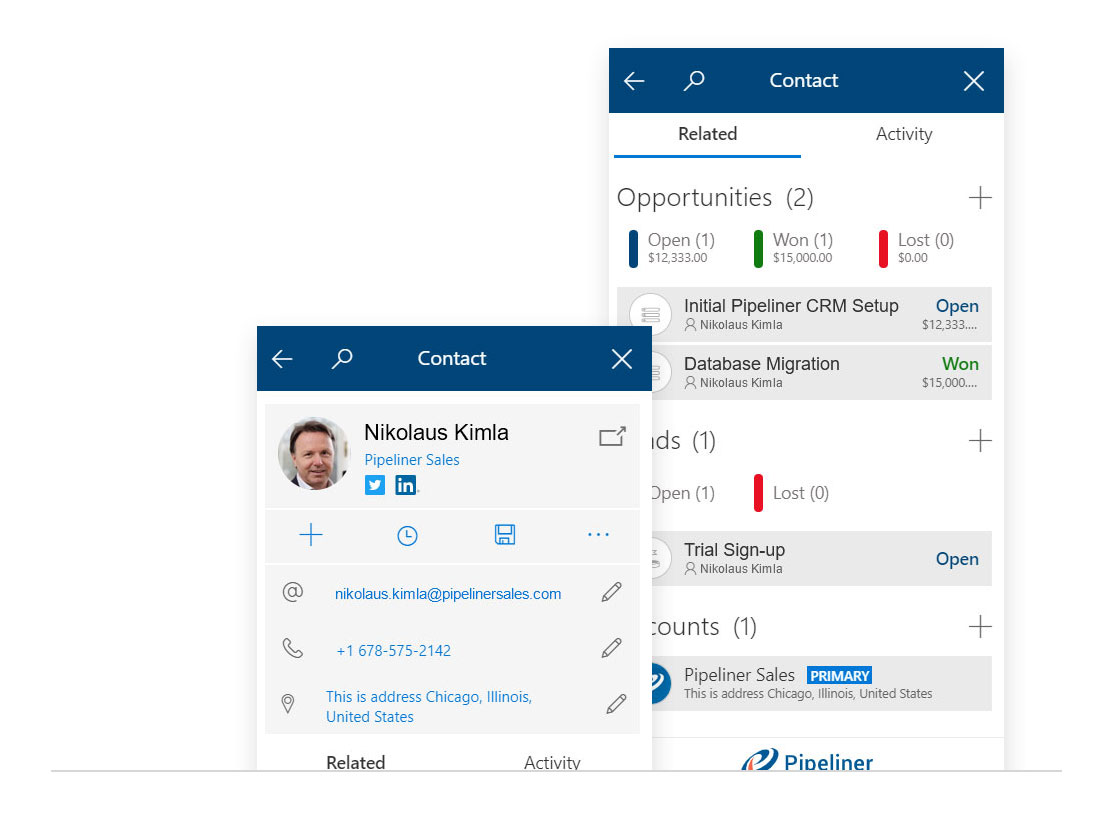
When you receive an email message, the Coevera Smart Preview Panel for Outlook brings you detailed information about the sender of the message within seconds. Easily review all related business you have previously done with that contact, including related leads, opportunities, accounts and even activities.
When you click on any email message in your inbox, Coevera Inbox Add-In will match the dataData Data is a set of quantitative and qualitative facts that can be used as reference or inputs for computations, analyses, descriptions, predictions, reasoning and planning. from the sender and recipients with the data in your Coevera:
- Detects Existing Data
- Detects Coevera Users
- Relates existing records from Coevera to the Sender
- Detects “Unknown” Data
You can then save all the contentContent Content refers to a material or document released in various forms (such as text, image, audio, and video) and created to inform, engage or influence specific audiences. from the received email message to Coevera. If necessary, you can also create and save additional records related to the contact.
You can also call a contact directly from Outlook (over the Coevera Mobile App).
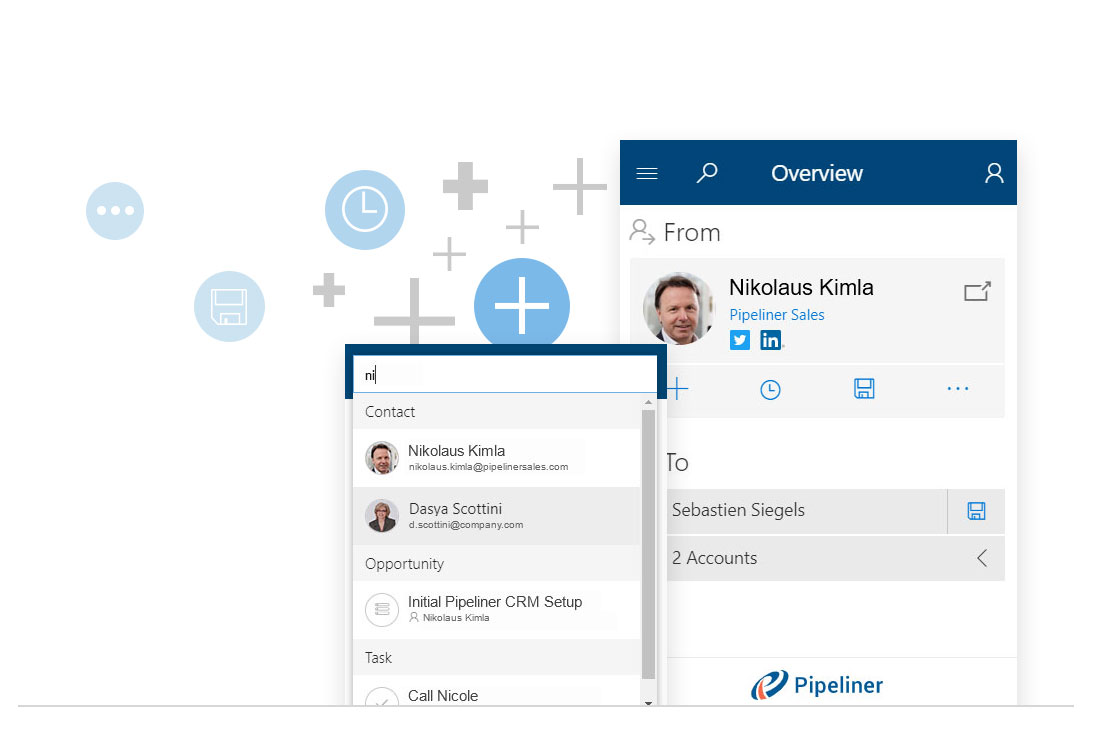
From inside the MS Outlook Add-in you can search Coevera for:
Accounts
Contacts
Opportunities
Leads
Activities
Plus with the new Quick Edit feature you can:
Add new entities
Create reminders
Save important emails into Coevera
When Sending an Email
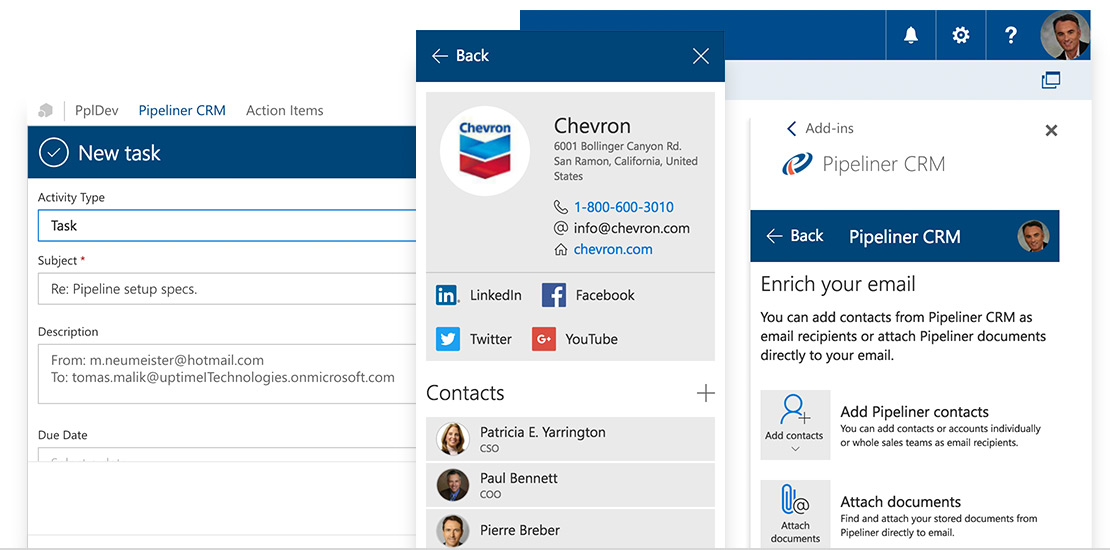
When sending an email to a clientClient A client is an entity who pays another entity for products purchased or services rendered. Also called a customer., customerCustomer Customer is an individual or an organization that purchases a product or signs up for a service offered by a business. or prospect, you can add other contacts and sales team members right from CRM. You can also attach documents right from CRM.
When Making Appointments
Coevera is often used for scheduling appointments. Coevera Inbox Add-In for Outlook allows you to add contacts and members of the sales team as meeting attendees, and attached documents to appointments.
Our Inline Editing allows you to quickly update Coevera contact information and other data in the MS Outlook Add-in.
For example, your contact just emailed you that their phone number changed – no problem, update it in Outlook Add-in and it is updated in Coevera automatically.
Plus you can immediately view other important historical data about your contact or accountAccount Account refers to a record of primary and background information about an individual or corporate customer, including contact data, preferred services, and transactions with your company. such as:
Won, Lost or Open Opportunities
Open or Lost Leads
Other contacts
Again Coevera information is working for you directly in MS Outlook.
Coevera MS Exchange Data Sync
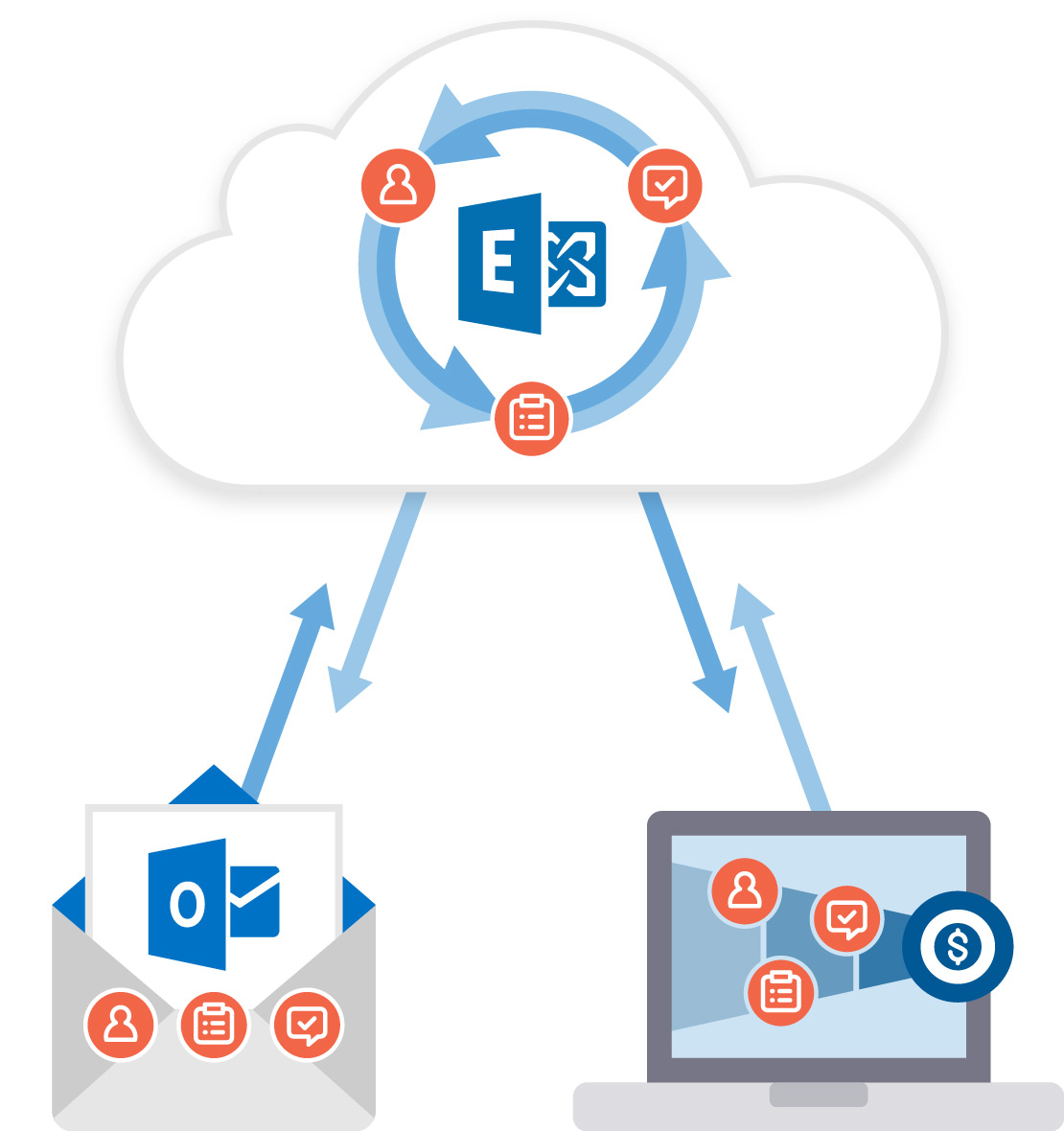
With the Coevera MS Exchange Data Sync, you can keep your contacts, tasks and appointments in your users’ Exchange-based email systems in sync with contacts, tasks and appointments in Coevera.
- Sync your MS Exchange Contacts bidirectionally between your MS Exchange server and Coevera.
- Sync your MS Exchange Tasks bidirectionally between your MS Exchange server and Coevera.
- Sync your MS Exchange Appointments bidirectionally between your MS Exchange server and Coevera.
Coevera creates dedicated folder for you, for contacts, tasks and appointments within your MS Outlook connected to your online MS Exchange server. Every time you add a new contact, task or appointment to the Coevera folder, it will get synced between your online MS Exchange server and Coevera.
The integration is currently available for all users using online on-demand MS Exchange Server. (The integration does not support MS Exchange on-premise solutions).
The Coevera Outlook Suite works perfectly with the Starter, Business and EnterpriseEnterprise Enterprise (in the context of sales) is a relatively large organization typically composed of multiple levels, locations, and departments which need multi-layer software systems that support collaboration across a large corporate environment. version of Coevera.
Learn More About Coevera
Take a no-obligation 14 day trial of Coevera.
No credit card info required – just experience for yourself how it could impact your sales.