.svg)



Coevera Google Chrome Extension
Coevera Gmail Inbox App is part of the Coevera Google Chrome Extension, and allows full and powerful integration between Coevera and Gmail. If you work within Gmail, we don’t want you to have to switch back and forth to utilize Coevera’s instant intelligence, visualized. It’s all right there, accessable from Gmail.
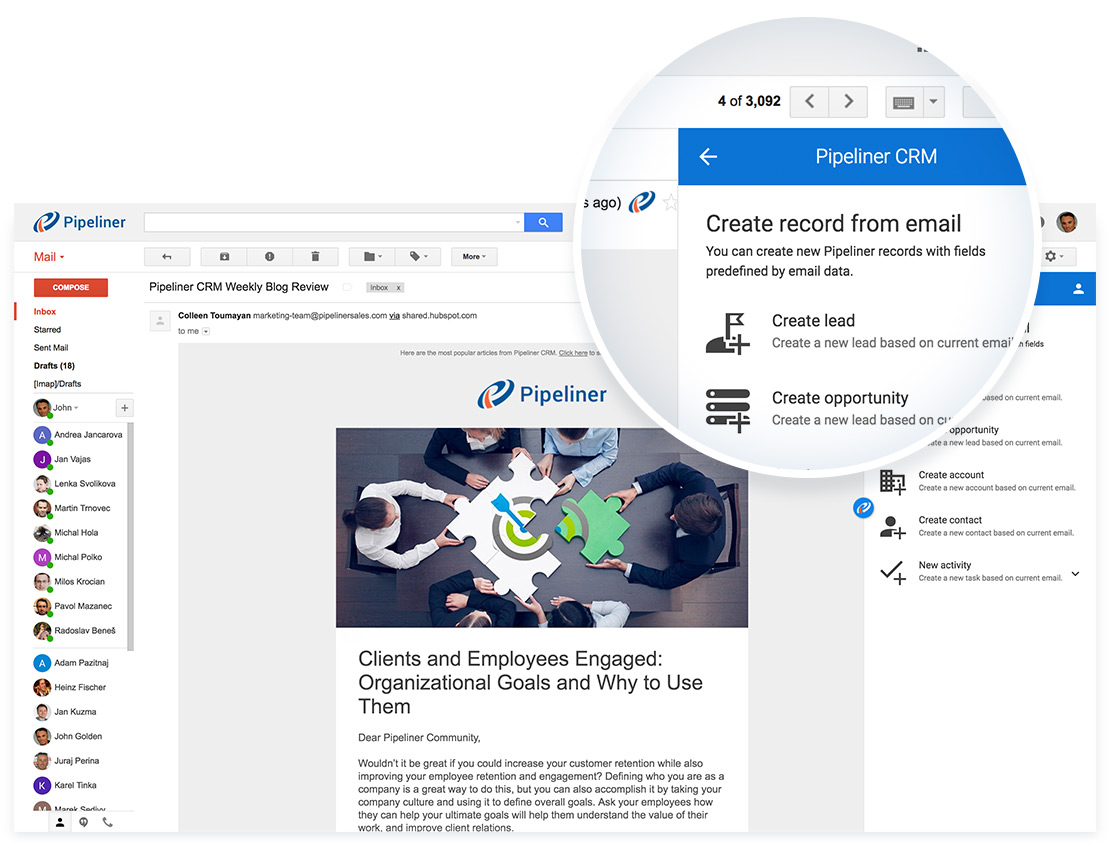
Quick Create Records from Email
The Gmail Inbox App Quick Create feature enables you to create a record from within Gmail as a:
- New AccountAccount Account refers to a record of primary and background information about an individual or corporate customer, including contact data, preferred services, and transactions with your company.
- New Contact
- New LeadLead Lead refers to a prospect or potential customer (who can be an individual or organization) that exhibits interest in your service or product; or any additional information about such entity.
- New Opportunity
- New Task
- New Appointment
The Quick Create feature also rapidly allows you to save an email contact and its attachments as:
- a Feed Message to Leads, Opportunities, Accounts and Contacts.
- a Document to Leads, Opportunities, Accounts and Contacts. You can also save email attachments only as Documents.
Read Email Features
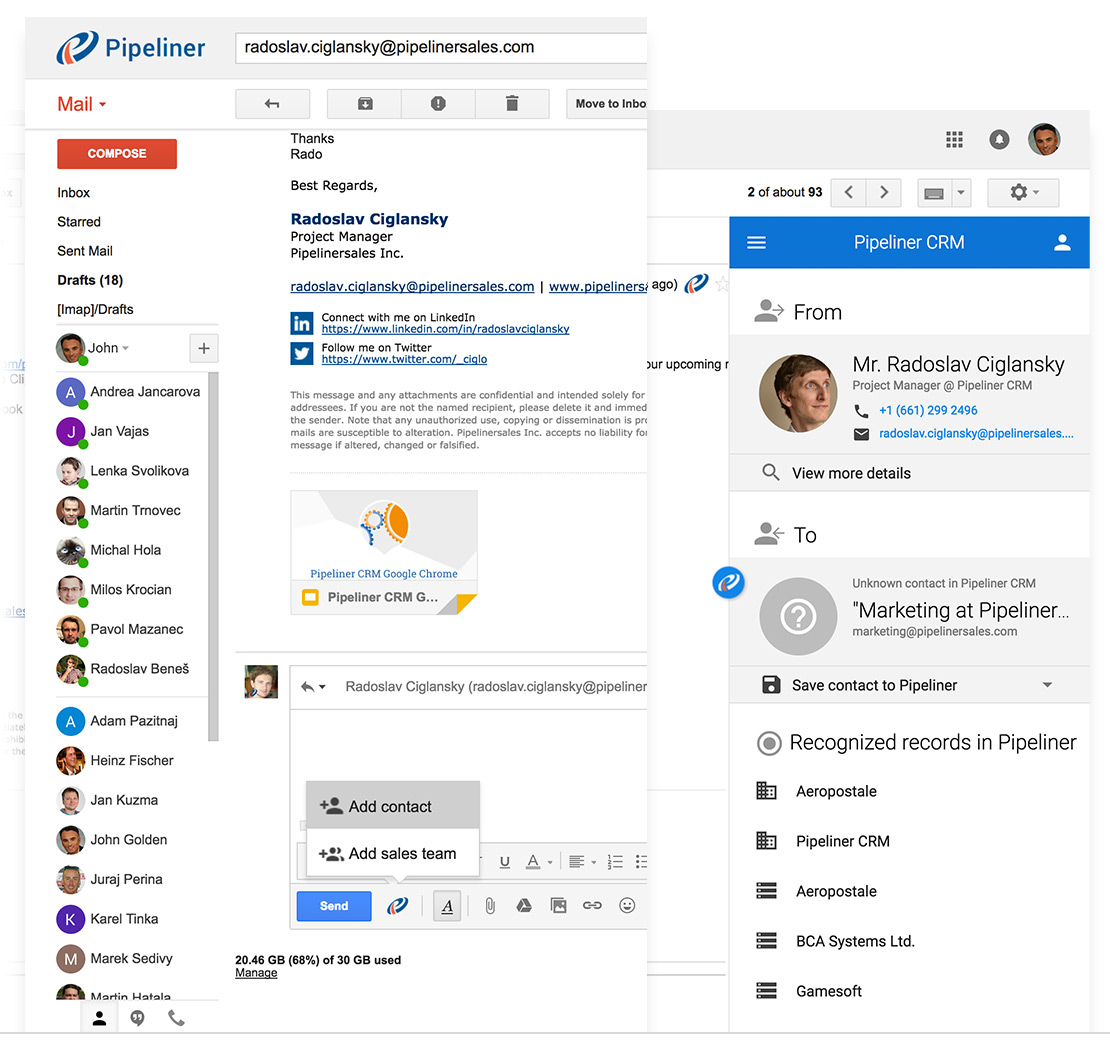
For any email in your Gmail Inbox, you can view all contacts, accounts, leads, opportunities, tasks, and appointments associated with email addresses—without switching between Coevera and Gmail.
- If the contact that wrote you is not in Coevera, you can easily save it to Coevera.
- You can review all related business that you have previously done with that contact, including all related leads, opportunities, accounts and even activities.
- You can create and save all contentContent Content refers to a material or document released in various forms (such as text, image, audio, and video) and created to inform, engage or influence specific audiences. from any email received to Coevera.
- You can create and save additional records to Coevera, related to the contact that wrote you.
Compose Email Features
When composing a new message to your contacts you can:
- Add contacts as recipients
- Add sales teams as recipients
Smart Inbox Preview Pane
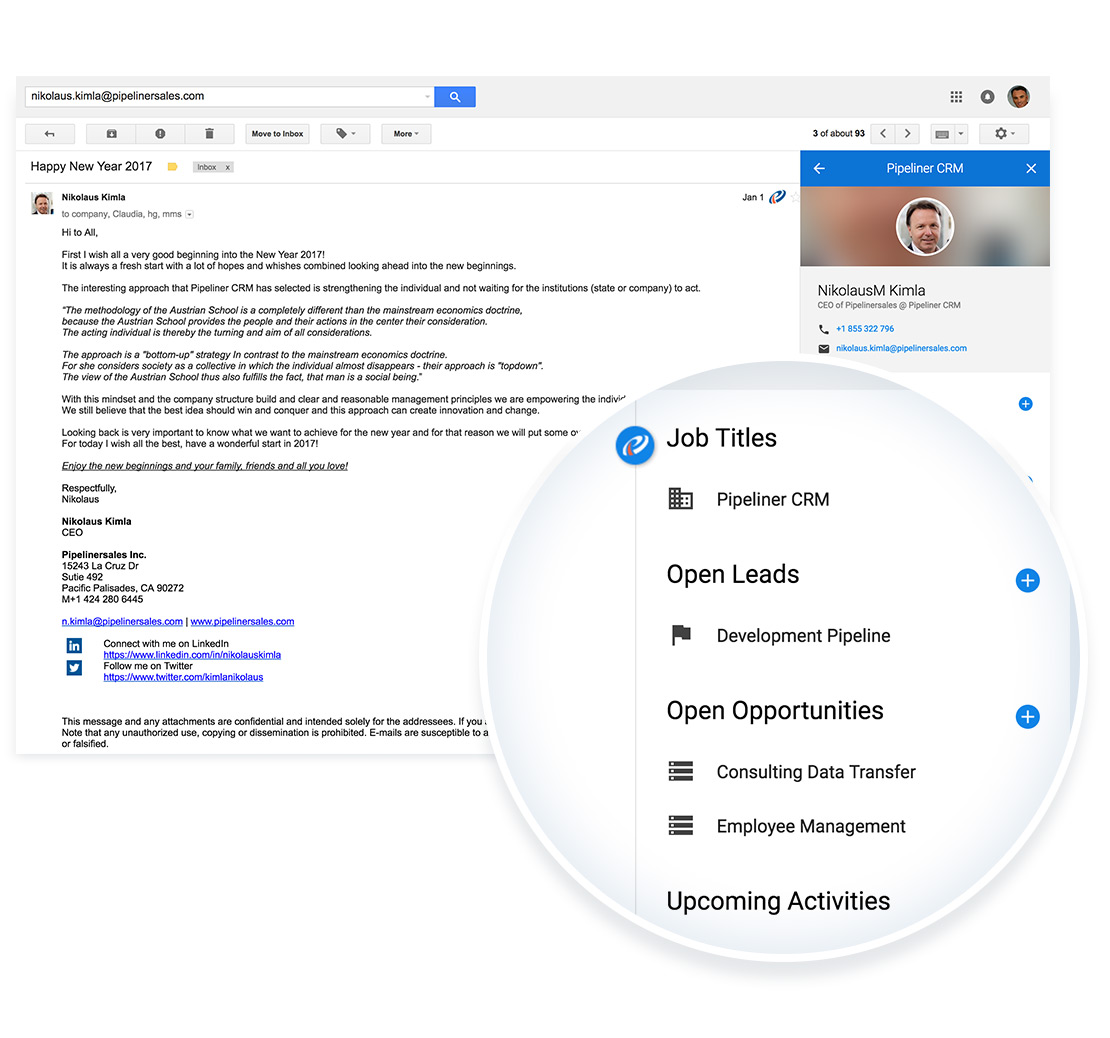
The Smart Inbox Preview Pane enables you review all associated contacts, accounts, leads, opportunities and activities directly within your online Gmail. You do not have to leave Gmail to obtain more details about the contact your are currently speaking with.
- Review Contact’s related dataData Data is a set of quantitative and qualitative facts that can be used as reference or inputs for computations, analyses, descriptions, predictions, reasoning and planning.
- Create new data related to the selected Contact
- Save a currently received email to the Coevera Contact
- Call contact directly from within Gmail (over Coevera Mobile CRM App)
Through the Preview Pane, you can preview data from Coevera related to a selected email. Click on any email in your inbox, and the Coevera Gmail Inbox App matches data from the sender and recipients with data in your Coevera.
- Detects Existing Data
- Detects Coevera Users
- Relates existing records from Coevera to the Sender
- Detects “Unknown” Data
Get the Google Chrome Extension Gmail Inbox App Today!
If you are running the latest version of Coevera (Coevera Continuity), on either the Starter, Business or EnterpriseEnterprise Enterprise (in the context of sales) is a relatively large organization typically composed of multiple levels, locations, and departments which need multi-layer software systems that support collaboration across a large corporate environment. tier, simply download the Coevera Google Chrome Extension. You’ll then have the Gmail Inbox App, the Coevera Web Clipper, and any future Google Chrome Extension apps developed for Coevera.
Learn More About Coevera
Take a no-obligation 14 day trial of Coevera.
No credit card info required – just experience for yourself how it could impact your sales.