.svg)


Voyager AI Record Assistant
Voyager 2’s AI Record Assistant adds an in-context assistant inside individual CRM records so users and teams can understand situations more quickly, decide next actions with higher confidence, and move directly from insight to execution. The Record Assistant combines guided summaries, actionable suggestions, and record-aware chat in one continuous workflow.
Voyager 2 is a credit-based chargeable add-on for all Tiers.
The Record Assistant is available directly in the right hand panel of the record detail so users can move from record review to AI guidance without switching screens. The tool works for Leads, Accounts, Contacts and Opportunities and is designed to provide an in-depth overview of each type of record, increasing knowledge and reducing preparation time before customerCustomer Customer is an individual or an organization that purchases a product or signs up for a service offered by a business. interactions. ⤵
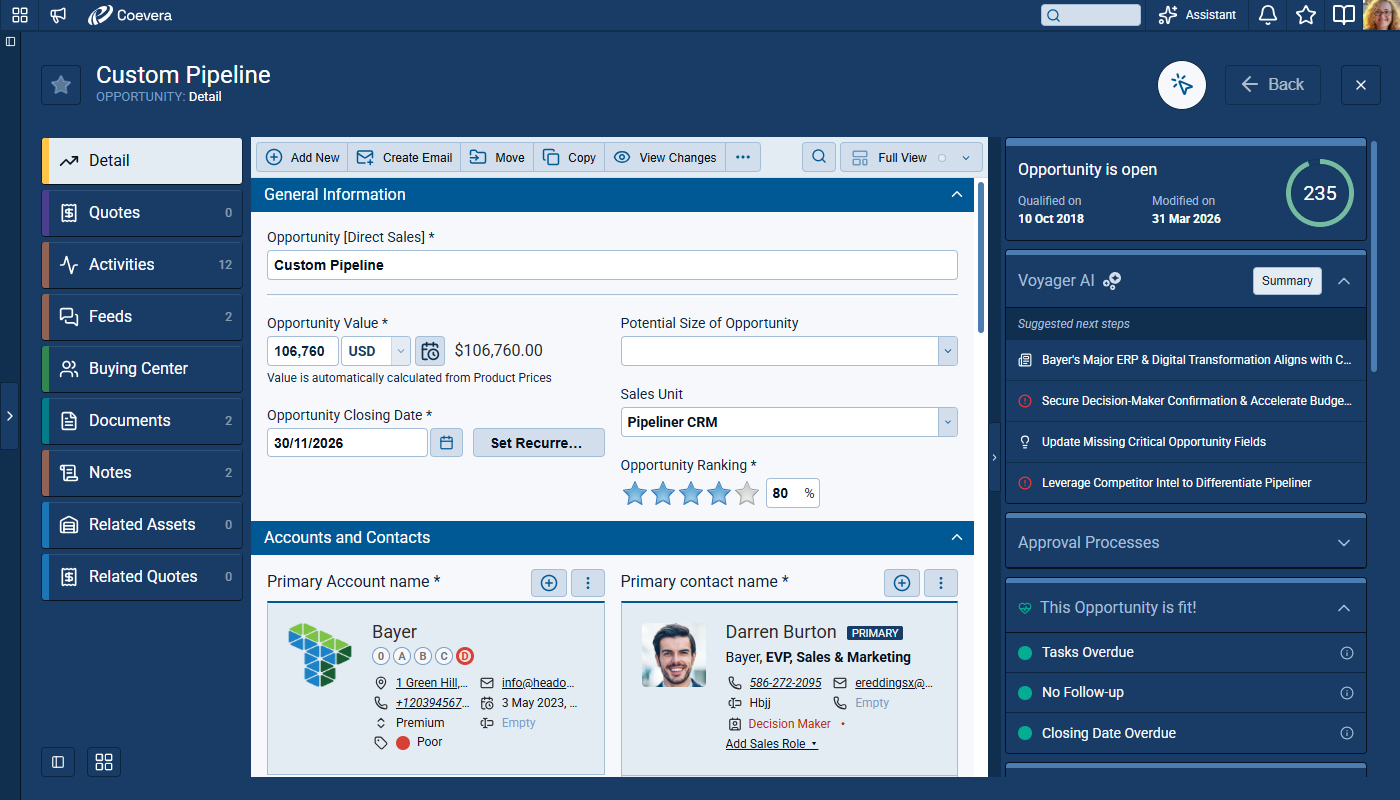
Record Summary
Clicking on the “Summary” button provides a comprehensive record summary that combines the current CRM context with relevant external information. ⤵
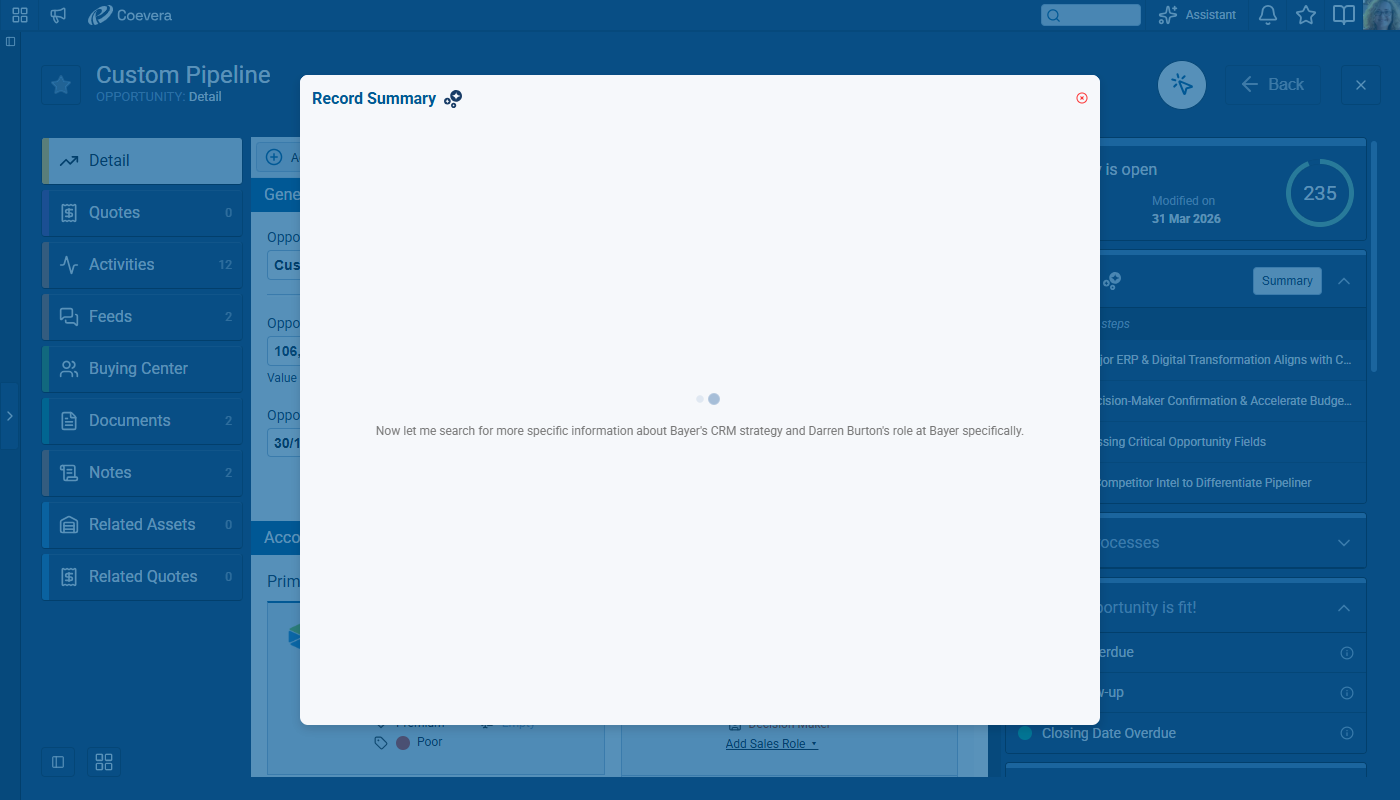
The Summary output is structured for quick scanning and clear decision support and the presentation quality emphasizes readability so users can consume insights quickly. ⤵
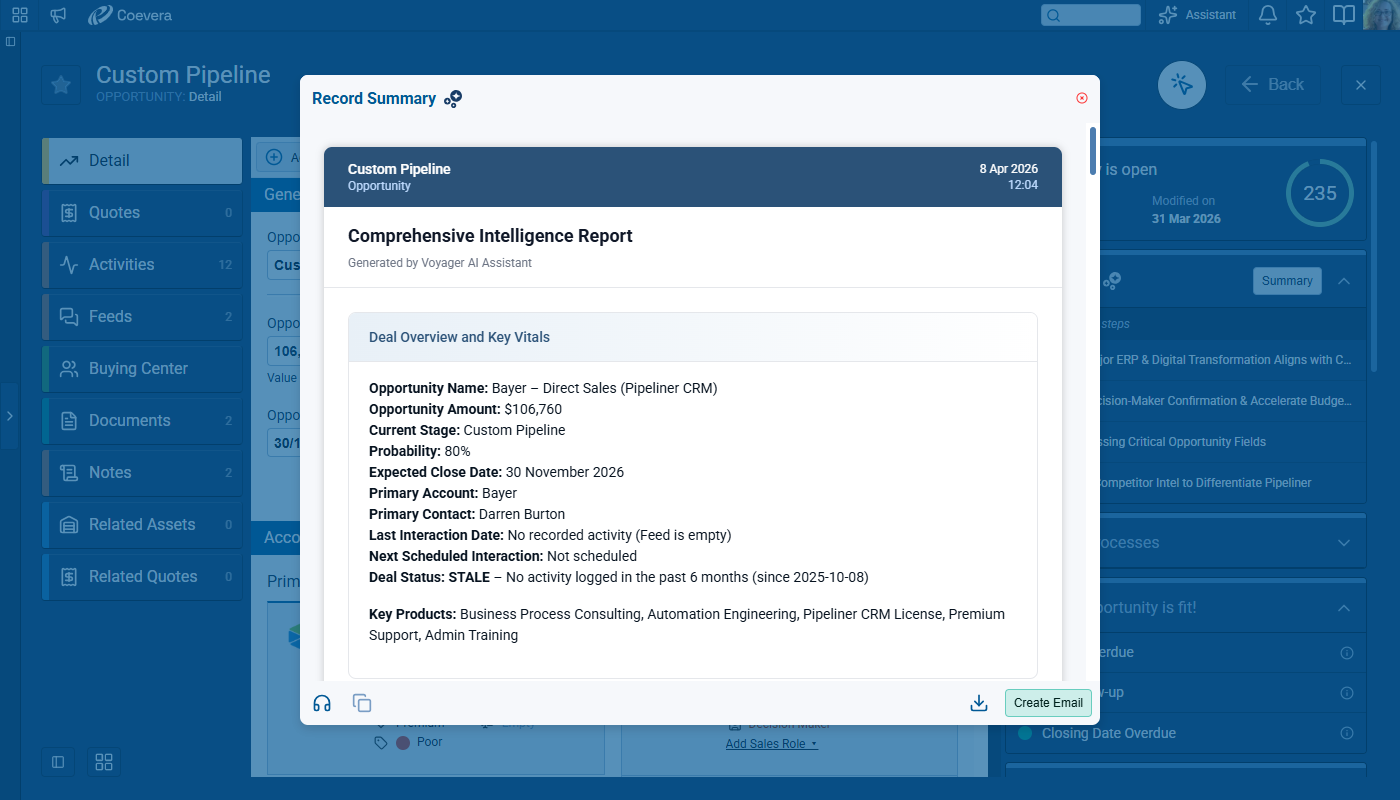
Users can Listen to the Summary, Copy to the clipboard, Download or Create an Email with the contentContent Content refers to a material or document released in various forms (such as text, image, audio, and video) and created to inform, engage or influence specific audiences. by clicking on the icons at the bottom of the Summary window.
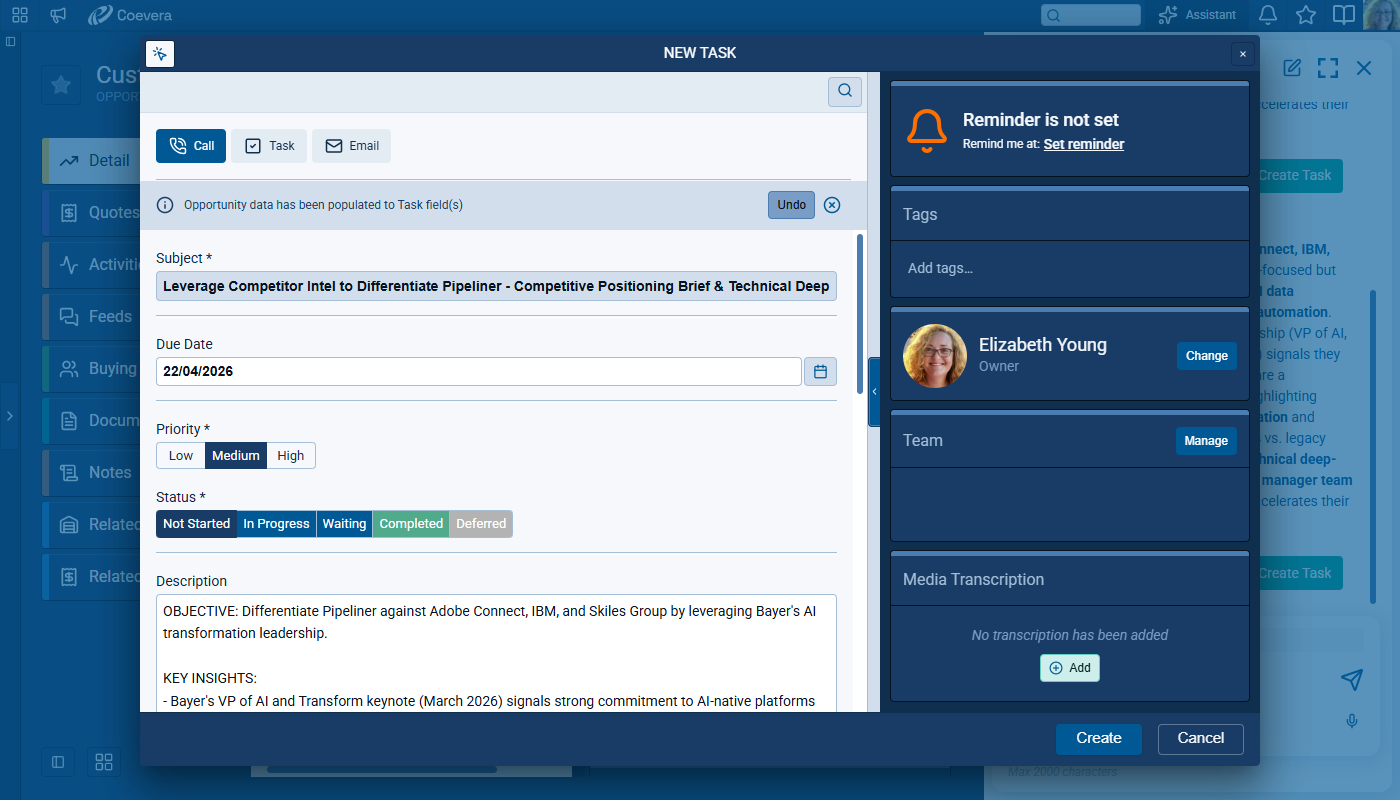
Suggestions and Recommended Actions
The Record Assistant widget displays prioritized suggestions such as next actions, record news, and dataData Data is a set of quantitative and qualitative facts that can be used as reference or inputs for computations, analyses, descriptions, predictions, reasoning and planning. improvement opportunities. Each suggestion can open in the AI chat with preserved context for immediate follow-up. ⤵
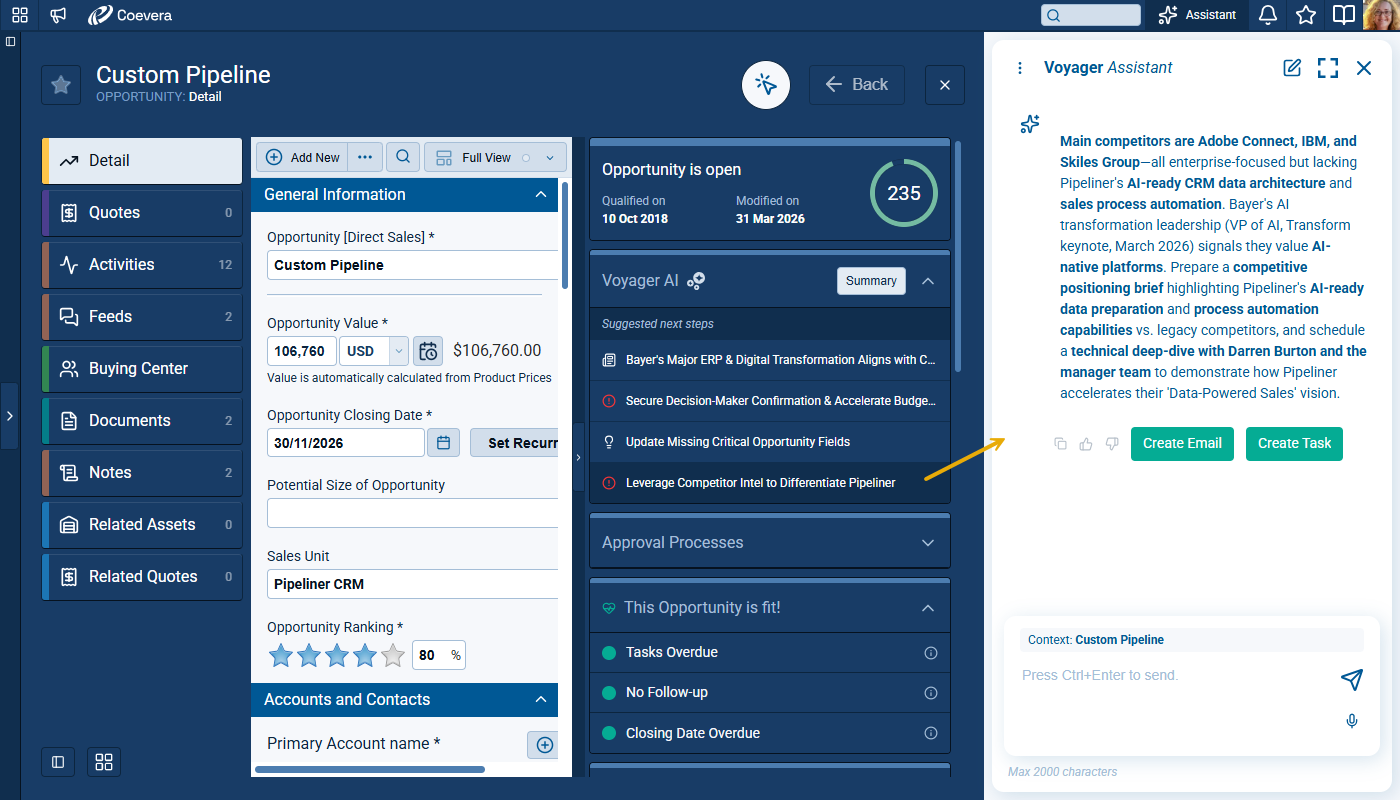
Users can trigger practical actions from the suggestions, including creating tasks, appointments, notes, and emails which pre-fill with information from the suggestion to accelerate execution. ⤵
Record-Aware Chat
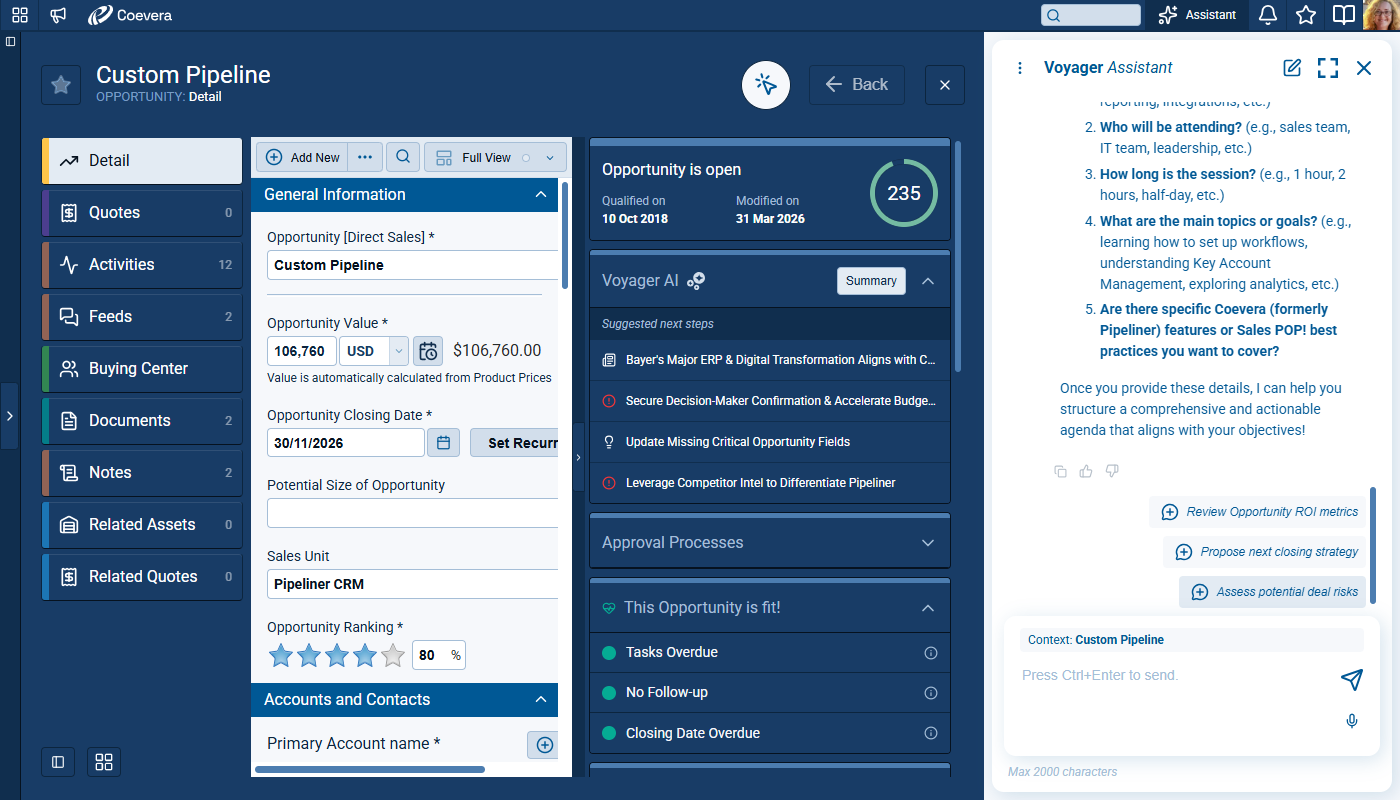
AI Chat is integrated into the record detail and stays aligned with the current entity context. The conversation experience supports both free prompts and suggestion-driven prompts. Status messagingMessaging Messaging is the process of communicating your brand’s value proposition, the benefits you offer, and the perceived meaning of such communication among your target audience. in chat keeps users informed while responses are generated. ⤵
Prompt Templates and Home Experience
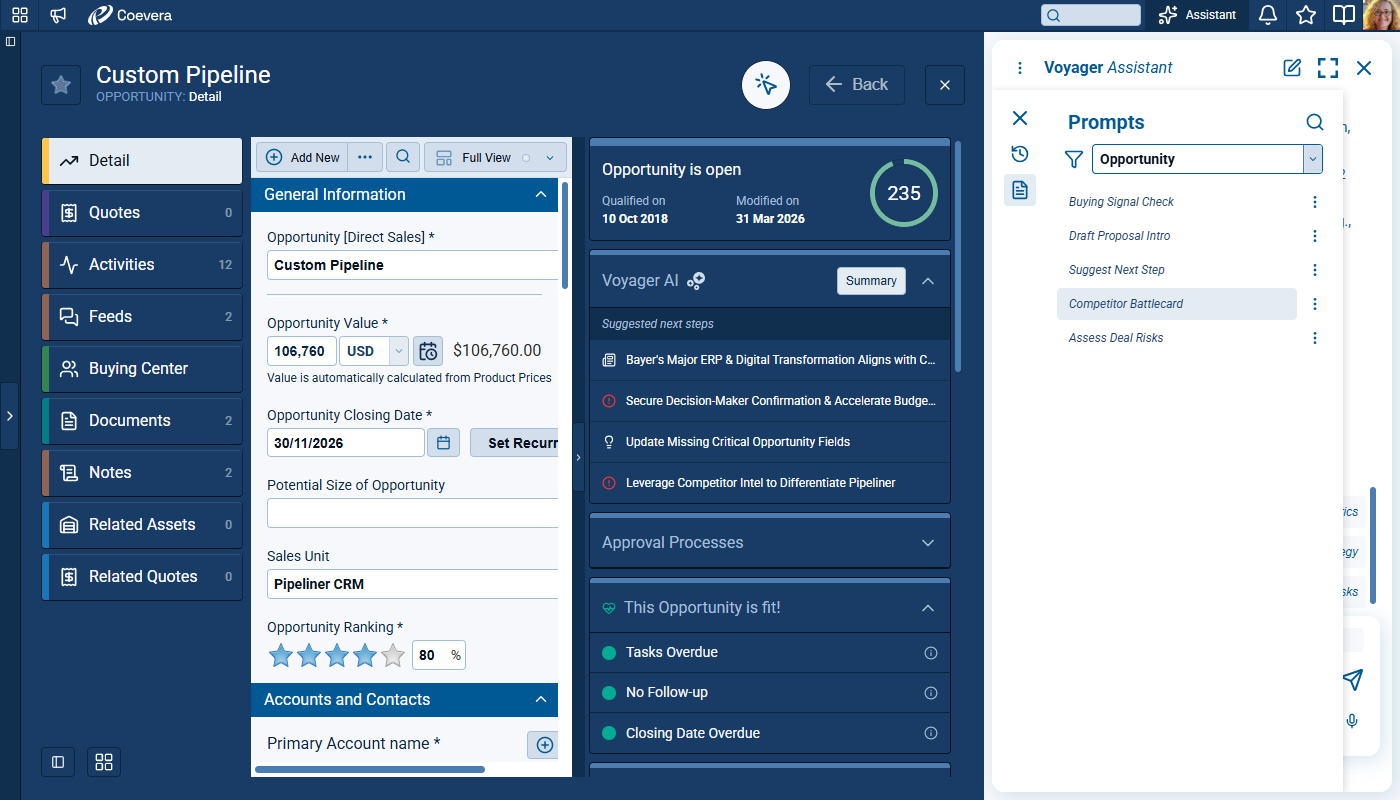
Users can reuse prompt templates for recurring scenarios and personalize them for their workflow. The Chat home experience offers topic starters and quick entry points for common tasks. Prompt organizationOrganization Organization is a cohesive group of people working together and formally bound by a shared identity (e.g., one team, company, club, etc.) and a common purpose (e.g., business growth, athletic victory, etc.). helps users find relevant prompts by context. ⤵
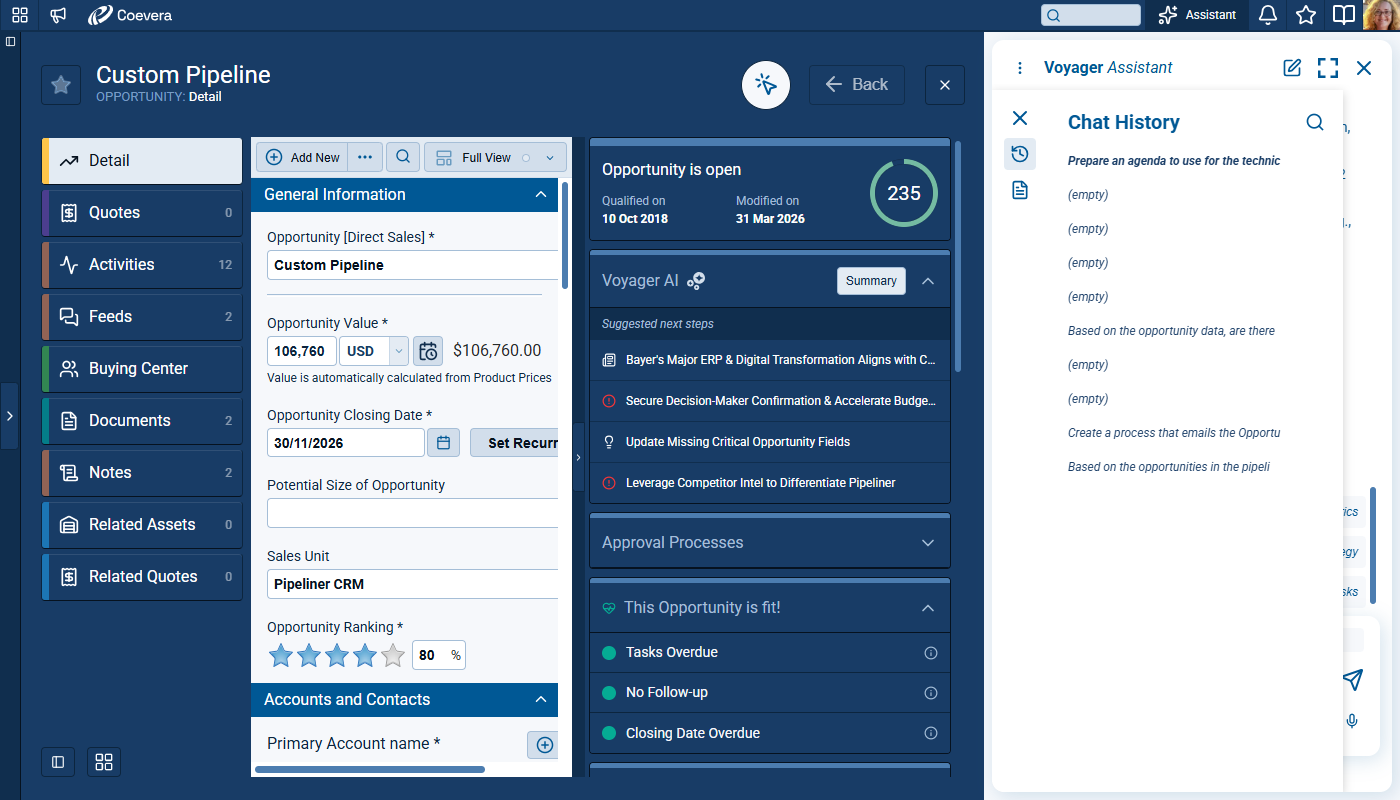
Users can also access their previous prompts used throughout Coevera by clicking on Chat History. ⤵
Admin Configuration
Voyager 2 is enabled from the Automation Hub. ⤵
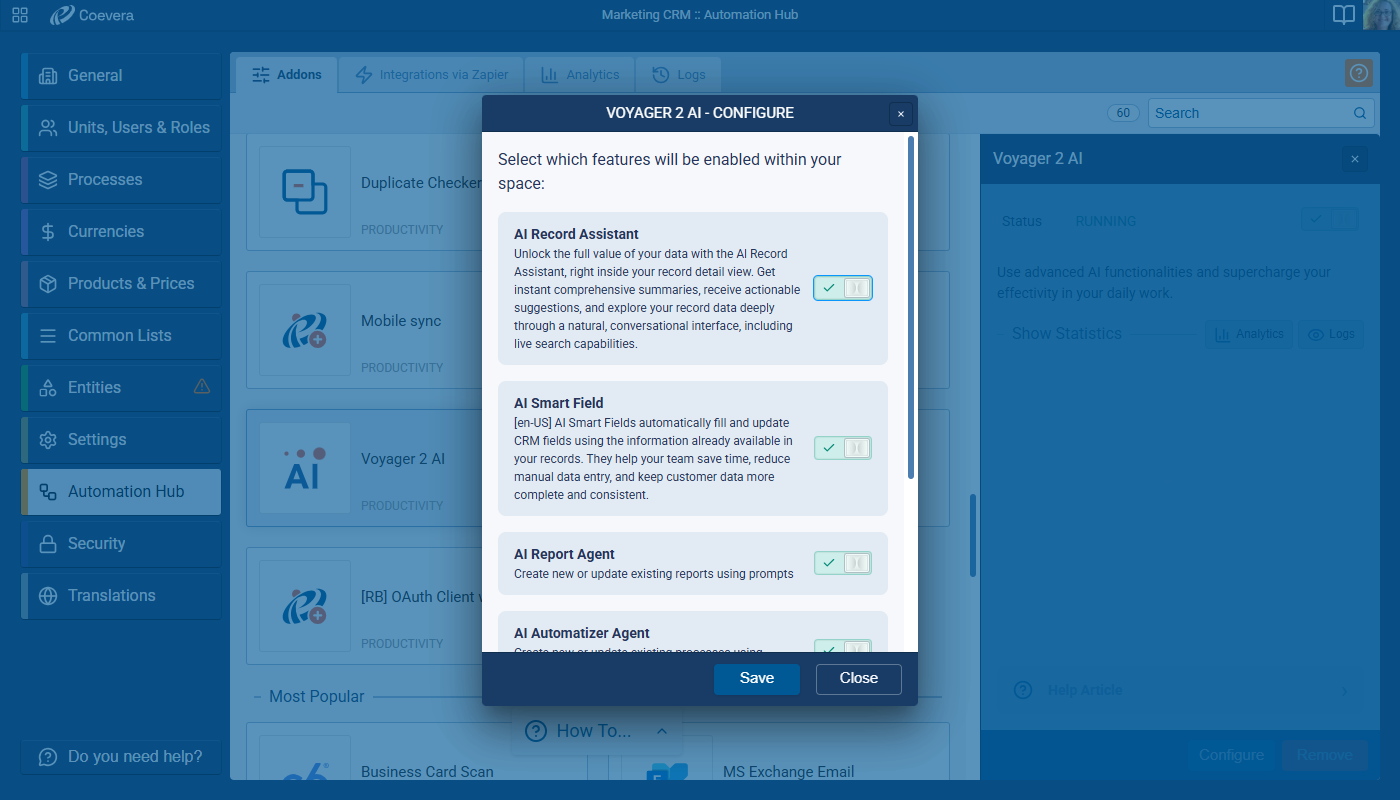
Once active, the Record Assistant feature can be added, or moved, as part of Interface configuration so Admins can decide on the layout of the right hand panel. ⤵
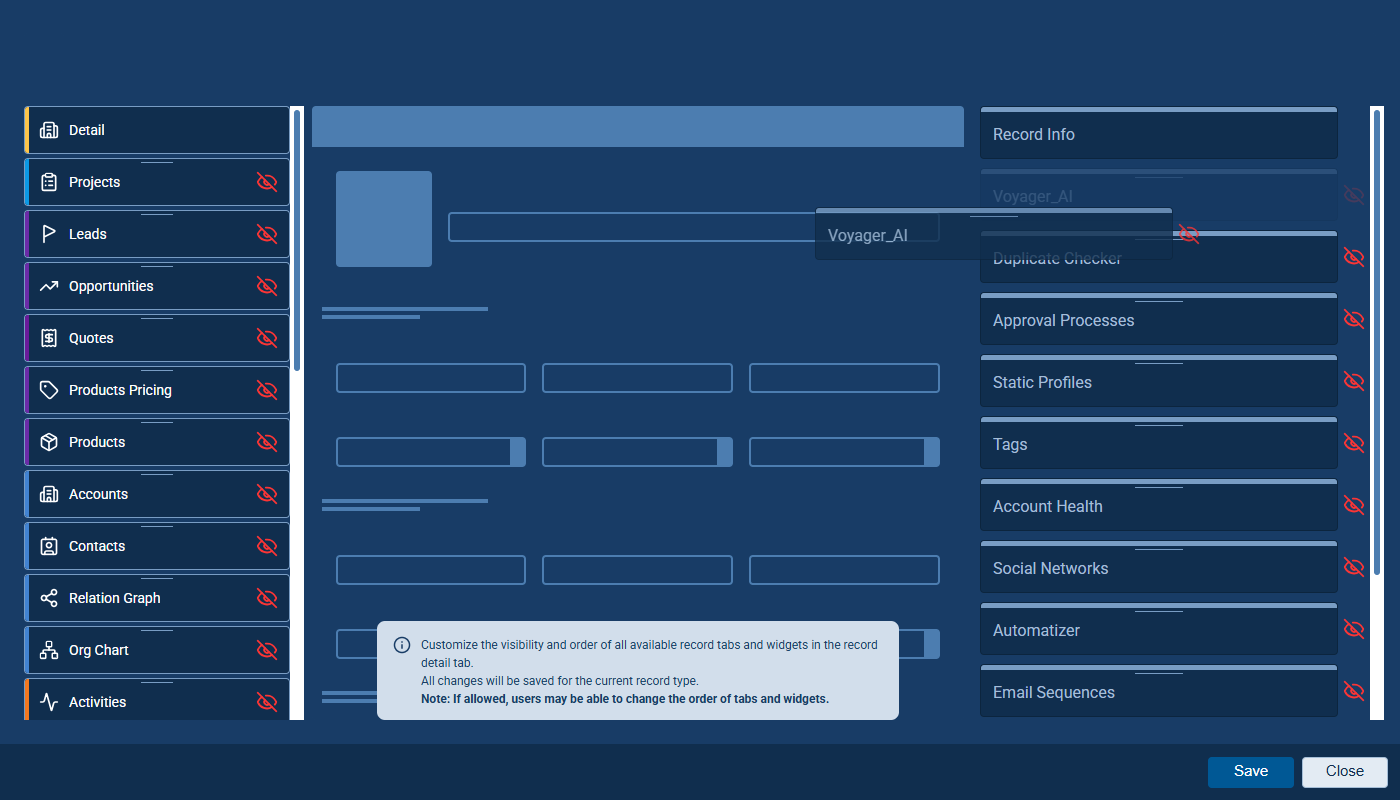
Fullsize Screenshots ⤵
Various Improvements
As part of our ongoing usability enhancement program, we've updated the following features.
Filters: Additional Operators for Text Fields
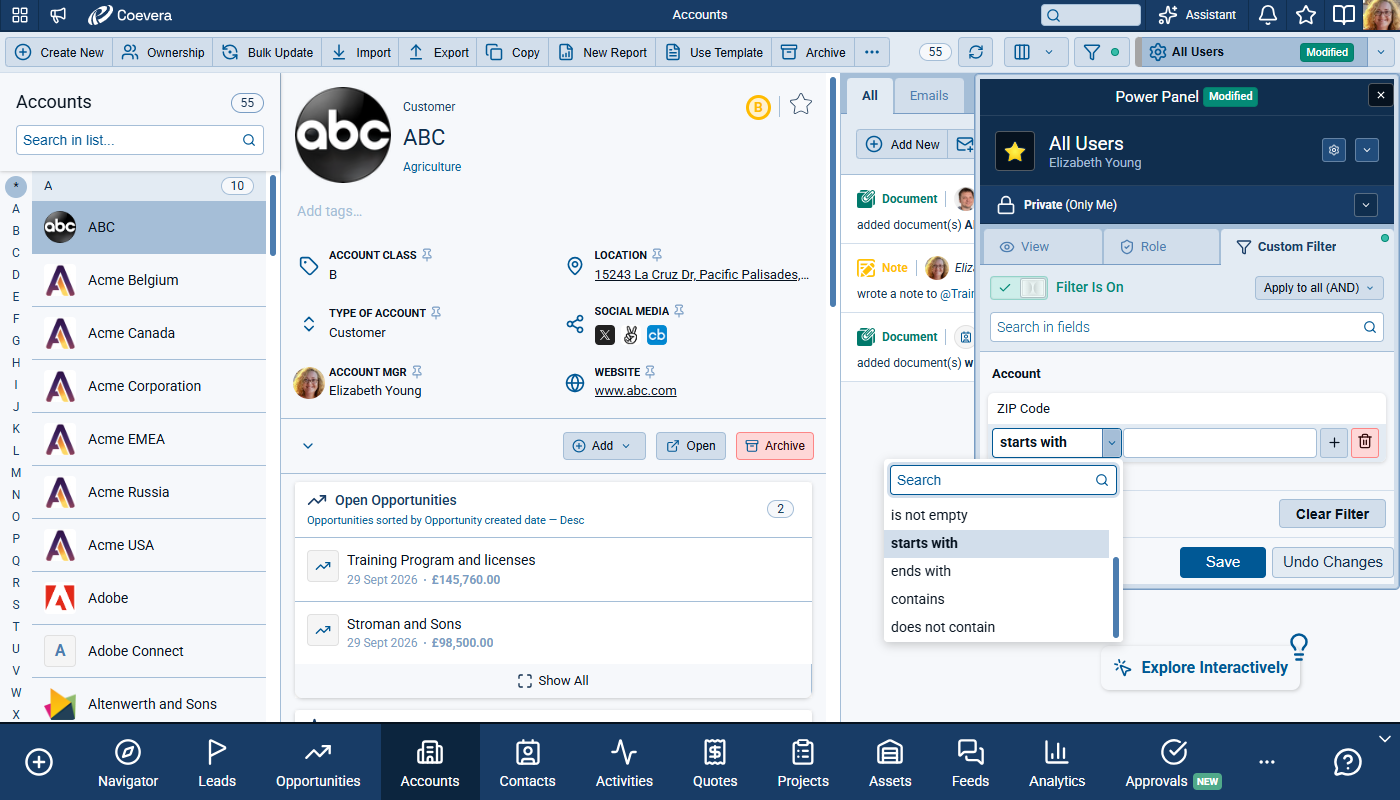
Users can now filter text-based fields with two additional operators: begins with and ends with. You'll find these between the is not empty and contains in the filter condition lists. This addition enables precise prefix and suffix filtering scenarios, including structured values such as postal-code patterns.
These new operators apply to text-based custom fields, including Auto Number, Email, Phone, URL, Simple Text, and Text Area. The behavior is also available for supported system and virtual fields, including comments-related fields. Users get consistent filter logic in all areas where these text field types are available. ⤵
WebClipper LinkedInLinkedIn LinkedIn is a social network for the business community. Contact Info Prefill Improvements
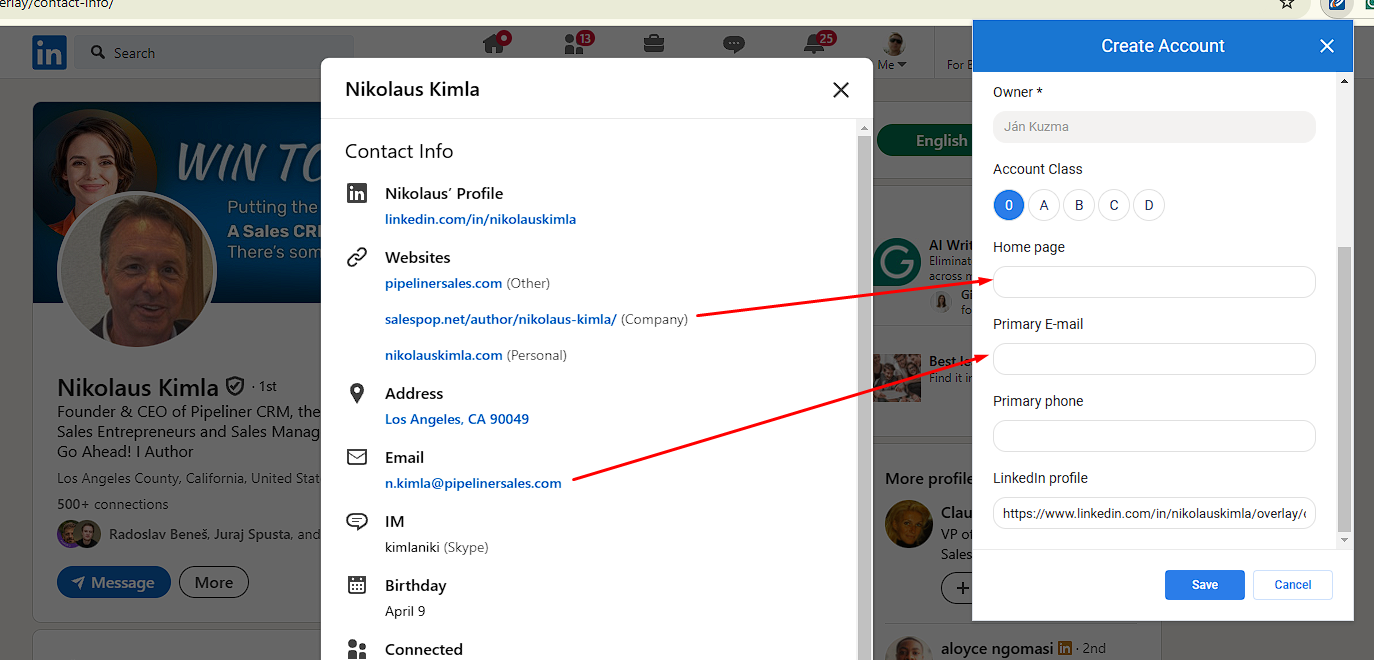
When a userUser User means a person who uses or consumes a product or a service, usually a digital device or an online service. opens LinkedIn contact information and starts creating a new accountAccount Account refers to a record of primary and background information about an individual or corporate customer, including contact data, preferred services, and transactions with your company. or contact from the WebClipper extension, additional contact data is now prefilled.
For Contacts, WebClipper pre-fills Primary email and Primary phone when available from LinkedIn contact information.
For Accounts, WebClipper pre-fills Primary email, Primary phone, and Home Page website. When multiple websites are available, company website is preferred; otherwise, the first available website is used.
This useful enhancement means that users can capture more complete data during create flows without manually retyping values shown only in LinkedIn's contact-info popup and the improved prefill reduces missed details in cases where key fields are hidden until the contact-info panel is opened. ⤵
Rollup Field Expansion for Emails and Text Messages
Admin Rollup Configuration Enhancements
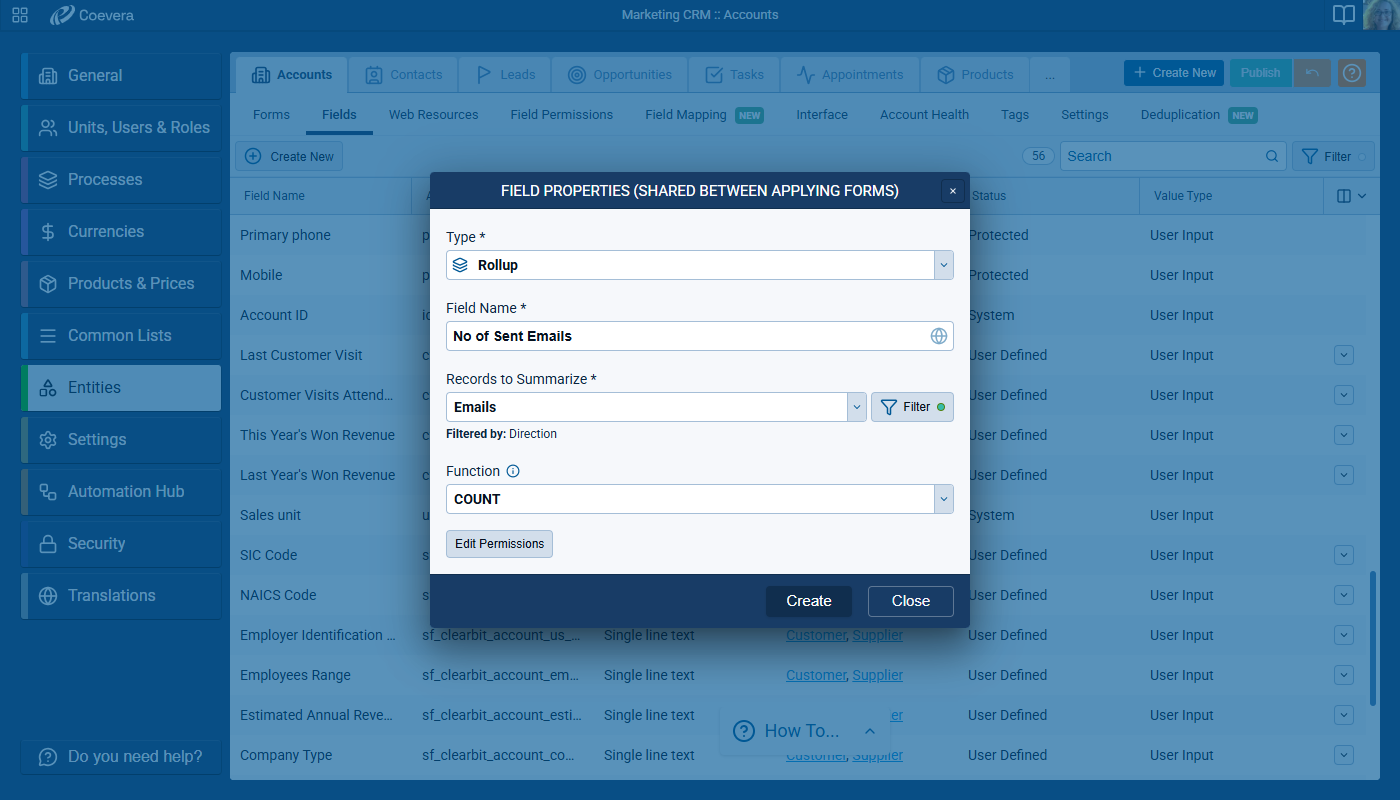
- In Admin › Entities › Rollup field, users can now select Emails as records to summarize for Account, Contact, LeadLead Lead refers to a prospect or potential customer (who can be an individual or organization) that exhibits interest in your service or product; or any additional information about such entity., Opportunity, Quote, Project, and Custom Entities and Text Messages as records to summarize for Account, Contact, Lead, Opportunity, Quote, and Project.
- Email rollups now cover both sent emails and received standard emails.
- Text-message rollups now cover sent messages plus received SMS and WhatsApp messages.
Drilldown Behavior and Field Editability
- In email drilldown, fields are read-only except Sentiment and Tags.
- In text-message drilldown, available fields are read-only to preserve message integrity while supporting analysis use cases.
- For first-time text-message drilldown usage, default visible columns are Content and Date Sent.
- Rollup filtering and field selection behavior align to supported field types for filter, record field, sort field, and summarize target.
AI Record Widget Credit Visibility and Credit-Limit Messaging
Credit Consumption Visibility
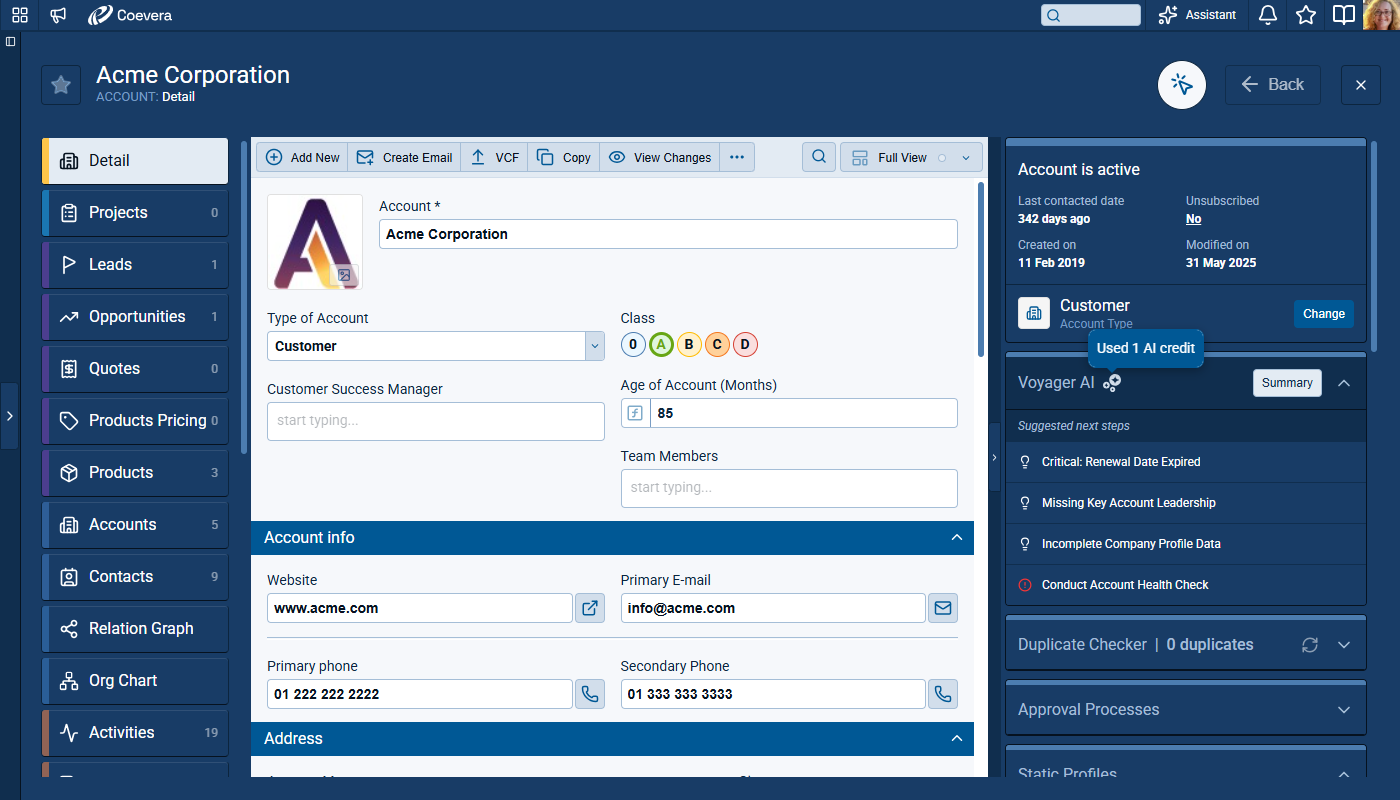
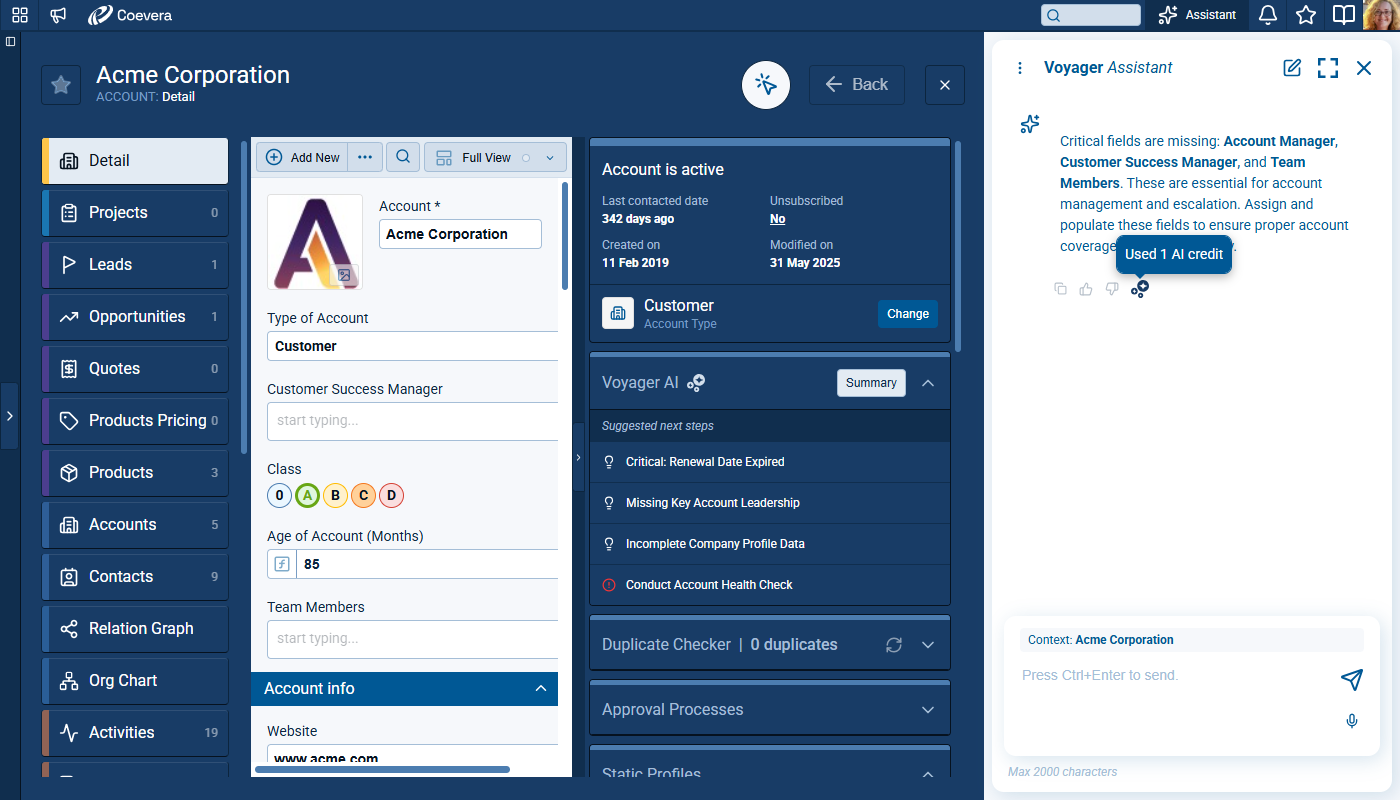
- AI responses now display a credit icon with hover tooltip showing exact consumed credits in the format Used AI credits.
- When no paid credits are consumed for a response, the tooltip displays 0 credits.
- Generating a summary consumes a credit and shows the same credit indicator in the summary experience.
- Summary dialogs include AI cost visibility with coin icon and tooltip so users can understand credit impact before repeated usage.
Credit-Limit Exceeded
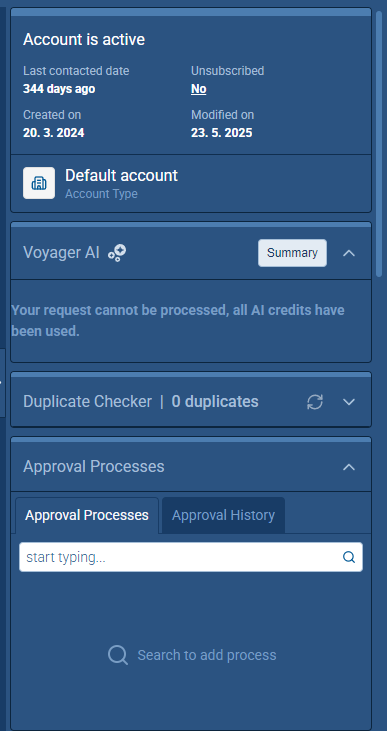
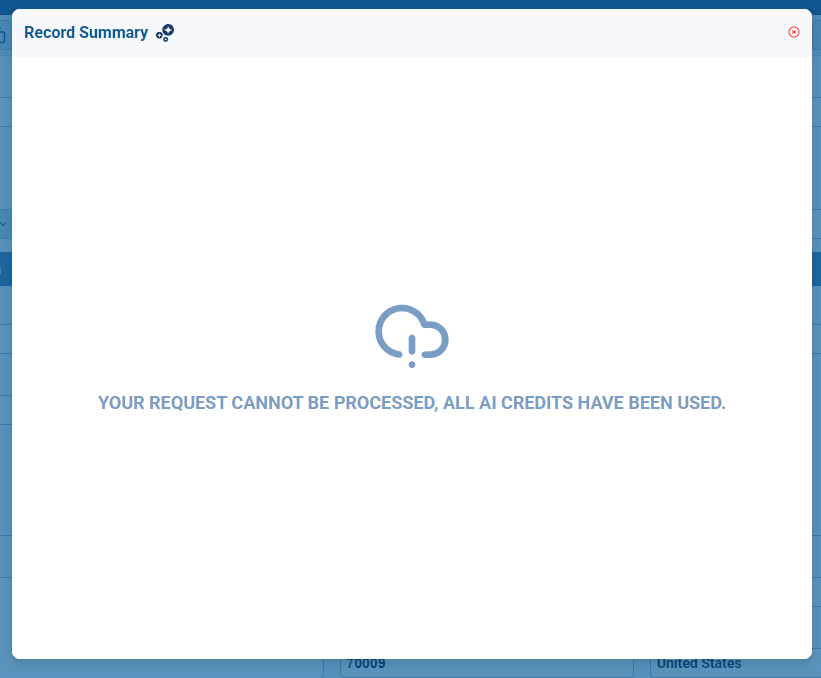
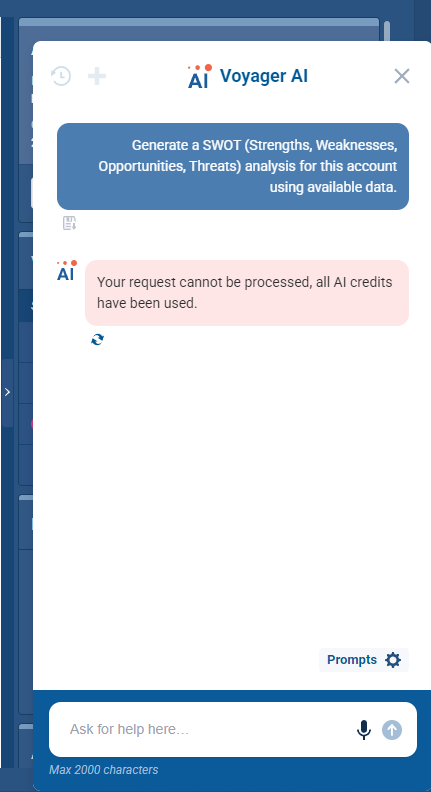
- When all AI credits are exhausted, users see a clear message: Your request cannot be processed, all AI credits have been used.
- The no-credit message is displayed in AI record contexts including summary and AI chat entry points.
- AI chat prompts that use only the AI record agent consume credits, following the same consumption logic used in Super Agent.
- The error presentation is consistent with existing agent-level no-credit feedback patterns.
Automatizer and Related Logs Download Period Controls
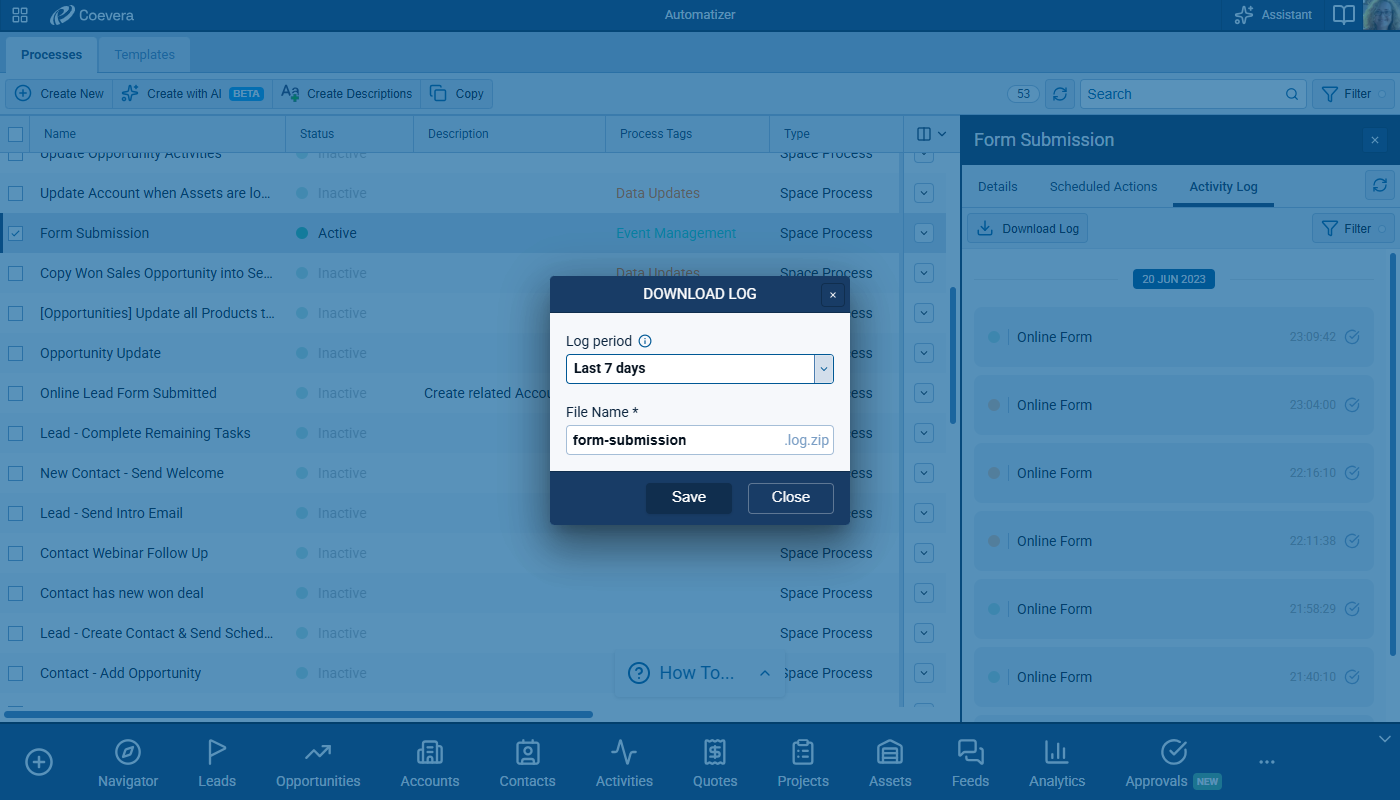
Users can choose a specific time range when exporting activity logs instead of always downloading the full history. The download dialog includes period options: Last 3 days, Last 7 days (default), Last 14 days, Last 30 days, Last 60 days, Last 180 days, and All. The export includes only activities within the selected period, reducing file size and improving usability for long-running processes. The dialog communicates that logs are limited to a maximum of 100k records. ⤵
ProductProduct Product refers to anything (an idea, item, service, process or information) that meets a need or a desire and is offered to a market, usually but not always at a price. Creation and Import with Immediate Price List Assignment
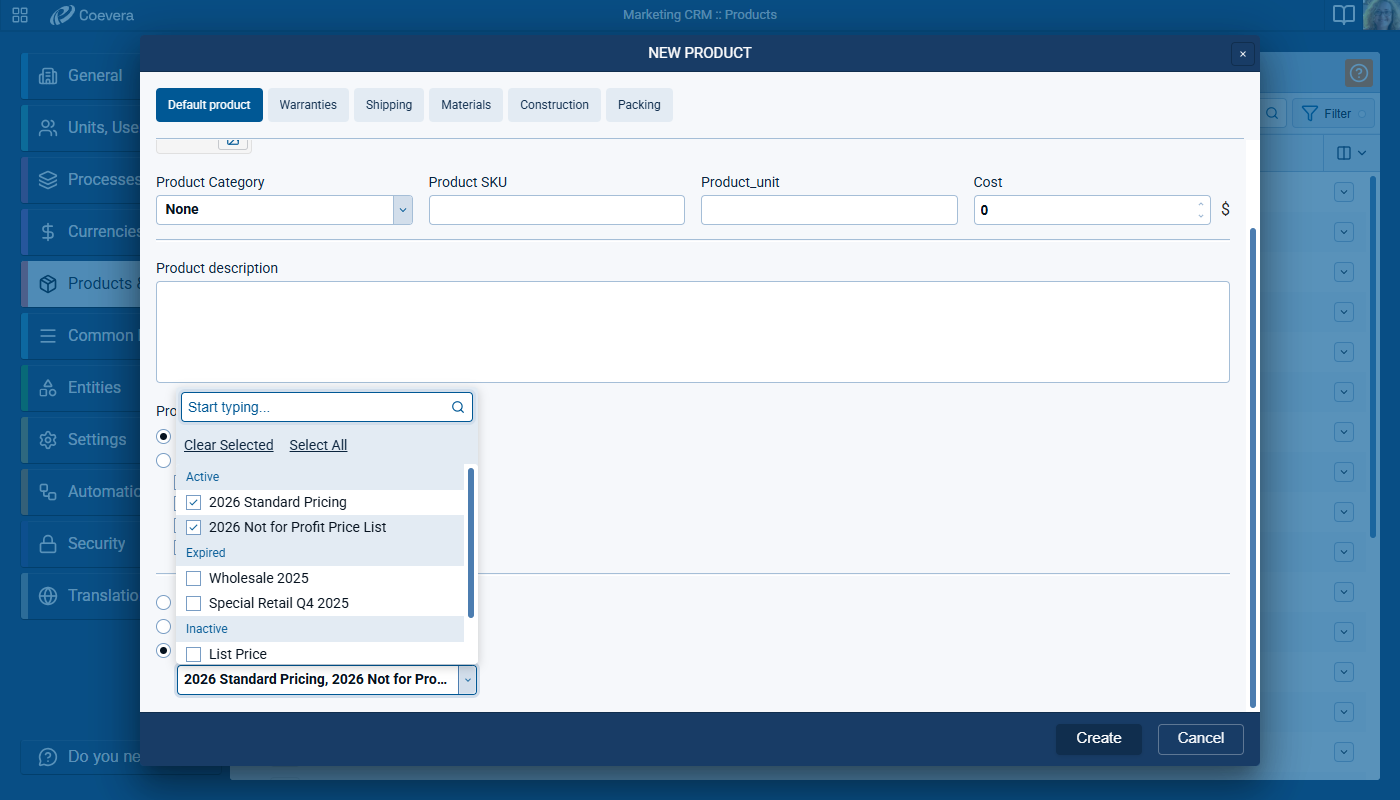
When creating a new product, users can define price-list assignment as part of the creation workflow. The setting provides three explicit choices: Don't add to Price Lists, Add to all Active Price Lists, and Add to selected Price Lists.
Choosing Add to selected Price Lists option enables a grouped multi-select experience across categories such as active, scheduled, expired, and inactive price lists. After the product is saved, the system immediately links the product to price lists according to the selected option. ⤵
The same price-list assignment setting is available in the first step of a product import from a csv file. The import dialog uses a clear Import Products label and applies selected assignment behavior to all accepted imported records.
Online Forms Submission Safeguards for Record Identification
Validation Rules in Form Configuration
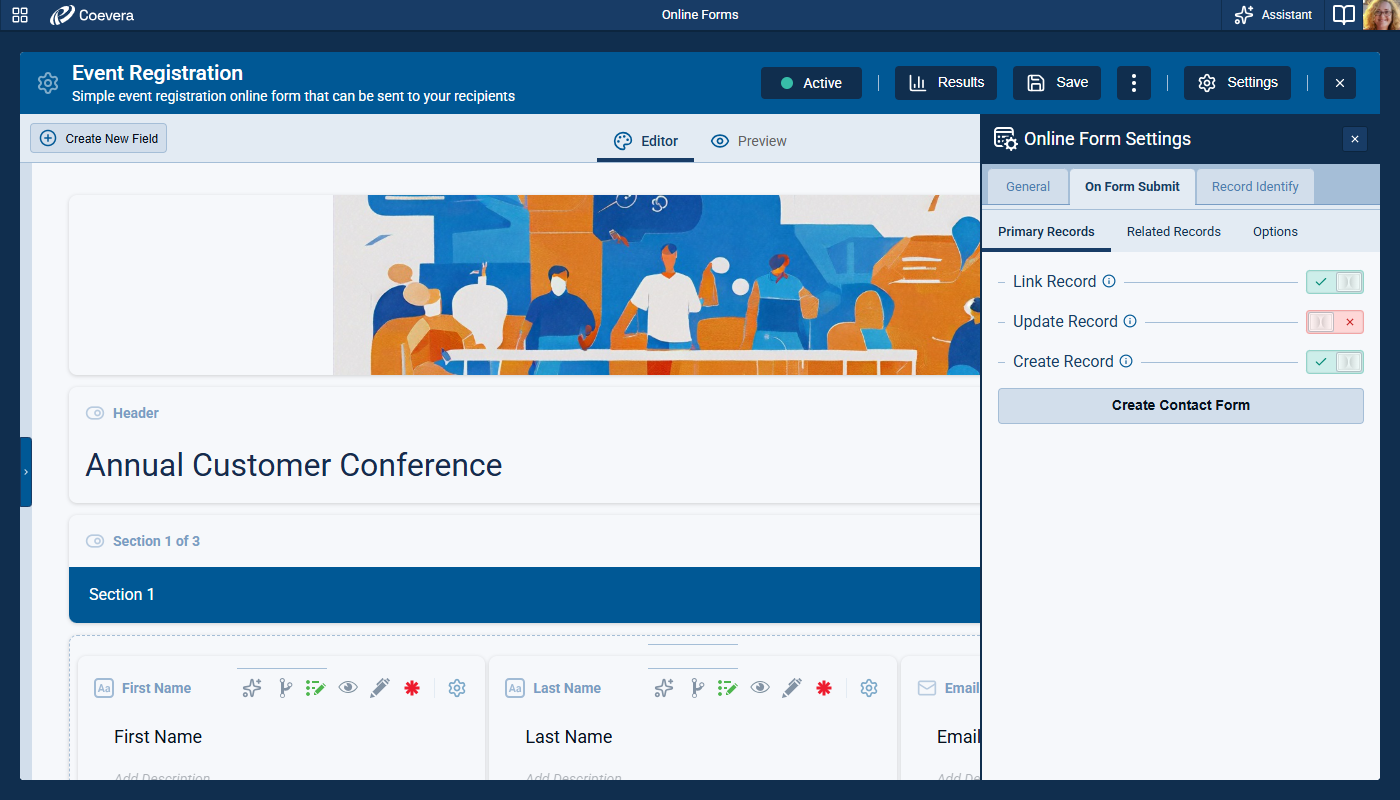
When Identify by Field on the Record is enabled in record identification, the form configuration now requires a compatible primary-record action path. At least one option that supports existing-record handling must be enabled, preventing conflicting setup combinations at configuration time. The default behavior guides users toward a valid setup by preselecting the Link Record.
The Configuration text now clearly states that enabling record identification requires update or link capability for the primary record to help prevent submission errors caused by setups that requested record identification while allowing only forced record creation. ⤵
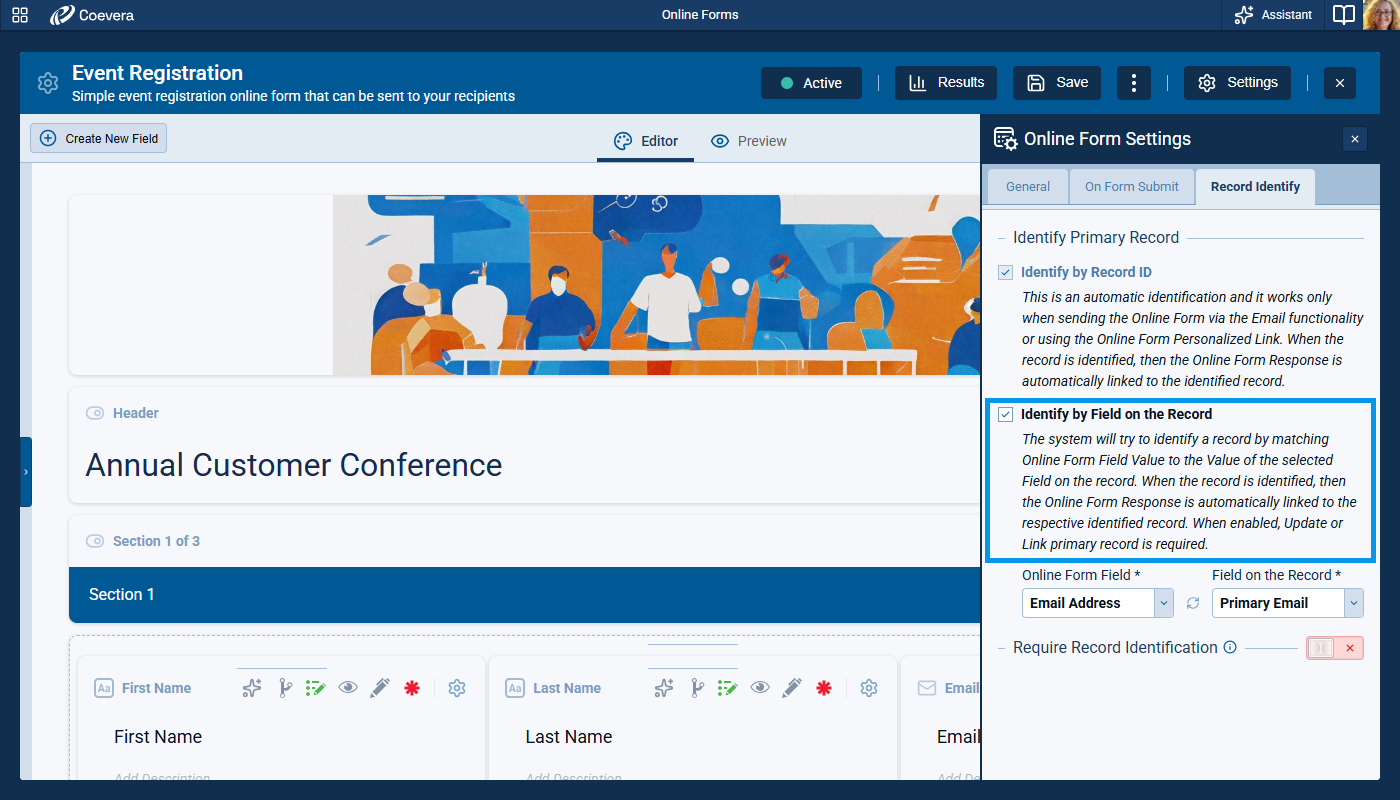
If a user enables the Identify by field checkbox in Record Identify tab and neither Link or Update Record is selected in the Primary Records tab, Link Record will be enabled automatically on saving. ⤵
Fullsize Screenshots ⤵