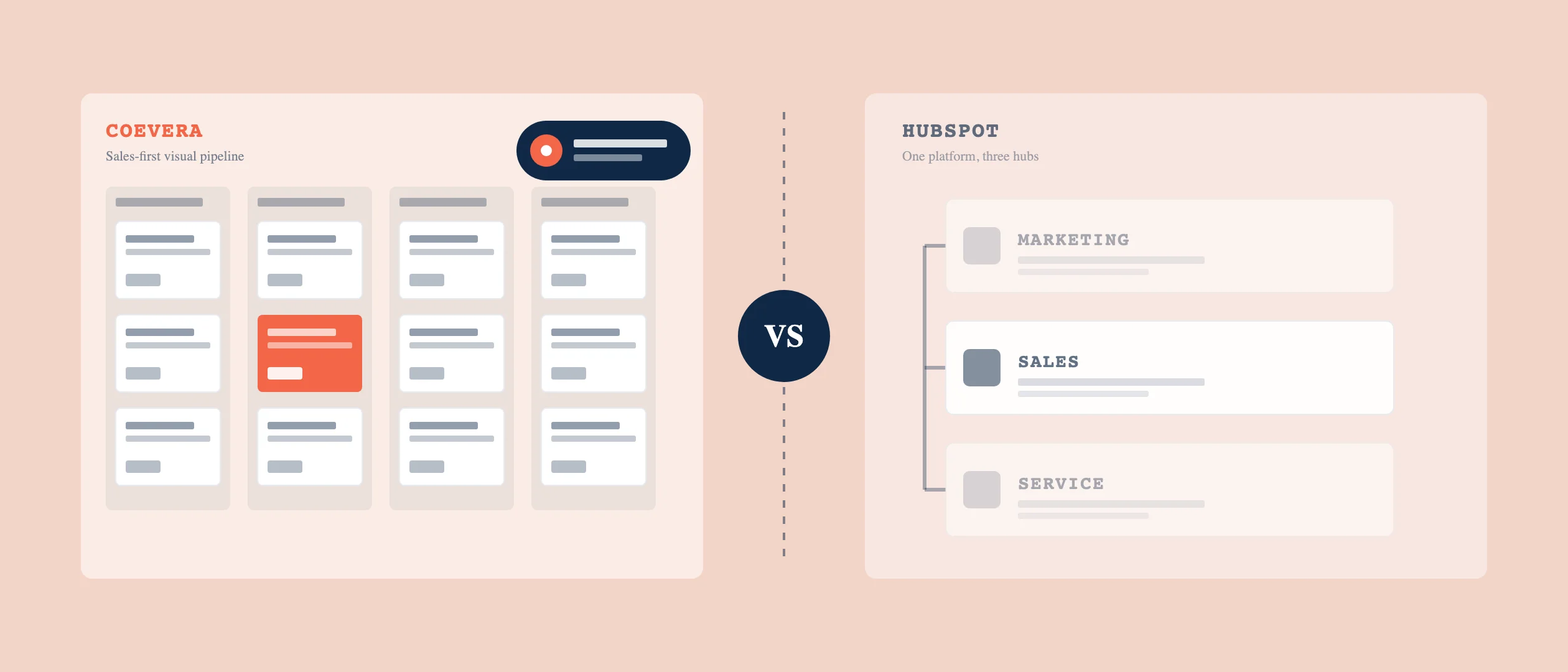
If you're weighing Coevera vs HubSpot for a B2B sales team, the decision usually comes down to one question: do you need a marketing platform attached to your CRM, or do you need a CRM built around the deal? HubSpot is built around a bundle — marketing, sales, and service hubs on one platform. Coevera (formerly Pipeliner CRM) is built sales-first. That difference shapes everything that follows: what you pay, what you implement, and how each platform's AI behaves.
Coevera vs HubSpot: when each one wins
HubSpot wins when you want sales, marketing, and service running on one platform and you'll use the marketing automation enough to justify paying for it. If your demand-gen team lives inside HubSpot's Marketing Hub, keeping sales there too removes friction.
Coevera wins for the sales organization — 15 to 2,500 sellers — whose marketing function lives somewhere else. You don't want to pay for hubs you won't open. You want a visual pipeline your reps adopt, agentic AI that shows its work, and a system that's live in weeks without a dedicated administrator. That's the split. The rest of this article is the evidence behind it.
What you're actually paying for in HubSpot's bundle
HubSpot Sales Hub uses a per-seat model across four tiers: Free, Starter, Professional, and Enterprise, with the per-seat rate depending on whether you pay monthly or annually; see HubSpot's live pricing page for current rates. The number that surprises buyers is the onboarding fee: Professional and Enterprise each carry a mandatory one-time onboarding fee in year one.
The second surprise is gating. The features a B2B sales team treats as core — email sequences, forecasting, deeper automation — are not in Starter. They unlock at Professional. HubSpot also separates core seats (broad edit access) from sales seats (the role-specific features like sequences and forecasting), so the per-user math depends on who needs what.
For a 25-rep team at Professional, multiply the current per-seat rate by 25 seats and add the one-time onboarding fee, and that's before any marketing contacts, add-ons, or AI credits, and before quoting, which is a separate add-on. That's not a criticism of HubSpot's value; it's the shape of the cost. The question is whether you use enough of the platform to make per-seat, per-hub pricing pay off.
Coevera Voyager AI vs HubSpot Breeze AI
HubSpot's AI is Breeze, organized in three parts: Breeze Assistant (a conversational helper available on every plan, including free), Breeze Agents (autonomous workers on paid tiers that consume HubSpot Credits per action; the prospecting and data agents are available from Starter, the customer agent from Professional), and Breeze Intelligence (data enrichment). Some Breeze agents are priced on usage and outcomes rather than per seat; see HubSpot's pricing page for how credits and agent pricing currently work. Breeze agents are designed to run in the background and take multi-step actions on their own, with audit cards that show what an agent did during a task.
Coevera's AI is Voyager, in two layers. Voyager 1 is the free assistive tier — the email assistant is free for all users. Voyager 2 is the agentic layer (call prep, contextual guidance, report generation, the Automatizer, plus a Super Agent that coordinates the others), available as a paid add-on depending on tier.
The difference that matters for a sales leader isn't who has agents — both do. It's when the human weighs in. Coevera's design is approval-based autonomy: Voyager 2 shows its reasoning, asks before it acts, and learns when you correct it. Concretely, the Automatizer requires a mandatory review — you acknowledge a checkbox that opens a "Preview Changes" dialog before any AI-built workflow goes live. Breeze agents are built to act first and surface an audit trail after. Both are legitimate models. And the approval step is targeted, not constant: the assistive tier runs freely, and the checkpoint applies where an AI workflow changes your data — a pause on consequential actions, not a brake on every task.
Coevera also embeds a coaching layer that most sales CRMs don't build in natively. The Collaborator — built on the 1,600+ Sales POP! episode catalog — lives inside the CRM, so Voyager surfaces the right coaching at the right moment in a deal. Other CRMs have training portals that teach the software; this teaches the craft of selling, in context.
Pipeline management head-to-head
Coevera's identity is the visual pipeline. Reps work deals across multiple views — Kanban, list, chart, bubble, and map — so the same pipeline can be seen the way each rep or manager thinks. The drag-and-drop board is the default, and it's the first thing teams replacing spreadsheets or list-first CRMs notice.
HubSpot manages pipelines and deals too; the difference is emphasis. For Coevera, the visual pipeline is the interface. A team buying HubSpot mainly for pipeline visibility is paying for a platform whose center of gravity sits well beyond the deal board.
TCO over 3 years: real numbers, real assumptions
Here's what we can state with sourced precision on the HubSpot side, and where Coevera's advantage comes from structurally.
A 25-rep HubSpot Sales Hub Professional deployment is 25 seats at the current per-seat rate, plus the mandatory onboarding fee in year one, before marketing contacts, paid add-ons, or Breeze credits. Enterprise raises both the per-seat rate and the onboarding fee. Run the 3-year total at HubSpot's current published rates.
Coevera's cost advantage comes from three architectural choices rather than a discount: the assistive AI tier is free rather than metered, features aren't gated hub-by-hub, and there's no published onboarding fee. Combined with a fast implementation and no required full-time admin, the all-in three-year cost lands well below an equivalent HubSpot Professional or Enterprise build for a sales-first team. Coevera publishes its per-seat pricing openly on the pricing page, and the free trial lets you test any tier without an onboarding fee.
| Dimension | Coevera | HubSpot Sales Hub |
|---|---|---|
| Pricing model | Tiered, published on Coevera's pricing page; assistive AI free; agentic AI a paid add-on | Free tier plus three per-seat paid tiers; rate varies by billing terms (see HubSpot's pricing page) |
| Mandatory onboarding fee | None | Yes, at Professional and Enterprise (one-time, year one) |
| Where core sales features live | Included; forecasting from the Business tier | Sequences and forecasting gated at Professional and above |
| AI model | Voyager: free assistant plus agentic add-on; approval before action (Preview Changes) | Breeze: free assistant plus agents (paid tiers, credit and outcome-based); autonomous with audit cards |
| Embedded coaching | The Collaborator (1,600+ Sales POP! episodes) embedded in-CRM | — |
See the visual pipeline before you commit
Start a free Coevera trial — no credit card, no onboarding fee.
Start free trial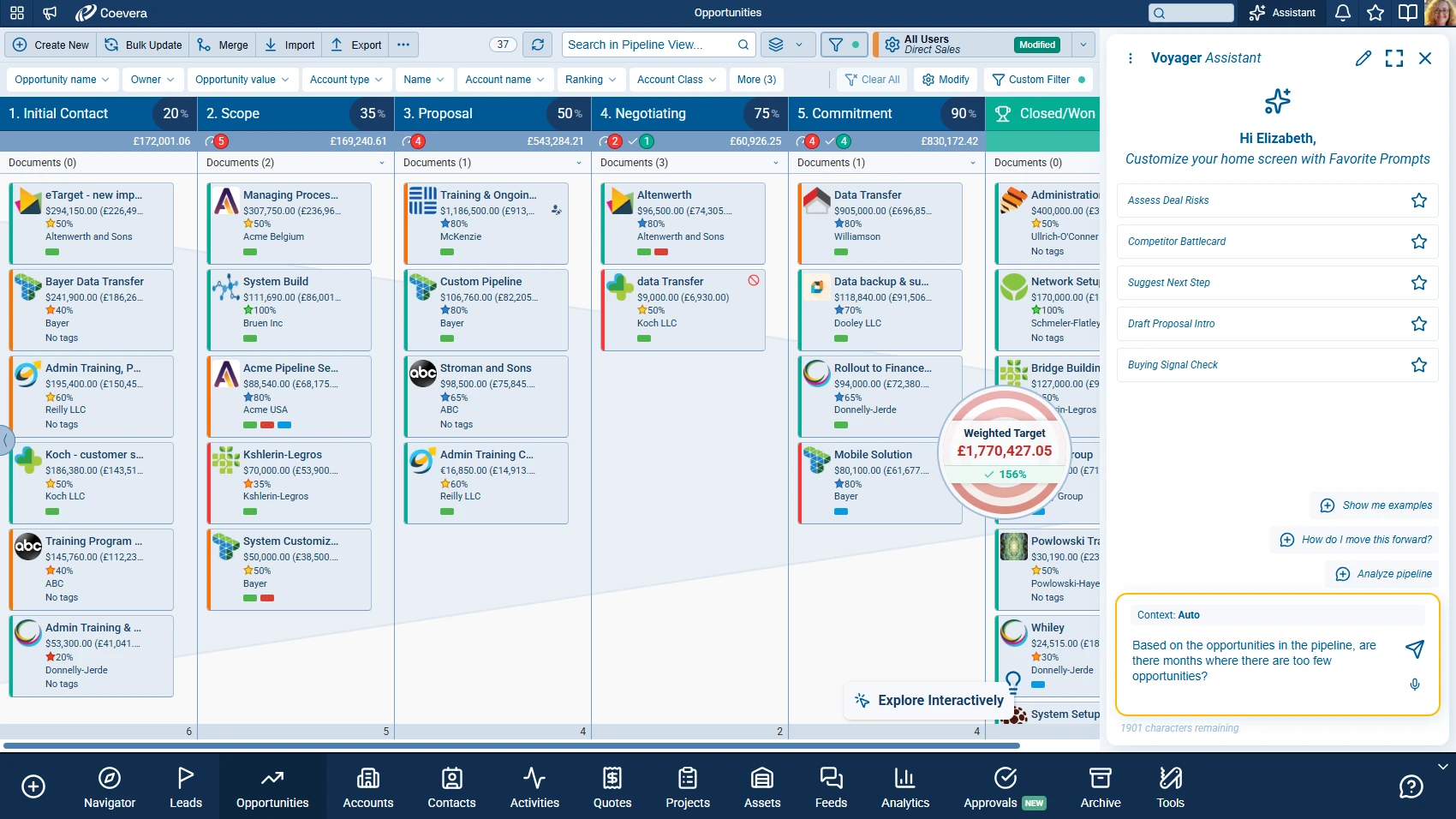
Implementation time and admin requirements
Coevera is built to be operational quickly, with a new rep productive in about two hours and no full-time CRM administrator required — teams set up and customize their own pipeline. Coevera targets a four-week implementation, the payoff of pre-built workflows that don't need a configuration consultant.
On the HubSpot side, the sourced fact is the mandatory onboarding fee at Professional and Enterprise, which exists because those tiers are expected to need guided onboarding.
The people side of a CRM rollout matters as much as the platform. The Collaborator's companion piece breaks down why most CRM implementations fail and what top teams do differently.
Migrating from HubSpot to Coevera
The migration fear is usually about the data — custom properties, historical deals, the notes your reps wrote over three years. Coevera handles the move with an automated tool that downloads your full sales activity history from your existing CRM and imports it into Coevera, including notes on contacts and opportunities and custom fields. Because the import is automated rather than a manual CSV exercise, the turnaround is fast.
The handoff question matters just as much for a marketing-led team: if demand gen stays in its current platform, how do leads reach sales? Coevera connects to your marketing stack rather than replacing it. A HubSpot contact-sync widget keeps records aligned between the two systems, and Zapier connectivity to 650+ apps captures leads and opportunities from your inbound channels into Coevera automatically. You keep the marketing engine you've built; Coevera becomes the sales-side system of record. To scope your specific fields and integrations, start with the contact team.
Who should stay on HubSpot
Stay on HubSpot if your marketing and sales run as one motion inside the same platform — if you're using Marketing Hub's automation, landing pages, and lifecycle scoring, and the sales pipeline benefits from sitting next to that data. For a marketing-led organization already living in HubSpot, the bundle's integration is the win, and pulling sales out could cost more than it saves.
Who should switch to Coevera
Switch to Coevera if you're a sales-first, mid-market B2B team whose marketing stack lives elsewhere, you're paying for HubSpot hubs you don't open, and you want agentic AI that asks before it acts plus embedded coaching your reps will use. The clearest signal: you're on HubSpot Professional or Enterprise mostly for the CRM, and the per-seat-plus-onboarding math no longer matches what you use.
The right tool. The right mindset. Win Together.